Jeandre
New Member
November 25, 2025
Question

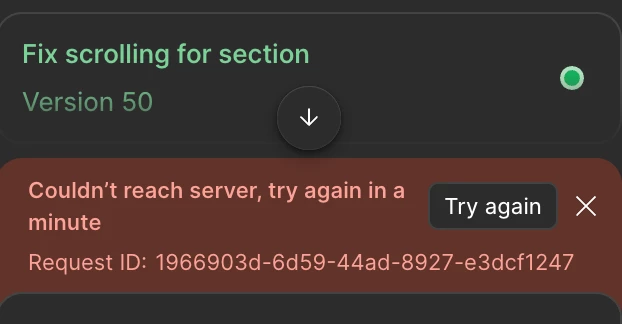
Couldn't reach server, try again in a Try again minute

  • November 25, 2025
  • 41 replies
  • 1977 views

Couldn't reach server, try again in a

Try again

minute

I am getting this error for the last hour is there anything down on Figma side?
 

41 replies

Tuomas Härkönen
New Member
December 4, 2025

The problem seems to be using Gemini 3 Pro. Resetting Figma also disables the experimental mode, so it’s just the same thing.

Gayani_S
Figmate
Community Support
December 5, 2025

I just want to make sure I fully understand what you’re all experiencing before I bring this back to the team. Can you confirm whether the issue is still happening even after toggling Gemini off in your Make settings? 

Abhinav Sharma
New Member
December 23, 2025

Hi, I’m seeing an error with the “Replace Content” functionality. It works fine in other Figma files, but in this particular file it keeps showing an error. I’ve already tried resetting Figma, but that didn’t help.

Could you please help me fix this?

djv
Figmate
Community Support
December 26, 2025

Hi ​@Abhinav Sharma, thanks for chiming in here! 

The original topic’s error message was occurring in Figma Make. 

Since you’re experiencing this in Figma Design using Replace content, this is likely a connection issue between your server and Figma's servers. How is your internet connection? Are you using a VPN or any firewall settings that you can disable to see if things improve? 

Please let us know, and we can continue troubleshooting together from there. 

viktoriia.g
New Member
December 26, 2025

I’ve been experiencing the same issue for the past 4–5 days.
Whenever I open a new file or duplicate a tab with an already opened file, both tabs stop working. This happens with different files as well.

I only see a white screen and have to reload the page, after which I get the message “Pages unresponsive.”
Sometimes it takes 10–15 reload attempts before the file finally loads, and even then I still have to wait again before I can actually start working.

My connection is great, have enough memory


ksn
Figmate
Community Support
December 29, 2025

Hey ​@viktoriia.g - I can’t say for sure, but I’m wondering if your issue is due to your file sizes.

 This happens with different files as well.

Does this mean you hit this error even when opening a new file as well? Or is it just other existing design files you have? Also, is it just the web browser where you hit this, or does it also get stuck when in the desktop app as well?
 

Just to cover all bases, can you try running through the troubleshooting steps noted on this page? I want to see if they help alleviate in any way: https://help.figma.com/hc/en-us/articles/360040523973-Troubleshooting-checklist

If anything, please try completely restarting your computer and trying again.


If that does not help -- are the files you are using pretty heavy on layers? Do you have a lot of general assets in them?

Rob Millington
New Member
January 20, 2026

I am hitting this same error. Same in the desktop application and web..

Couldn’t reach sever, try again in a minute.

I am wondering if it could be something our work VPN or firewall or something like that? Other designers in the company seem to be using it fine though! :D

Figma servers all look good and I am the organisation admin! 

Andrew290
New Member
January 21, 2026

I am hitting this same error. Same in the desktop application and web..

Couldn’t reach sever, try again in a minute.

I am wondering if it could be something our work VPN or firewall or something like that? Other designers in the company seem to be using it fine though! :D

Figma servers all look good and I am the organisation admin! 

After creating a new account and purchasing a Professional plan, Figma Make stopped working. When entering any query in Make, the error 'Unable to connect to the server, please try again in a minute' appears. The issue did not occur on the previous educational plan account. Standard troubleshooting steps (checking internet, waiting, network settings, reset Figma, Cach, Browser/Desktop, VPN, On default model AI) have been tried with no success. The problem is specific to the new Professional plan account.

Tech support has been ignoring me for 2 days now.

Here are my support tickets:
https://help.figma.com/hc/en-us/requests/1695239
https://help.figma.com/hc/en-us/requests/1694573
https://help.figma.com/hc/en-us/requests/1695214
 

Gayani_S
Figmate
Community Support
January 21, 2026

Hey ​@Andrew290, I’m really sorry for the delay you’ve experienced.

I’ve located your support tickets and have just escalated them internally so the team can investigate this as a priority.

Thank you for your patience and someone from the team should be in touch as shorty to review this! 

Gayani_S
Figmate
Community Support
January 21, 2026

Hey ​@Rob Millington! Are you still seeing the error? If so, I’m happy to get you connected with our support team so they can dig into what might be causing it on your account specifically (including whether a VPN or firewall could be involved). Just let me know and I’ll take it from there.
