October 11, 2023
Solved

Removing Plugins

  • October 11, 2023
  • 24 replies
  • 11633 views

I have already searched online, but those solutions don’t work anymore. I’ve tried everything, and I can’t find an uninstall or remove button, as shown in the tutorials.

Does anyone know how to remove plugins?

This topic has been closed for replies.
Best answer by djv

Hey All, sorry for the trouble and confusion!

After removing a plugin from your Saves, the list of recent plugins is still stored in Local Storage, which is why you’ll still see it. Clearing this storage will clear out the list of recent plugins and other Figma settings.

Here’s how to clear the desktop app cache on a Mac:

  1. Quit the Figma desktop app
  2. Open Terminal.app and enter the following command: rm -rf "$HOME/Library/Application Support/Figma"
  3. Try opening the desktop app again

And here’s how to clear the desktop app cache on Windows:

  1. Close the Figma desktop app
  2. Open the Start menu, and paste in this, followed by enter: %APPDATA%\Figma
  3. In the window that opens, delete the Desktop and DesktopProfile folders if they exist
  4. Launch the desktop app again

As for plugin subscriptions, if you subscribed to a plugin using a third-party payment site, you’ll need to contact the creator directly to manage your subscription.

If you purchased a plugin subscription using Figma’s payment platform, you can manage your subscriptions from your Stripe customer portal. From your Stripe customer portal, you can:

  • Cancel or renew your subscriptions
  • Update your payment method
  • Change your billing information
  • Review your purchase history

To access your Stripe customer portal:

  1. Open Figma in the file browser.
  2. Select your avatar in the top-right corner to open the account menu.
  3. Click Settings.
  4. Select the Community tab.
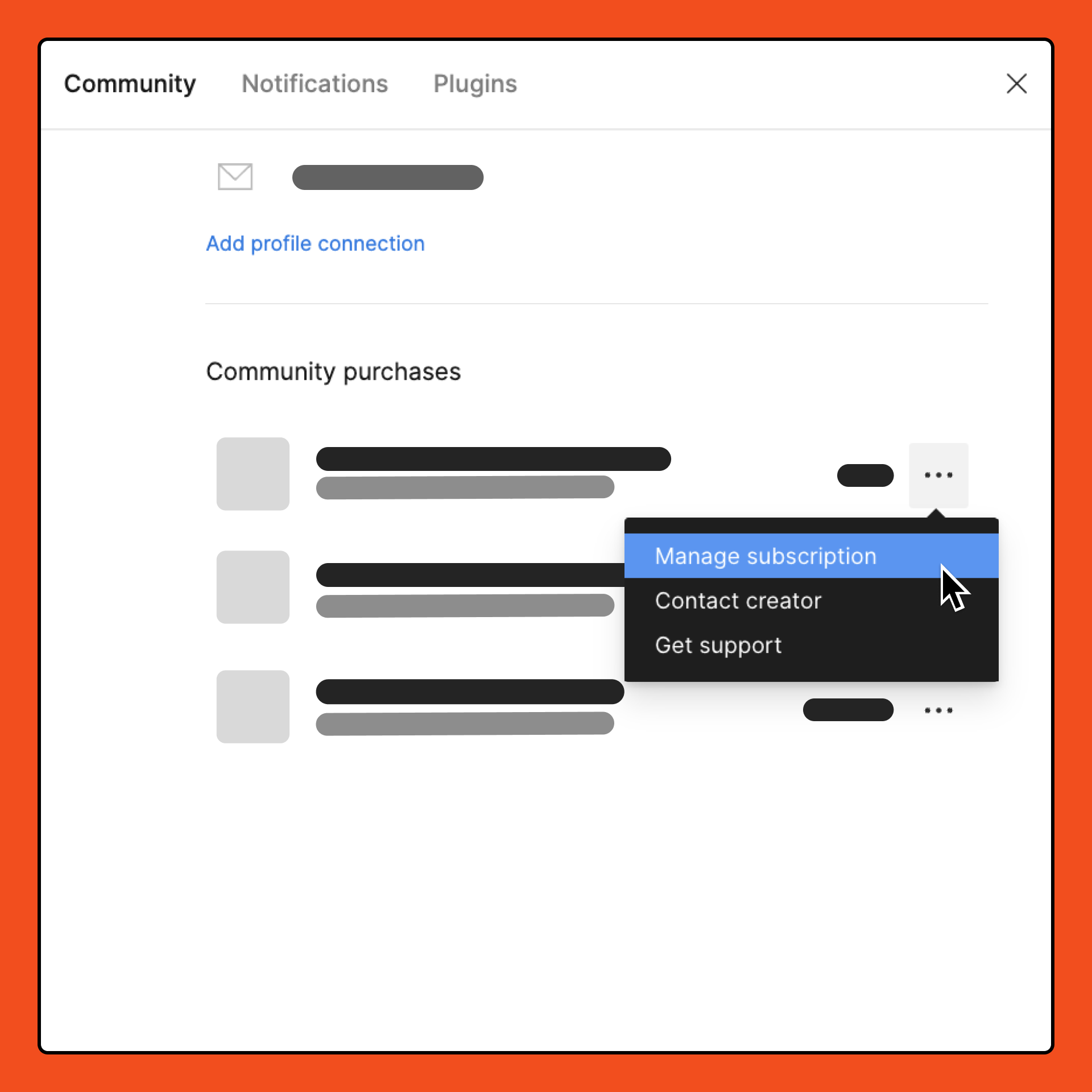
  5. Under Community purchases, locate the subscription you want to manage.
  6. From the dropdown, select Manage subscription. You are redirected to your Stripe customer portal. You can use the settings to manage your subscriptions.

Note: Plugin subscriptions are not refunded when canceled. You can cancel a plugin subscription to prevent it from being automatically renewed, so you will still be able to access the plugin until the end of your current billing cycle.


24 replies

MartinBajac
New Member
October 11, 2023

Hey @Hielke ! Looks like your issue might have been resolved in this ticket: Uninstall Plugin

Solution: If you use the Figma desktop app, you can go to Plugins > Manage Plugins. You’ll be presented with a plugin modal where you can easily uninstall all your plugins by clicking on the minus(-) icon.

Check out the ticket and let me know if you could solve it!

Fish
November 17, 2023

could you specific where the minus(-) is, thank you!

Evgeniy_Badmaev
November 27, 2023

there are none there either, where is this function?

Che_de_Bruin
New Member
November 28, 2023

I appears that that functionality has been removed. Can someone please advise?

Purveyor of all Things Creative
Suelie
November 29, 2023

Unfortunately there this minute (-) does not exist anymore.
It is also not possible on the […] button with the details.
Very strange.

Please someone tell us where this function is…

tank666
November 29, 2023
UX/UI designer. Figma expert. Creator and developer of plugins and widgets for Figma and FigJam. Check out my resources in Figma Community: figma.com/@tank
December 9, 2023

I finally found where to unsubcribe. Click on your name in the left top corner. Then choose “Settings”. There will be 3 tabs. Choose “Community” and scroll down to find Community purchases. There click 3 dots and choose “Manage subscription”. It will redirect you to a website where you can unsubscribe.
Hope this helps!

Mayank_Singh3
December 18, 2023

Can’t see the option of ‘Community purchases’ on my end.

December 27, 2023

me either 😭 😭 😭

February 15, 2024

I need this too. @Figma: Put the functionality back! I can’t get to a “community purchases” section either, and nothing can be removed or uninstalled from the plugins list or plugins details within the program. Absolutely insane… you’re trapping people into paying for things they need canceled with the only option to get this resolved by spending hours jumping through hoops on the phone trying to get to a real person for customer service. Insane.