Claire Fredrick
New Member
May 30, 2025
Solved

Measurement Indicator Will Not Go Away

  • May 30, 2025
  • 28 replies
  • 4220 views

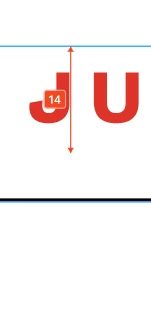
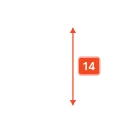
I can’t seem to find a way to turn off the red measurement tool. If I go to View > Hide UI it does remove it, but it also removes other side navigation components that I need available. 


This topic has been closed for replies.
Best answer by Junko3

Hi ​@Claire Fredrick,


I understand you're looking to hide those measurements from your canvas. That's definitely possible.

Please try following these steps:

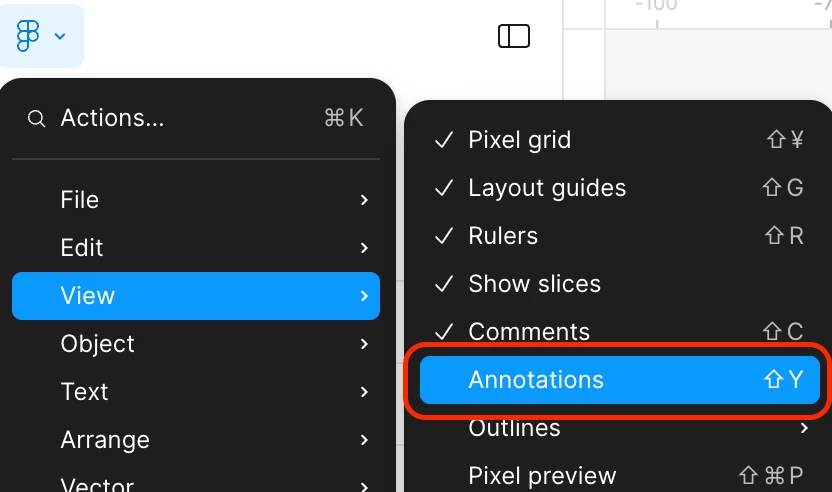
  1. Click  Figma icon on the top left to open the main menu.
  2. Hover over “View” in the dropdown.
  3. Deselect “Annotations”.

I tested this on my end, and it should hide both annotations and measurements for you. You can find more details in our article here: Add measurements and annotate designs
 

Thanks,

28 replies

Aranza
New Member
June 9, 2025

Same, I ended up cutting and pasting everything in the same frame, and that finally removed the measurement tags, hope Figma fixes this soon.

Slava_Bronevitskiy
Active Member
June 9, 2025

This is incorrectly market as “SOLVED”. It is not solved. There is a bug where indicators cannot be removed. It’s not about hiding all. It’s about deleting a single measurement indicator while keeping the rest.

impactby.design?ref=nI
Mmediong Esu
New Member
June 11, 2025

Still happening 

Payton_Biddington
New Member
June 11, 2025

Yep, still happening. You can hide them, but can’t delete…

Mike D
New Member
June 12, 2025

Still happening for me too. I did find a workaround that seems to be a permanent fix, though a clunky one: If I click on the annotation (like a measurement) and hit delete, nothing happens at first. But if I do that, then close and reopen the app, the annotation is gone. Not exactly efficient — but better than a sharp stick in the eye.

Matteus da Costa
New Member
June 13, 2025

It's buggy!!!!

When I try to delete is does not go away...
When I try to move it, does not move and retrieves back to the original position…

The workaround: To apply the changes I made, I have to reload the tab I every.single.time 🙄

Matteus da Costa
New Member
June 13, 2025

hey ​@Junko3, please review the new comments.

Jeremie_Passebon
New Member
June 13, 2025

There is a bug! We cannot permanently remove the measures

cartino
New Member
June 16, 2025

@Junko3 Also calling for this to be re-opened. Measurements can be hidden, but still don’t appear to be individually removable. 

krcheon
New Member
June 17, 2025

I can't delete it. It's so inconvenient.