

Yulia7
Dec 14, 2023 10:01 AM UTC
Question

How to wrap texts with auto-layout?

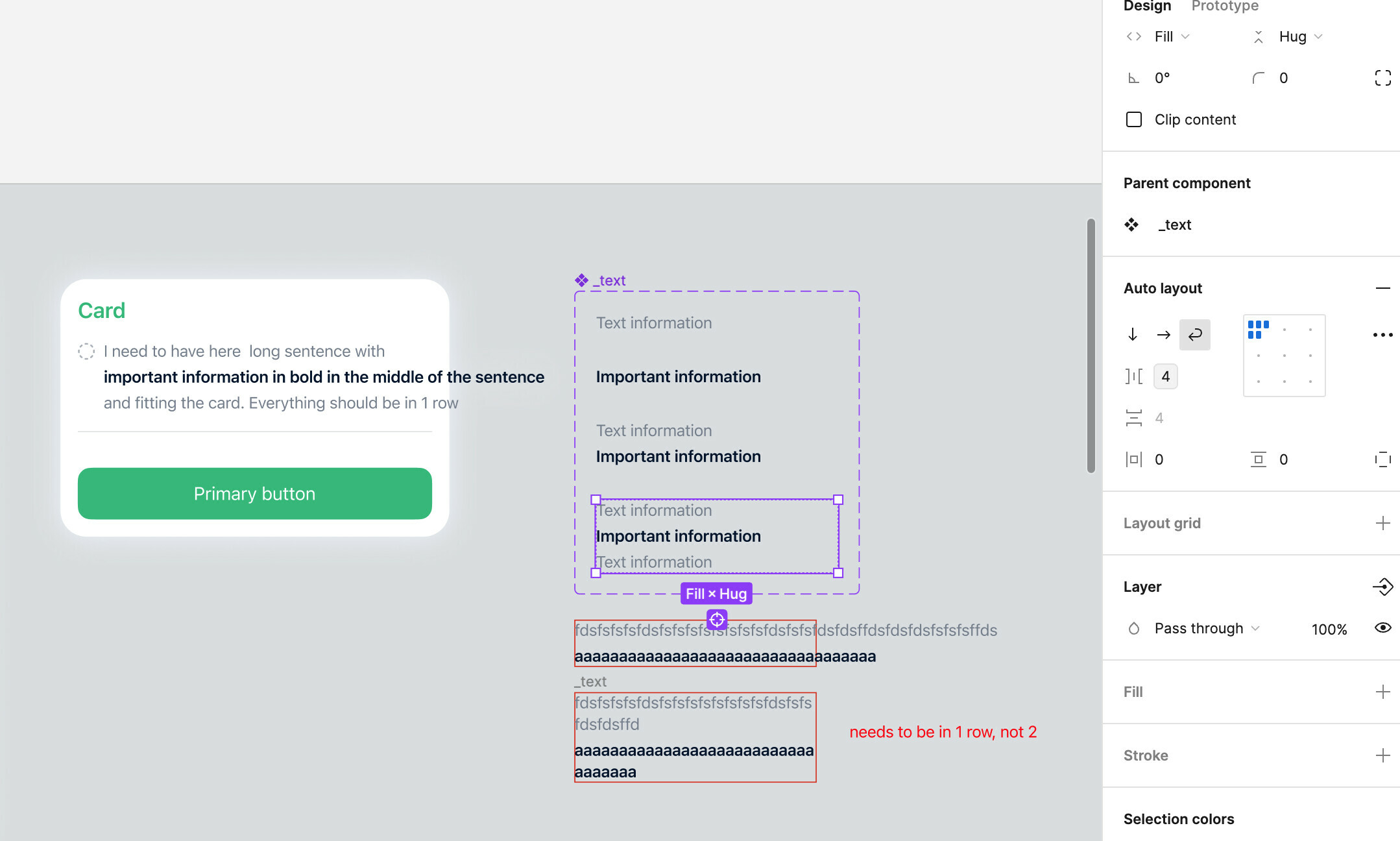
Hi community, I have a question about wrapping. I need to make at the same sentence 2 text styles and 2 colors (because if apply that in one sentence, then devs in the code will see only 1 text style and 1 color). That’s why I was trying to make it with different text boxes and autolayout, creating component set. All text boxes are with “hug” but it doesn’t work as then text is going out of the frame (marked as red border), if I make text to fit to the frame with “fill”, then it separates in to 2 different rows. I need text with 2 styles and 2 colors at the same sentence in 1 row, not like different paragraphs. Is there any other way to implement that so devs would get proper code and visually everything would be looking like 1 uninterrupted sentence?
This topic has been closed for replies.

5 replies

Haroll
Figma Ambassador
Figma Ambassador
Dec 14, 2023 10:50 AM UTC

Hi @Yulia7

There is no way, at the moment, to wrap text the way you want.
But if your only concern is to get the information to your developers you can use different style and colors in one text block and in the dev panel they’ll get everything. As show below when selecting the single text block and entering the dev mode, you’ll find everything needed

Hope it helped

Figma’s Forum Ambassador
Yulia7
Yulia7Author
Dec 14, 2023 2:08 PM UTC

I see it only like that, with one weight and color (Android code)

Haroll
Figma Ambassador
Figma Ambassador
Dec 14, 2023 2:55 PM UTC

Sorry didn’t knew dev mode for Android worked differently.
I’m afraid you’ll have to tricks the system by adding text block and adjusting their width accordingly to your needs
In the meantime you can upvote this feature request :

Figma’s Forum Ambassador
Yulia7
Yulia7Author
Dec 15, 2023 10:23 AM UTC

Thank you for help!

Bruce_Kobloth
Apr 25, 2024 2:19 PM UTC

@figma is this at least in the feature roadmap?