mungbean
February 12, 2023
Solved

How do I make the dropdown display over other components?

  • February 12, 2023
  • 18 replies
  • 15727 views

Hello, newbie here

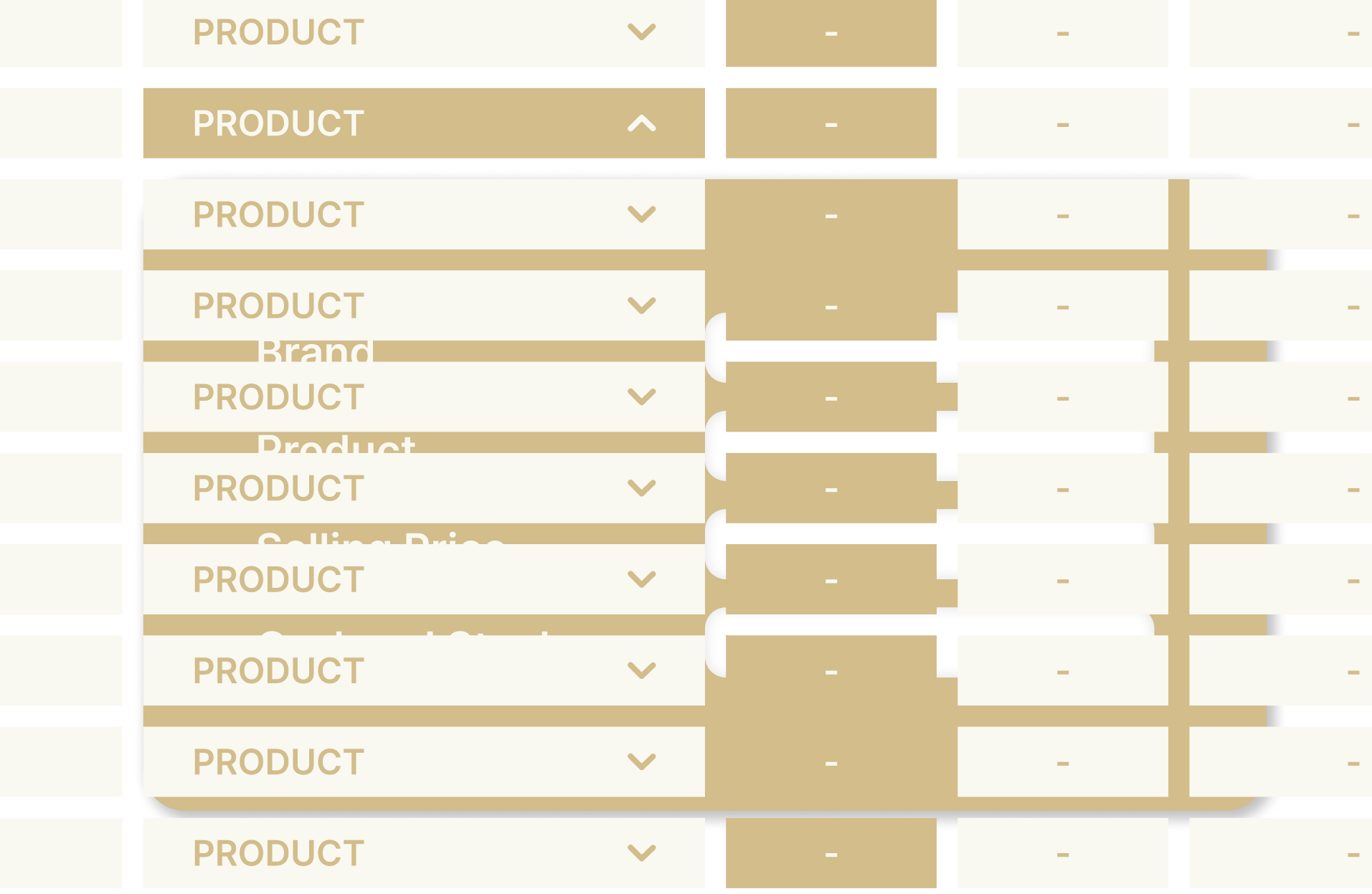
I am making a table with a dropdown option on one cell on each row but the other rows seem to overlap with the dropdown box, making the dropdown hidden behind the other rows. Please help! thank you!

This topic has been closed for replies.
Best answer by Haroll

Hi @mungbean
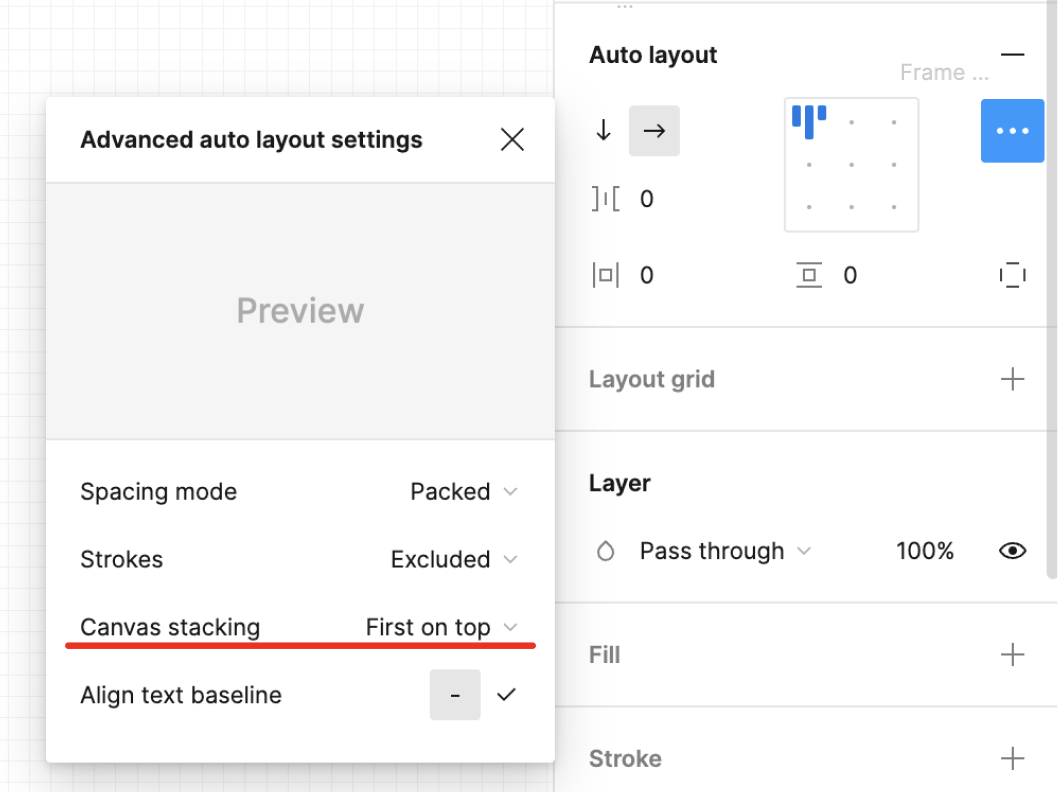
I’m assuming that your are using an auto-layout frame to vertically space the row of your table. If you select this frame, on the right panel, auto-layout section you may click on the context menu, and then change the Canvas stacking for “First on top” (as shown below) so your dropdown will always be above the one below

If you are not using an auto-layout frame, well I suggest you do, then just change the order of your element on the left panel, so the line at the top of the table, is placed at the top of the layer panel

18 replies

Parita_Gojariya
December 4, 2024

Thank you So much. It’s working perfectly.

Tony28
New Member
January 18, 2025

Im struggling with part of this. I have the list set as On Top in both the component and the instance, but I can still see through it.  The pic below shows just the drop down Sec List component where you can see through to 2 different types of objects, one frame and one text.  The list component has a 100% FFFFFF white background, and is set to On Top (just to be sure). 

The prototype example is also below, showing the same result 

A strange thing is when I setup the drop down it initially was not transparent, but somehow it is changing.

Thanks


javaria.c
New Member
January 22, 2025

I am having the same issue. I see the solution works for a horizontal approach but for anything vertical, I can’t seem to find a solution. Just as Tony28 stated above. If you have a table design with each cell as a component that displays a hover state as in this screenshot, the top most layer works just fine (top field cell as first) but anything below it, displays the hover with the first layer floating above it. Both need to show the hover for my design.

Any help would be greatly appreciated!


Top most layer hover card:

Second hover card where the top most layer appears up front.

Thanks!

Nat UX
New Member
July 2, 2025

I followed the ‘First on Top’ rule, but it is not working. The component that has the ‘Last on top’ keeps appearing on top of the one that I marked as ‘First on Top’.

Nellya
Power Member
July 2, 2025

I followed the ‘First on Top’ rule, but it is not working. The component that has the ‘Last on top’ keeps appearing on top of the one that I marked as ‘First on Top’.

You need to apply First on top to the parent frame, not to the component you want to be on top

Nat UX
New Member
July 2, 2025

@Nellya The whole parent frame is ‘First on Top’ and the one that I want in the back has also the parent frame as ‘Last on Top’. But it is not working.

Nellya
Power Member
July 2, 2025

@Nellya The whole parent frame is ‘First on Top’ and the one that I want in the back has also the parent frame as ‘Last on Top’. But it is not working.

Can you share a link to the file? Or a video or screenshots with a layers hierarchy

Adio_Babatunde_Naruto
New Member
September 19, 2025

I tried it out several times and voila it worked… the Parnt container is the target… if it doesnt work thn set each vertial autolayout to to first on top… it should work… work on mine @Haroll it would be nice of you to make a youtbe tutorial on this is i think there is less information on how to solve this