

Ajay_Dindayal
New Member
February 4, 2024
Solved

Figma prototype showing white spaces

  • February 4, 2024
  • 22 replies
  • 2731 views

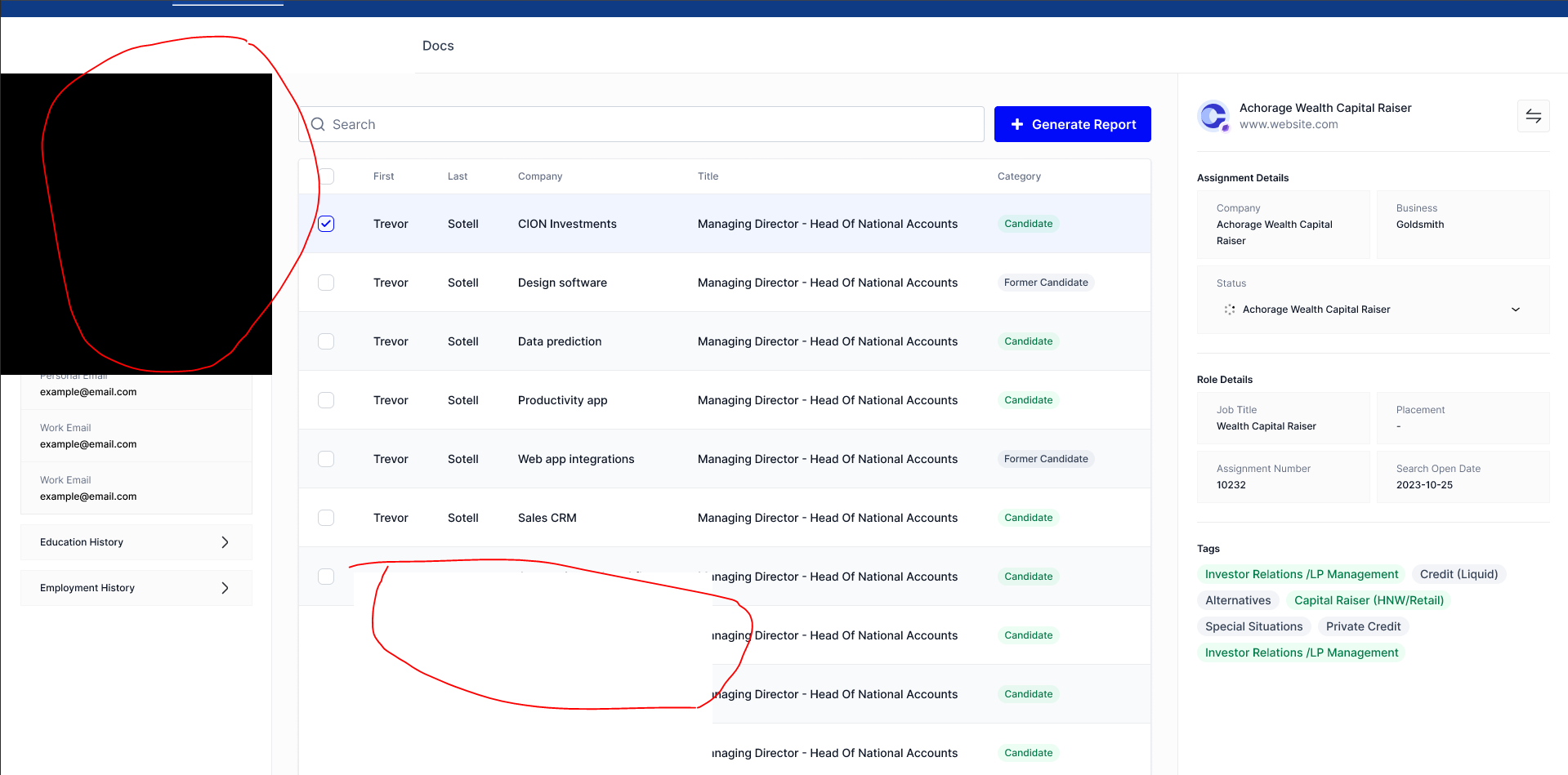
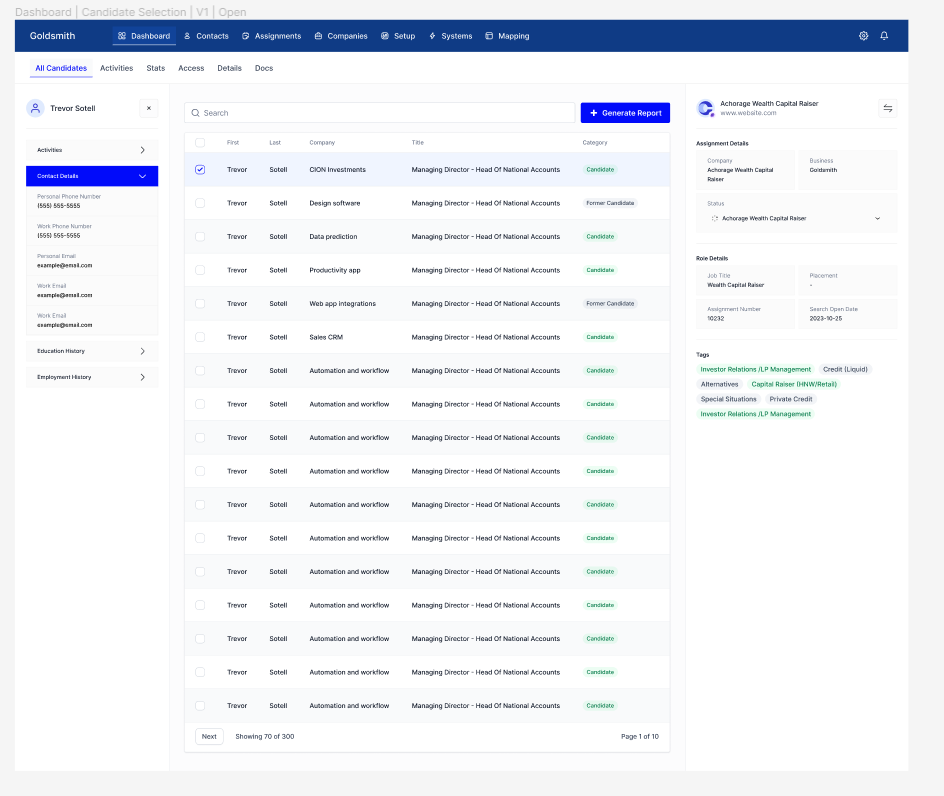
For some reason whenever I’m viewing my prototype, I’m seeing a white background over some parts of my designs. Not sure what’s the reason, but it’s consistent whether I’m viewing it on my desktop app or web app.

I included an image of how it looks within the prototype view vs how it looks in the actual design.

This topic has been closed for replies.
Best answer by y_toku

Hi all,

Thank you for your patience and for providing the file links. Our engineering team has addressed the issue, and it should be resolved now. Could you please refresh the prototype tab and check if everything is working as expected?

If you keep seeing it, please feel free to let us know.

Thanks again!
Toku

22 replies

Josh
Former Community Manager
February 4, 2024

Hey there @Ajay_Dindayal this definitely looks strange. Are you able to share a link to the file by chance? Also can you confirm if this happens in both the browser and the desktop app? Lastly, if you could check your file in outline mode (command+y) to make sure there’s not some hidden element/frame that would be great too. Let me know, thanks! 🙂

Ajay_Dindayal
New Member
February 5, 2024

It happens in both browser and desktop app like mentioned. I checked outline mode and nothing in stands out in particular, so not sure if the problem exists due to that.

Here’s a link to the [prototype]

Josh
Former Community Manager
February 5, 2024

Oops sorry I missed that you mentioned that. Took a quick look at the prototype and I’m not seeing this on my end. Curious does changing the view settings within the prototype have an effect on this at all? It looks like it might be a strange rendering bug/issue

Ajay_Dindayal
New Member
February 5, 2024

Doesn’t make a difference when changing the view settings within the prototype. I’m wondering if it could be an internet issue (not causing everything to render)

y_toku
Figmate
Community Support
February 5, 2024

Hi @Ajay_Dindayal ,

Yeah, I also took a quick look but it was fine on my end too. Could you check the supported browser setup if you haven’t?

If the problem persists, please reach out directly to the support team with a copy of your file: https://help.figma.com/hc/en-us/requests/new.
Please make sure you use the email associated with your Figma account, include links to the file in question, and share access with support-share@figma.com. Don’t worry, inviting us to view your file won’t impact your billing.

Thanks,
Toku

Sercan_Karabulut
February 26, 2024

Hello,
I’m having the same problem, I’ve tried different browsers, mobile and macOS, always the same two pages but sometimes it happens and sometimes it doesn’t. I also checked outline mode (command+y), there is no remaining file.
How was this problem solved?
I would like to ask for your help.

y_toku
Figmate
Community Support
February 27, 2024

Hi there, thanks for reaching out and sharing what you’ve done. Could you please file a ticket as following?

Sercan_Karabulut
February 27, 2024
Jenton_Lee
February 27, 2024

I’m also experience this issue as well. Is this a bug that was introduced in a recent Figma update?

y_toku
Figmate
Community Support
February 28, 2024

Thank you for providing the link. I’ve looked but I’m unable to replicate the issue at my end. If you encounter it again, could you please share some screenshots?

@Jenton_Lee We would like to investigate this, but we’re unable to reproduce the issue on our end. Could you please share the file link with support-share@figma.com (this won’t impact your billing) and any screenshots when you come across the problem? If you could also share details about your PC setup, that would be really helpful.

Than you for your support!
Toku