

Ajay_Dindayal
New Member
February 4, 2024
Solved

Figma prototype showing white spaces

  • February 4, 2024
  • 22 replies
  • 2731 views

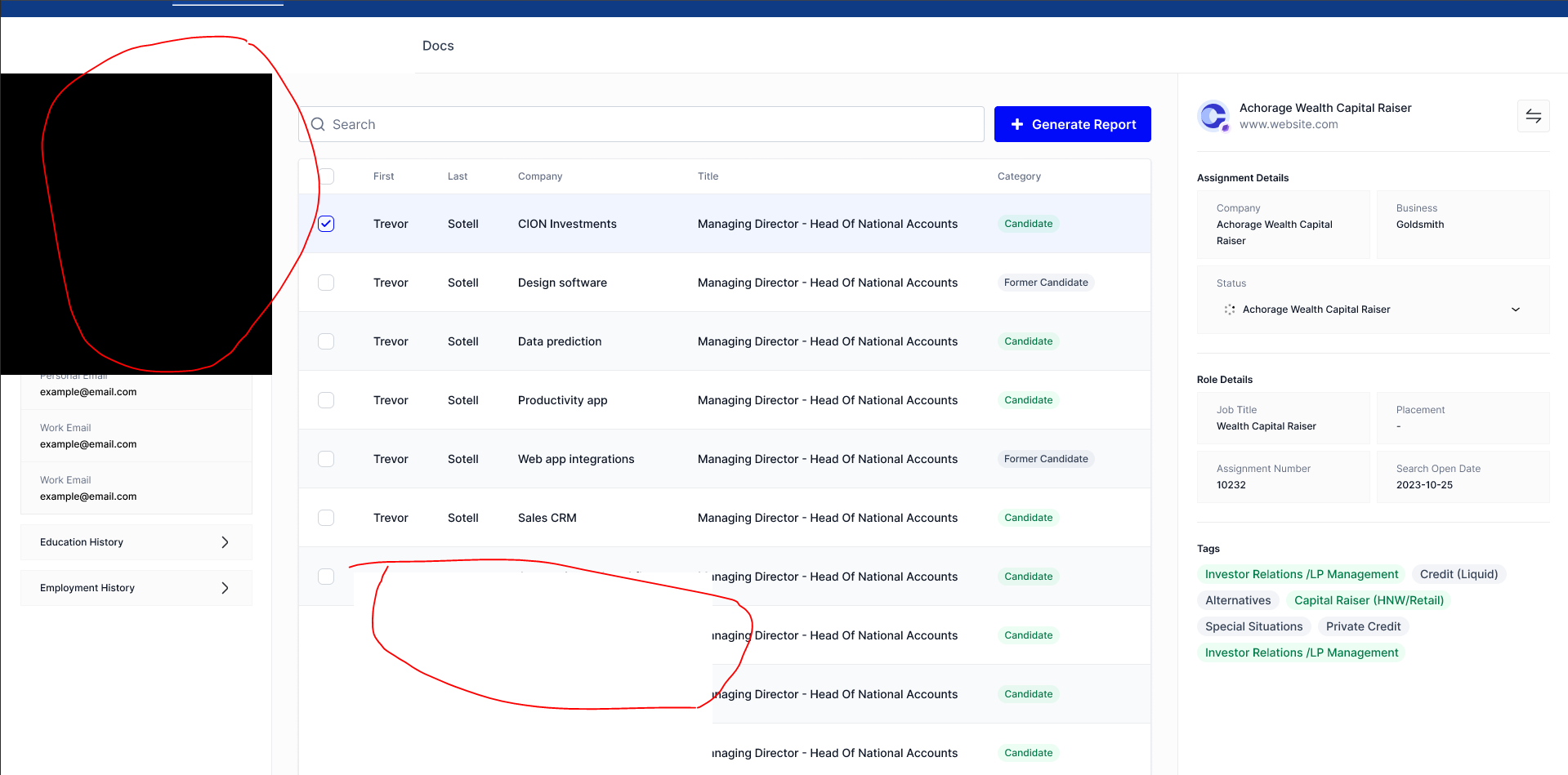
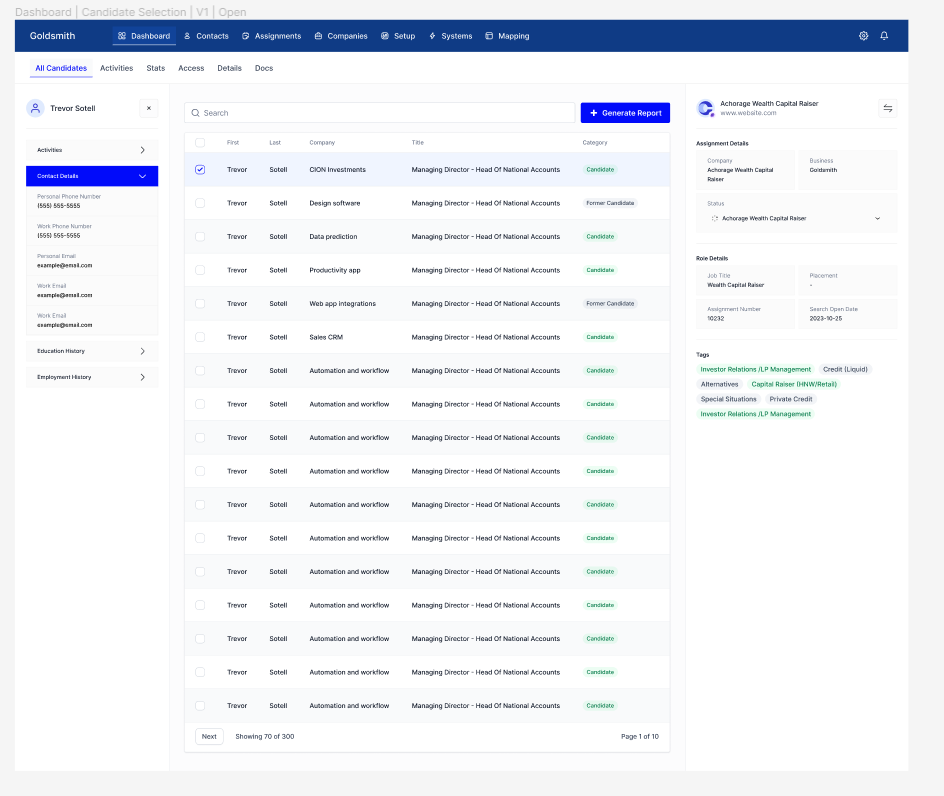
For some reason whenever I’m viewing my prototype, I’m seeing a white background over some parts of my designs. Not sure what’s the reason, but it’s consistent whether I’m viewing it on my desktop app or web app.

I included an image of how it looks within the prototype view vs how it looks in the actual design.

This topic has been closed for replies.
Best answer by y_toku

Hi all,

Thank you for your patience and for providing the file links. Our engineering team has addressed the issue, and it should be resolved now. Could you please refresh the prototype tab and check if everything is working as expected?

If you keep seeing it, please feel free to let us know.

Thanks again!
Toku

22 replies

Sercan_Karabulut
February 28, 2024


These white screens do not only appear on my computer, I have shared the link to the prototype with other people and some of them also see these white screens.

February 28, 2024

I`ve encountered the same problem. White frames appear randomly and chaotically in, covering elements thus also interfering drastically the prototype presentation to the customers.
Tried seeing if there were any hidden frames with the outline function -found none.

EthanOB
February 28, 2024

I’m also having this issue, in Figma and in browsers. If I change the proto options to ‘fill screen’ sometimes the blank spaces fill in. If I resize my browser(when in ‘fill screen’ mode), the blank spaces fill in.

Have to present protos to C-Suite soon and am dreading this issue coming up.

y_toku
Figmate
Community Support
February 29, 2024

Hey all,

Thanks for flagging. We’re currently investigating this issue with our engineering team. Would you be able to share the prototype file link with us pleas? If you’d prefer DM, please let me know. I’ll DM you.

Also, could you check if you can see prototype without logging in?

Thanks for your help!
Toku

February 29, 2024

@y_toku,
Thanks for a swift response.
Might I ask you to DM me ? Thanks!

Dasha

y_toku
Figmate
Community Support
February 29, 2024

Thanks! I will DM shortly.

y_toku
Figmate
y_tokuAnswer
Community Support
February 29, 2024

Hi all,

Thank you for your patience and for providing the file links. Our engineering team has addressed the issue, and it should be resolved now. Could you please refresh the prototype tab and check if everything is working as expected?

If you keep seeing it, please feel free to let us know.

Thanks again!
Toku

Joshua_Davis
March 11, 2024

I am having this issue as well. (I have large sections of my project which are “whited” out) Layers aren’t behaving correctly either (I have a shape over an image with transparency, the transparency doesn’t show.)

ksn
Figmate
Community Support
March 11, 2024

@Joshua_Davis Since this was supposed to be fixed already, can you send more info?

  • Is this happening when you try to view the prototype via web browser and desktop app?
  • If you duplicate the file with the prototype you’re having issues with, does it run as expected, or is it still showing whited-out sections?
  • If you’re on the desktop app – have you recently closed / reopened the app? Sounds weird to ask, but sometimes you won’t see changes if you don’t restart the app and/or your computer.
Joshua_Davis
March 11, 2024

Thank you for your quick response!

  • Situation is present during design and prototype- browser AND app

  • Issue persists even when duplicated

  • Closed, quit, and restarted app. Situation is still present. It’s as if there is a white shape layer over certain parts of the design. But there isn’t at all. The layers and information are still there though, they show in the layers menu. And they show up as outlines if I hit Shift+O to show outlines.