

Abram
June 7, 2021
Solved

Figma Helper (Renderer) is using excessive memory, why?

  • June 7, 2021
  • 107 replies
  • 24590 views

Hello everyone, I’m trying to discern what the underlying issue is here. This has only been really presenting itself as a problem in the past few days, but for some reason almost any Figma project I have open winds up consuming essentially all of my system memory.

I’ve noticed that this happens regardless of how many project files I have open. While I’m not experiencing any crashing of the application, it does bring my work laptop to a grinding halt and creates an essentially unusable experience. Is there any reason Figma is utilizing so much memory? Are our working files just too large?
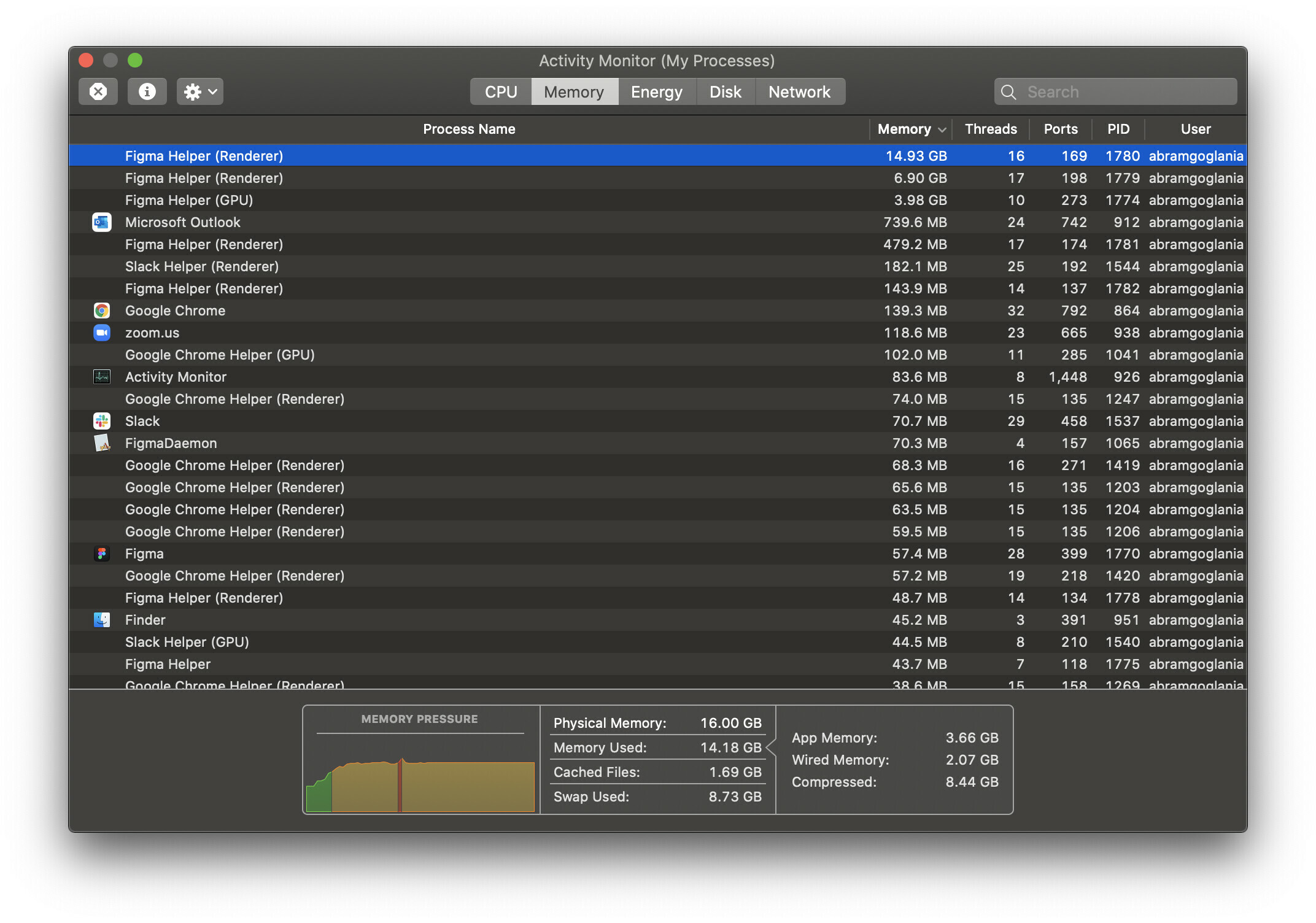
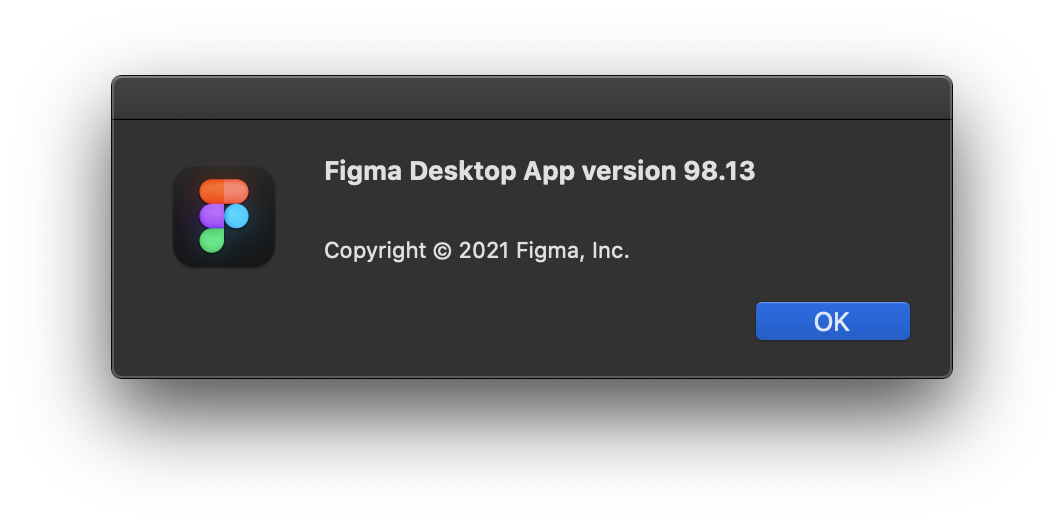
For reference, I’m using the desktop app on macOS 10.15.7 and as far as I am aware this is the latest version available.
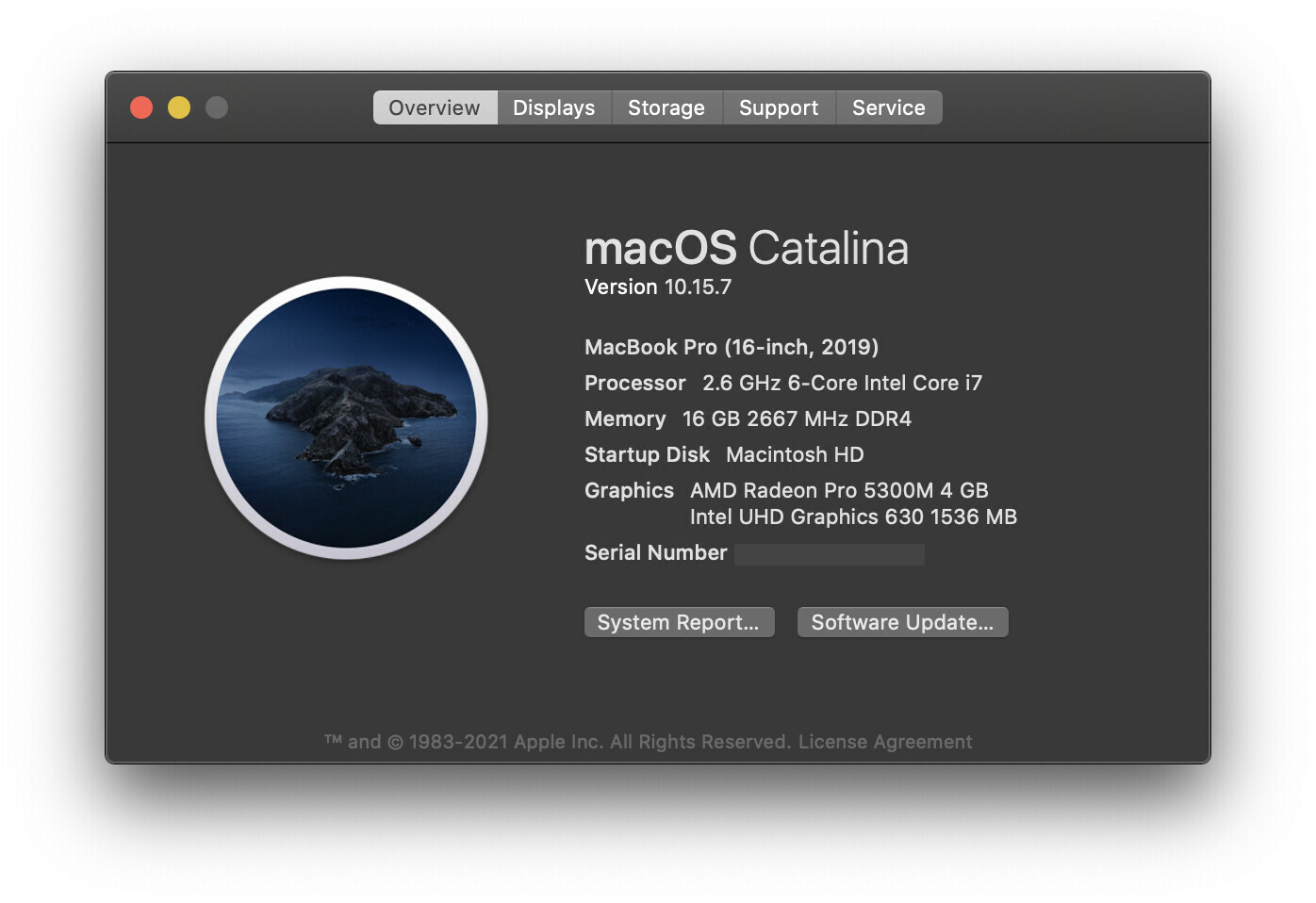
I’m really scratching my head over this one as to why it’s popped up as an issue so suddenly. Granted this Macbook Pro is just a base configuration, so it may just be a performance limitation, but I wouldn’t expect Figma to be stressing the machine out worse than Adobe’s Creative Suite. Any insight is most welcome! Please let me know if you need any specific information.

Thanks Figma Community!

This topic has been closed for replies.
Best answer by djv

Hey All, sorry for the lack of acknowledgement here!

Historically, the forum has been primarily run by the community, and I didn’t start at Figma until August 30th, 2021.

As a browser-based app, Figma uses available browser memory (~2GB per browser tab) while loading and saving, but it shouldn’t use much CPU.

Where you’re seeing the Agent or Helper using a lot of your available CPU, we suggest clearing the cache on your browser and/or desktop app. And if that doesn’t help, use an app cleaner to fully uninstall all Figma apps and then reinstall from our Downloads page.

Here’s how to clear the desktop app cache on a Mac:

  1. Quit the Figma desktop app
  2. Open Terminal.app and enter the following command:
    rm -rf "$HOME/Library/Application Support/Figma/"{Desktop,DesktopProfile}
  3. Try opening the desktop app again

And here’s how to clear the desktop app cache on Windows:

  1. Close the Figma desktop app
  2. Open the Start menu, and paste in this, followed by enter: %APPDATA%\Figma
  3. In the window that opens, delete the Desktop and DesktopProfile folders if they exist
  4. Launch the desktop app again

If this doesn’t help, can you reach out directly to our technical quality team here: https://help.figma.com/hc/en-us/requests/new

Please use your Figma account email, and let us know if this is affecting the Desktop app, browser or both, and provide a screenshot of your Activity monitor.

If this is affecting the Desktop app, please also save and send over your Desktop App debug info file. On Mac you can find this in the Help menu under Troubleshooting, and on Windows, you can find this under the toggle-arrow at the right of the top toolbar under Help > Troubleshooting.

Lastly, the community moderation team here on the forum does not own Figma_support, so please note that tagging this profile will not notify us.

107 replies

Viktoriia_Berezhnaya
December 8, 2022

Hey @Figma_Support what can we do to solve this? I got this problem out of nowhere 3 days ago and I just can’t work like a normal person

jonasbroms
New Participant
December 19, 2022

I’m running the native app on my Macbook Pro.
Processor: 2,8 GHz Quad-Core Intel Core i7
Graphics card: Radeon Pro 555 2 GB, Intel HD Graphics 630 1536 MB
Memory: 16 GB 2133 MHz LPDDR3
Figma ver.: 116.5.18

I’ve had NO issues running Figma for YEARS until now.

I got the same problem described above since 2-3 weeks ago. And it is getting worse by the day even though I’ve followed all the tips in the following article that I’ve been provided by the support team when I emailed about the problem: [Reduce memory usage in files](https://help.figma.com/hc/en-us/articles/360040528173.

I’ve also deleted plugins from the organisation and my private user… I think, according to this article [Remove_plugins_for_the_organization]https://help.figma.com/hc/en-us/articles/4404239055127-Save-plugins-for-the-organization#Remove_plugins_for_the_organization].

I’ve moved the entire design system, that was basically one file with several pages, into smaller single files with just one page.
I’m using Props, such as booleans, text etc to reduce memory usage.
Most components does not have that many variants.

I can’t be productive at work. And my client is now talking about changing from Figma to Penpot or Framer. Because they are now getting the same issues. And they have monster-hardware computers, both new Macbooks with more memory and the M2 processor & PC’s with gaming styled specs.

So, @Figma_Support any updates? Or at the bare minimum at least confirm that you’ve heard our complaints and are trying to deal with the root of the problem?

jonasbroms
New Participant
December 19, 2022

Something I want to add to my prior comment, everything was running flawlessly before, with really good performance.

Ida_Melank
January 12, 2023

@Figma_Support experiencing the same issue as @jonasbroms .

My Macbook Pro is relatively new and is normally super fast. (Apple M1 Pro, memory 32Gb)
Regardless of whether I am using app (Figma ver.: 116.5.18) or operating Figma in Chrome or Firefox, it is super slow and unusable. I cannot even add text override to instance without it getting stuck.

There are no alerts to memory usage however Figma Helper (Render) uses up to 100% CPU.
Screen Shot 2023-01-13 at 10.17.37 am

I am on a deadline and need this resolved ASAP.

jonasbroms
New Participant
January 13, 2023

@Ida_Melank I’ve been having communication with the @Figma_Support thru email.
It has taken them app. 5-6 weeks now and I’m no where close to figure out this problem. In the beginning they were sending me “advise” that the error message already provided… and if I didn’t read that, I could easily find their email advise on their website by just performing a easy Googling.

Me and my client are at a stage right now were we’re looking at converting to Framer instead. Not because we want to. Because none of us want to do it. But because the “help” & communication we’re getting from Figma is soooo poor and are taking sooooo incredible long time to get.

I really hope you will get better service than I did. But if I were you, try to find/create another solutions so you won’t miss your deadlines.

Ida_Melank
January 16, 2023

Thought to share this.

Only some portions of my file were unusable, others were fine, not consuming the CPU.

I ended up finding the issue on my end. It seems that some of the components using variants have gone corrupt. I had to ungroup the variants and regroup them and that solved the problem for me. CPU is working normally.

So it seems that this issue can happen for a multiple reasons, not saying that it is like that on your end, but perhaps worth trying - especially if trying to over-ride instances of components using variants.

PatrickT
January 20, 2023

Same here. Just upgraded to a base Mac Studio and am suddenly enable to type comments without it lagging every other letter for large amounts of time when typing a comment. Using the latest build ( 116.5.18).

Opening in the browser has the same issue.

Two days ago I was working on this same document on a 2018 Mac Mini (i3, 32GB ram) and it was flawless, so it seems like an M1 thing to me.

@Figma_Support any thoughts here?

July 13, 2023

@Figma_Support why is Figma suddenly is CRUSHING my CPU? Cannot get any work done. Have been kicked off multiple video meetings across both google meet and zoom when I am trying to show them designs done in figma.

Looks like your team has been entirely unresponsive to multiple threads I have found in this forum, all relating to this same issue. For the love of god to you have an update? I run an agency and this is making my machine entirely unusable. Even with all other programs shut down and only figma running, rendering is spiking to over 75% system CPU usage.

Fernanda_Attianezi
New Member
August 10, 2023

I’m having the same issue here. Has anyone managed to solve it? 😕

Joao_Vicente_Abreu
October 27, 2023

This, exactly. I already closed all my files and even the most simple light file will trigger an Application Memory notification, to a point where my computer freezes and restarts. This is not only annoying but also impacting my productivity and my ability to deliver projects on time. This is absolutely unthinkable. @Figma_Support, please update us on this matter.