

Abram
June 7, 2021
Solved

Figma Helper (Renderer) is using excessive memory, why?

  • June 7, 2021
  • 107 replies
  • 24590 views

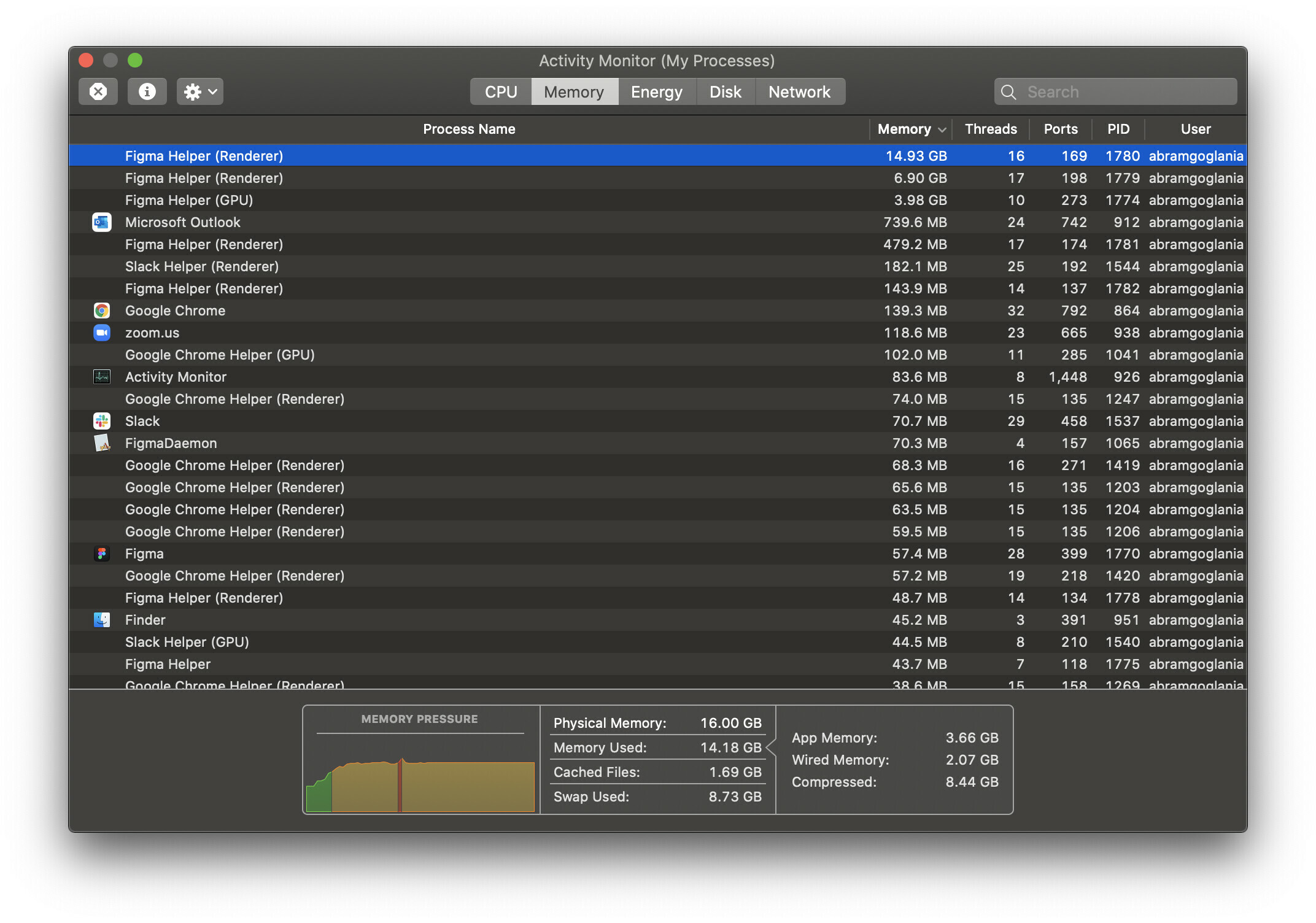
Hello everyone, I’m trying to discern what the underlying issue is here. This has only been really presenting itself as a problem in the past few days, but for some reason almost any Figma project I have open winds up consuming essentially all of my system memory.

I’ve noticed that this happens regardless of how many project files I have open. While I’m not experiencing any crashing of the application, it does bring my work laptop to a grinding halt and creates an essentially unusable experience. Is there any reason Figma is utilizing so much memory? Are our working files just too large?
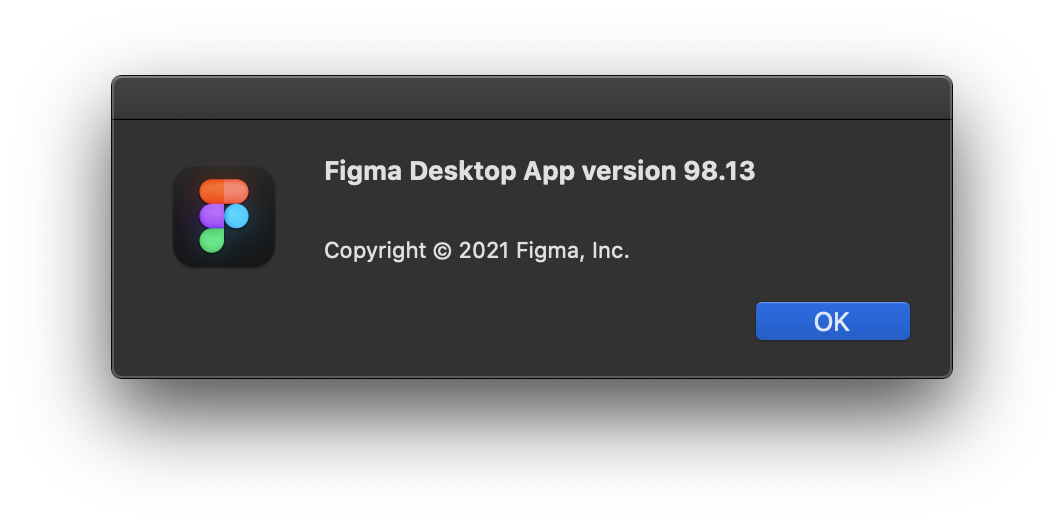
For reference, I’m using the desktop app on macOS 10.15.7 and as far as I am aware this is the latest version available.
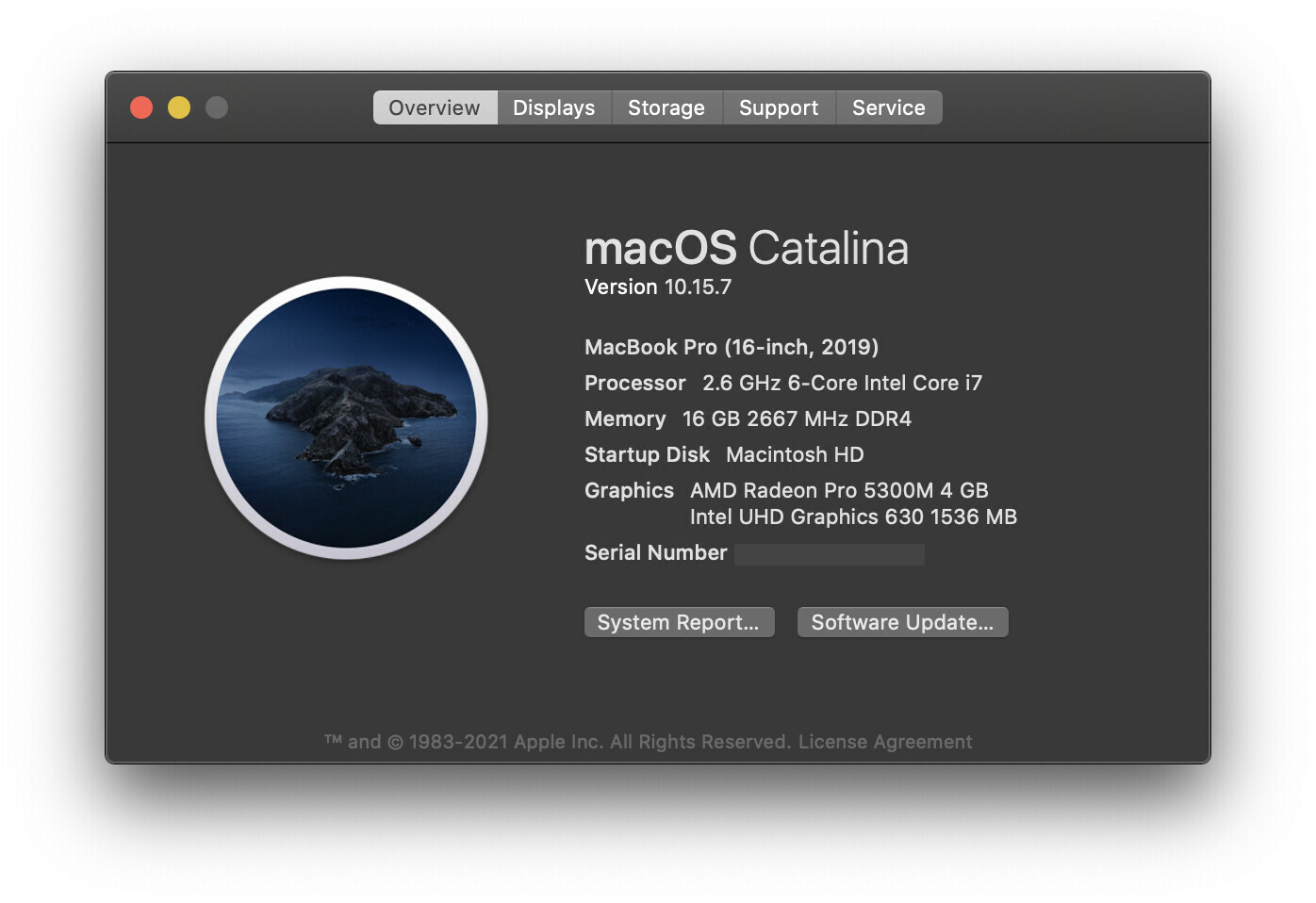
I’m really scratching my head over this one as to why it’s popped up as an issue so suddenly. Granted this Macbook Pro is just a base configuration, so it may just be a performance limitation, but I wouldn’t expect Figma to be stressing the machine out worse than Adobe’s Creative Suite. Any insight is most welcome! Please let me know if you need any specific information.

Thanks Figma Community!

This topic has been closed for replies.
Best answer by djv

Hey All, sorry for the lack of acknowledgement here!

Historically, the forum has been primarily run by the community, and I didn’t start at Figma until August 30th, 2021.

As a browser-based app, Figma uses available browser memory (~2GB per browser tab) while loading and saving, but it shouldn’t use much CPU.

Where you’re seeing the Agent or Helper using a lot of your available CPU, we suggest clearing the cache on your browser and/or desktop app. And if that doesn’t help, use an app cleaner to fully uninstall all Figma apps and then reinstall from our Downloads page.

Here’s how to clear the desktop app cache on a Mac:

  1. Quit the Figma desktop app
  2. Open Terminal.app and enter the following command:
    rm -rf "$HOME/Library/Application Support/Figma/"{Desktop,DesktopProfile}
  3. Try opening the desktop app again

And here’s how to clear the desktop app cache on Windows:

  1. Close the Figma desktop app
  2. Open the Start menu, and paste in this, followed by enter: %APPDATA%\Figma
  3. In the window that opens, delete the Desktop and DesktopProfile folders if they exist
  4. Launch the desktop app again

If this doesn’t help, can you reach out directly to our technical quality team here: https://help.figma.com/hc/en-us/requests/new

Please use your Figma account email, and let us know if this is affecting the Desktop app, browser or both, and provide a screenshot of your Activity monitor.

If this is affecting the Desktop app, please also save and send over your Desktop App debug info file. On Mac you can find this in the Help menu under Troubleshooting, and on Windows, you can find this under the toggle-arrow at the right of the top toolbar under Help > Troubleshooting.

Lastly, the community moderation team here on the forum does not own Figma_support, so please note that tagging this profile will not notify us.

107 replies

Karis_Robertson
April 11, 2022
Peter_Roper
April 22, 2022

This has been a minor issue over the last year, with my fan becoming very loud in meetings. Only recently its become a problem with zoom repeatedly crashing.

Geoff3
April 27, 2022

I’ve had this same issue for about a week now.

MacOS Monterey (12.3.1)
16GM Ram
8-Core Intel Core i9

From activity monitor:

  • Figma Helper (Renderer) 84% of CPU

It basically makes my computer unusable. The fan is so loud I feel like I’m sitting next to a jet. @Figma_Support What’s up? I don’t understand how this issue has been reported for almost a year now and there hasn’t been a single response in this thread.

Juan_Ignacio_Rosauer
April 27, 2022

@Figma_Support just started with this issue, please fix as it turn my computer unusable

Teddy_Zacchini
May 13, 2022

I’m getting the same issue now.
With my new Macbook pro M1 pro…
It forces me to close all files and keep only few opens.

Thomas_Piribauer
May 18, 2022

Same here, for non M1 machines the desktop app (114.4) is an extensive performance decline compared to the browser (Chrome 101.0.4951.64).

Slow in loading, jerky and saves forever. Takes up 2+ G renderer space and CPU 80%-100%

Prafulla_Chandra_G_S
May 20, 2022

Having the same issue, makes the entire laptop freeze and choppy, using latest Figma with just one single file open. version:

Prafulla_Chandra_G_S
May 20, 2022
CarlUX
May 24, 2022

Hi team, again I suffered it. Now it seems I fixed, how? Just removing all the plugins I didn’t use or didn’t usually use it. I don’t know if the number of installed plugins affects to the performance or it was one plugin that was acting at second plane or… others. I hope this helps you as well.

Carlos_Madrid
May 31, 2022

I’ve been having the same issue for a few months and releases and it never occurred to me to check my memory usage. Today I realized that I had several instances of Figma Helper (both GPU and Rendered) active in the background and made a quick comparison against the app and came to the conclusion that the app renders a ‘helper’ for each open tab and the memory used related to the number of pages that each file had (guess it’s also related to the number of assets and artboards each page has but just guessing)… and all these added to the amount of memory the GPU helper was using (it was 1.3GB with only 2 projects/tabs open). After closing all projects GPU went down to 148Mb and for some reason, it’s still rendering 4 instances of this ‘helper’.

Unfortunately, for a designer managing multiple projects and design systems simultaneously, it’s not efficient as it becomes time-consuming having to wait a few more seconds for the tool to respond with each interaction. On top of that, it’s embarrassing when presenting to clients 😤