

Martin_Mateos_Sanchez
March 1, 2024
Question

Can't search for component of added library

  • March 1, 2024
  • 46 replies
  • 2153 views

I’ve just published a library containing Material Design icons as components in my design file and when I search for any of those components Figma does not find anything. What am I missing? Thank you
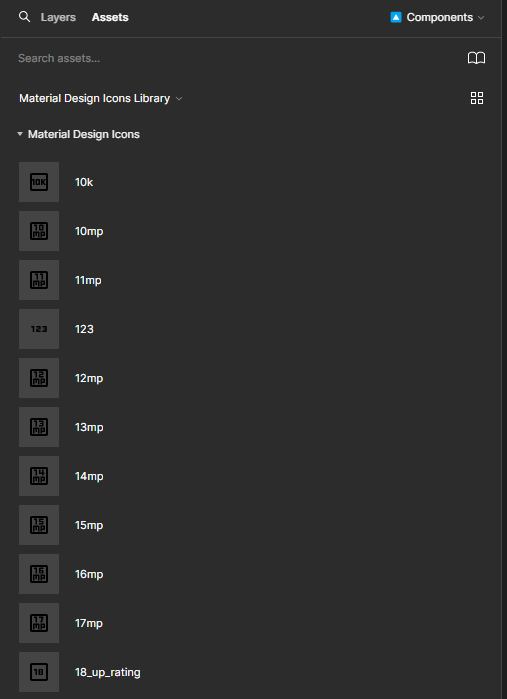
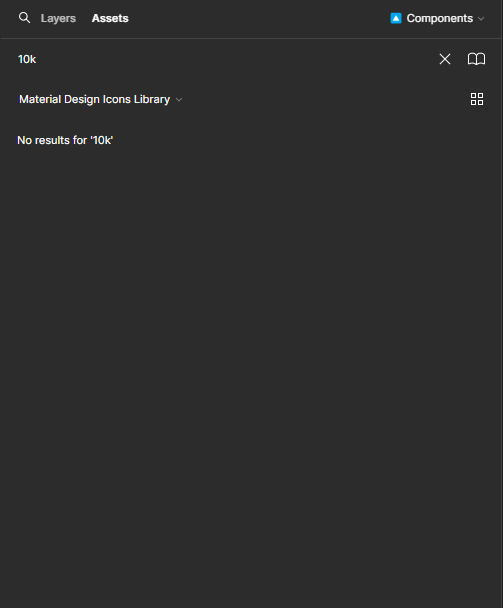
This topic has been closed for replies.

46 replies

dongdajie1350
August 21, 2024

I am an interaction designer and I primarily use Figma as my design tool. Recently, I’ve encountered an issue where the Figma resource function fails to retrieve all results. For instance, after adding the Material Design icon Library to Design File A, searching for “Arrow” in the Library’s Assets section yields over 100 relevant results. However, searching in the resource section of Design File A only shows 10 results, which is quite perplexing. The Material Design icon has already been published.

JuliesZ7
New Participant
September 5, 2024

As you can see, I’m searching for “Modal - Change the Attribute name,” but the search results don’t provide the correct answer as expected.

verymoko
New Member
September 8, 2024

+1. I think the search just doesn’t work.

I also get mismatched results while searching fot another instances. You can see on the screenshot below, that the desired item is the last in the list! Also, looks like, all components are in the list.

image

Peter_V
September 9, 2024

Has anyone else noticed a problem with the ‘Swap Instance’ search? See image comparing searches.

I no longer get results which have an exact match to my component name. E.g. Searching ‘Image’ does not show instances named ‘Image’. Yet the asset search does.

Isaac_at_RIVER
New Member
September 9, 2024

Confirming similar search issue, though happening with local components (nothing to do with library). Started happening a few days ago (all files, both Windows app and web app).

Search results used to match keywords, now all components in the current page show as results (ie, what is typed into the search has little bearing on what is returned).

See first screenshot:

  • What used to happen = “Title Component” would be the top result (followed by some other components with the word title)
  • What happens now = Random page components show in the results

See second screenshot:

  • Even when we try to search for a component from the first set of search results (first screenshot), we get totally unrelated results
    [turns out I can only upload one screenshot; in the second screenshot I search “STAFF App Card” which is the top result from the first screenshot, yet I still get a bunch of unrelated results without that component even showing in the results]

ps. we recently resolved a bug like this in a client app of our (a marketplace trading app). A developer had replaced an AND with an OR inside our SQL search logic to make the results broader. Turns out it made the results meaningless…

Andy_Reed
New Participant
September 10, 2024

In the last day or two when I search for a component in my local file or a linked library, Figma’s search seems to be completely broken.

Ex: When searching for a ‘Home’ icon in a linked library, I used to type ‘home’ into the search bar, and the icon I was after appeared right at the top. Now when I attempt the same search, the icon I’m looking for is either not in the results at all, or sometimes at the bottom of the list.

My most inserted component is probably ‘button’ but when I searched for it today in the insert menu, it was nowhere to be found. I ended up copying an instance from somewhere else on the canvas and resetting it to default.

Is anyone else experiencing this problem? It’s seriously hampering my workflow.

JuliesZ7
New Participant
September 11, 2024

This is my workaround solution. I hope this helps you guys swap the instance.

Step 1: Copy the name of the instance that you want to swap.
Step 2: Open the Actions menu (Ctrl + K).
Step 3: Paste the instance name.
Step 4: Click the Assets tab.
Step 5: Click Swap Instance.

Kurt_Ferriday1
September 11, 2024

I still have the old UI don’t know if they only rolled out the new one for certain customers but maybe this is why the search function doesnt work because its trying to merge the 2 updates?

youhhou
New Member
September 11, 2024

I have the same issue.
The most relevant item is in the bottom of the results list now.

Andy_Reed
New Participant
September 11, 2024

Just tried this on my file, but no luck sadly.