

Daniek
New Member
April 9, 2024
Solved

Can't add new text properties to nested component

  • April 9, 2024
  • 4 replies
  • 934 views

When I’m adding a new text property to a component which is nested inside another one the new text property content resets to the default when filled in, in the variant.

All text properties are connected and have the same naming. IT is not happening to already existing components, but if I add a new text property to an existing component only the already existed ones will work.

This topic has been closed for replies.
Best answer by Daniek

Fixed by rebuilding the entire component from the ground up without copying anything from the original component. Was set u the exact same, not sure what went wrong still

4 replies

Vishal_Ramawat
April 9, 2024

Tried replicating your issue and found that as soon as I take 2 components for each Desktop and Mobile, the text property goes away.
I created a Master Label-Value Pair, created a Component from it’s instance with 2 Variants for each Desktop and Mobile.
This retained the text properties.
image

image

image

Hope this helps.

Daniek
DaniekAuthor
New Member
April 9, 2024

Hi Vishal thanks you for your comment! As this is a way to use the text components, it’s not fixing my issue.

I can’t add any new text properties in nested instances. So my existing ones still work (and they perfectly keep their content.), but newly added ones won’t even though they have their own text property.

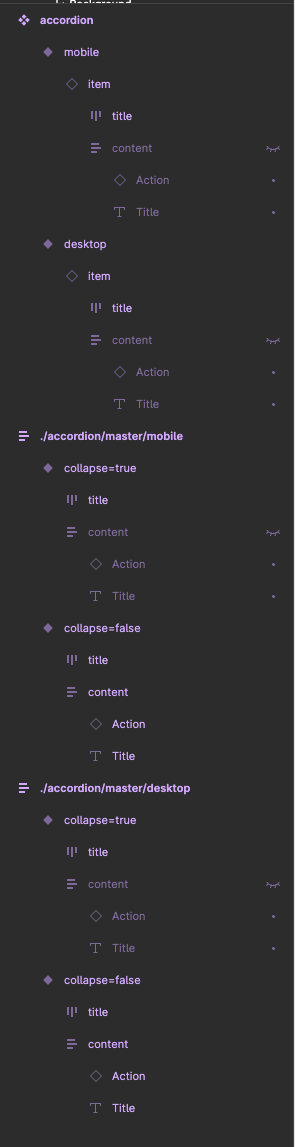
I’ve added an extra video on an already existing component (accordion)

Daniek
DaniekAuthorAnswer
New Member
April 9, 2024

Fixed by rebuilding the entire component from the ground up without copying anything from the original component. Was set u the exact same, not sure what went wrong still

St3ven
New Participant
March 5, 2025

Can you share the file? I didn’t understand how you fixed the issue to get the text properties visible.