
Question

Add to Cart function

  • November 7, 2023
  • 4 replies
  • 660 views

Eva4

Hi all, I am fairly new to Figma.
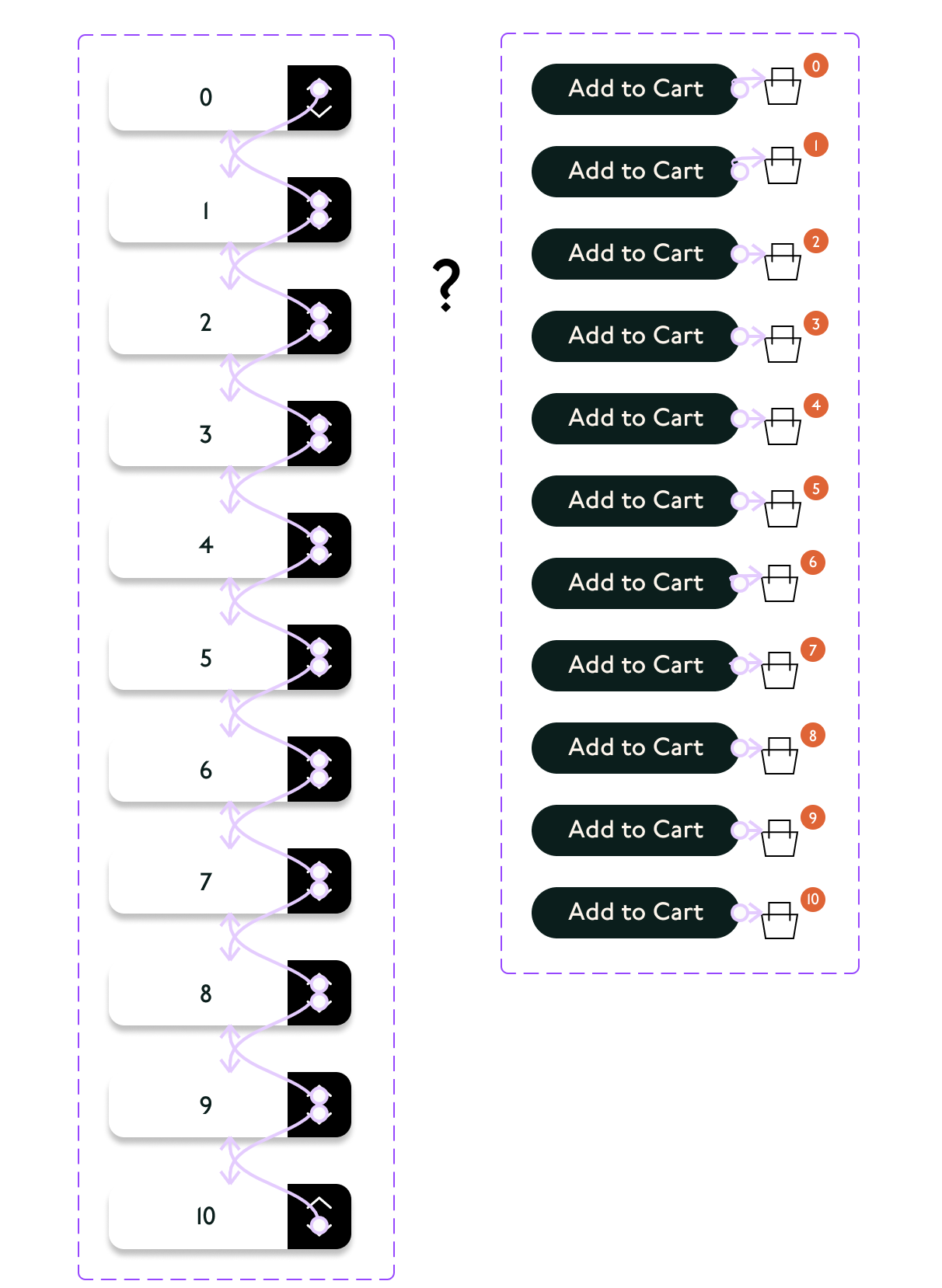
I am creating an 'Add to Cart ’ function where the user is going to first use the quantity button that has up and down arrows (I’ve used variants and linked them to each other 0-10).Once they have decided quantity they would click ‘Add to Cart’ button which will update the cart icon in the top right nav to whatever quantity selected 0-10.

I’ve created variants for Add to cart Button and Cart icons 0-10

So now I am confused as to how to connect them all! I found prototyping between variants in their set worked. But I want to connect the add to cart to the quantity variable set and I am not sure how to do this?

I’ve attached variants screenshot below
This topic has been closed for replies.

4 replies

Gleb
  • Power Member
  • November 7, 2023

This wouldn’t work. You need to use Variables.


Eva4
  • Author
  • November 7, 2023

Hi Gleb, so you are saying they would need to be in the same set to be able to be connected to each other?


Eva4
  • Author
  • November 7, 2023

I’ve only watched tutorials on variants I understand theres a difference between the two but not fully understanding yet


Gleb
  • Power Member
  • November 7, 2023

No, this is a completely wrong approach, you wouldn’t be able to achieve anything this way. You shouldn’t use Variants at all. You need to use Variables which are a completely different concept.