Question

Color not changing when applying on the style guide

  • September 25, 2023
  • 10 replies
  • 1912 views

Stuart_Doyle

Hi there,

I’ve been trying to fix this problem and can’t find any solution. I’m currently using the style guide from the Relume Library and for some reason the text that I place ( or even when pasting in a wireframe) the font style color doesn’t want to change. I adeed the extra color styles upon selecting the H1, H2 tags from the style sheet. However it doesn’t change the text at alll. Any help would be appreciated, thanks!

Stu
This topic has been closed for replies.

10 replies

tank666
  • September 25, 2023

Your selected object does not have a color style applied, only a text style is applied. Text styles do not include a color value.

Figma Learn - Help Center

Stuart_Doyle
  • Author
  • September 25, 2023

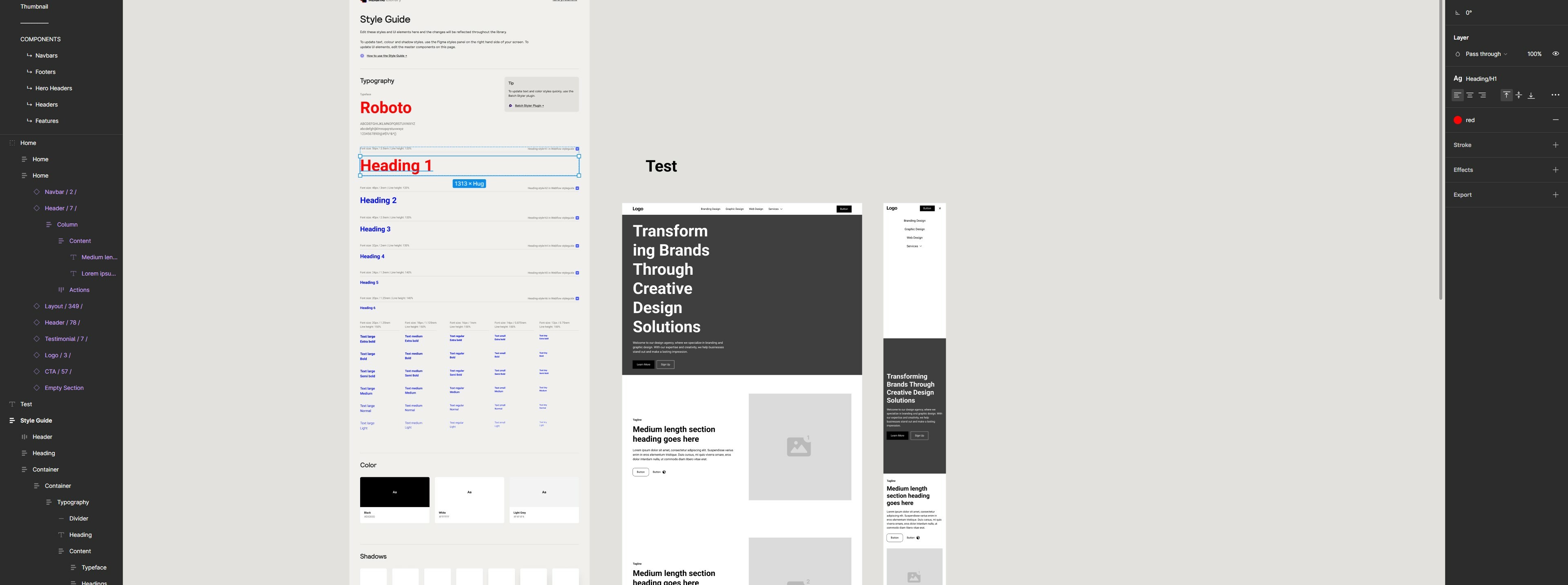
Thanks for your reply. If you look at this screen shot, you can see the H1 heading has a style, the size has changed but not the color.

![Screenshot 2023-09-25 093306|690x320]
(upload://xXfCdnt0YRepdn0cgQCaEBAWVU4.jpg)

Then this shot shows the H1 with the red style


Stuart_Doyle
  • Author
  • September 25, 2023

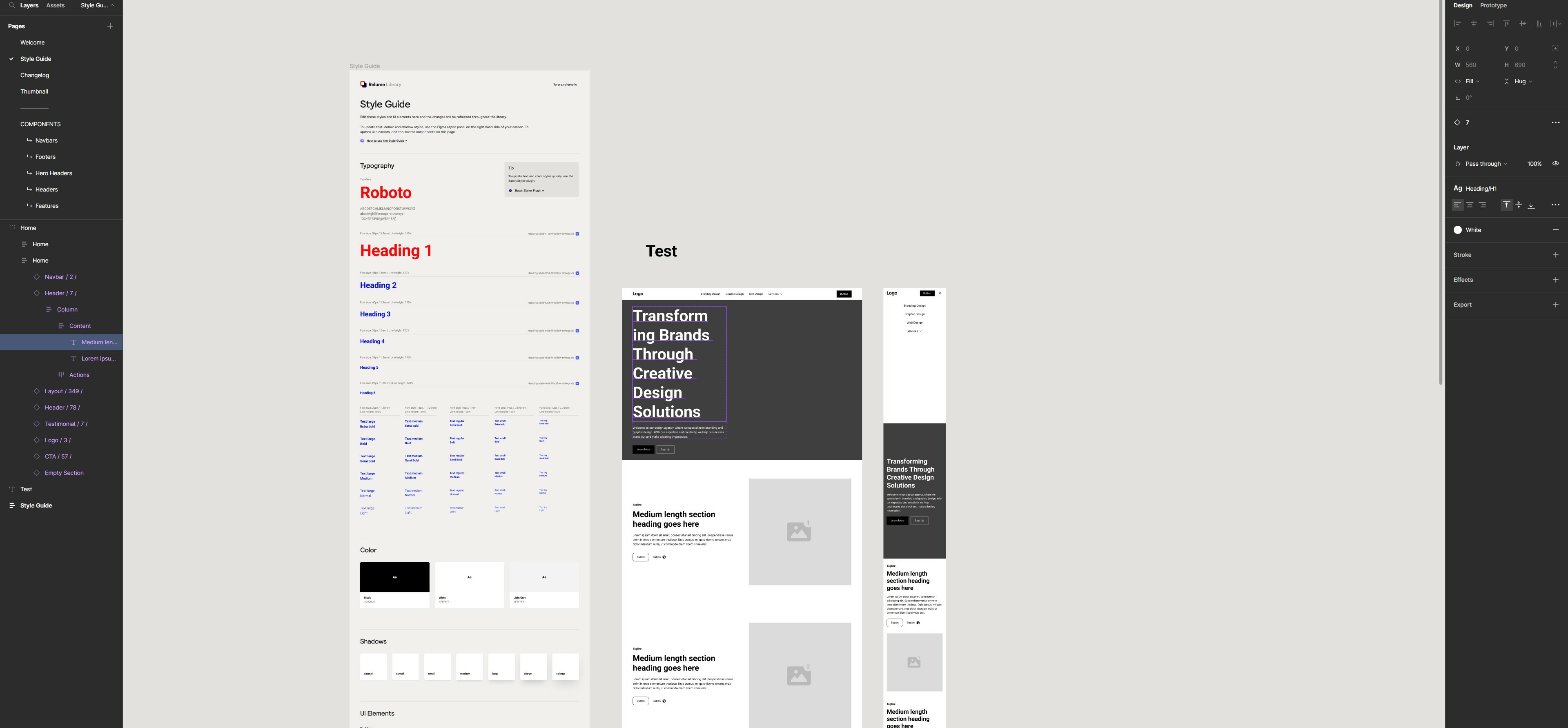
Other shot…


tank666
  • September 25, 2023

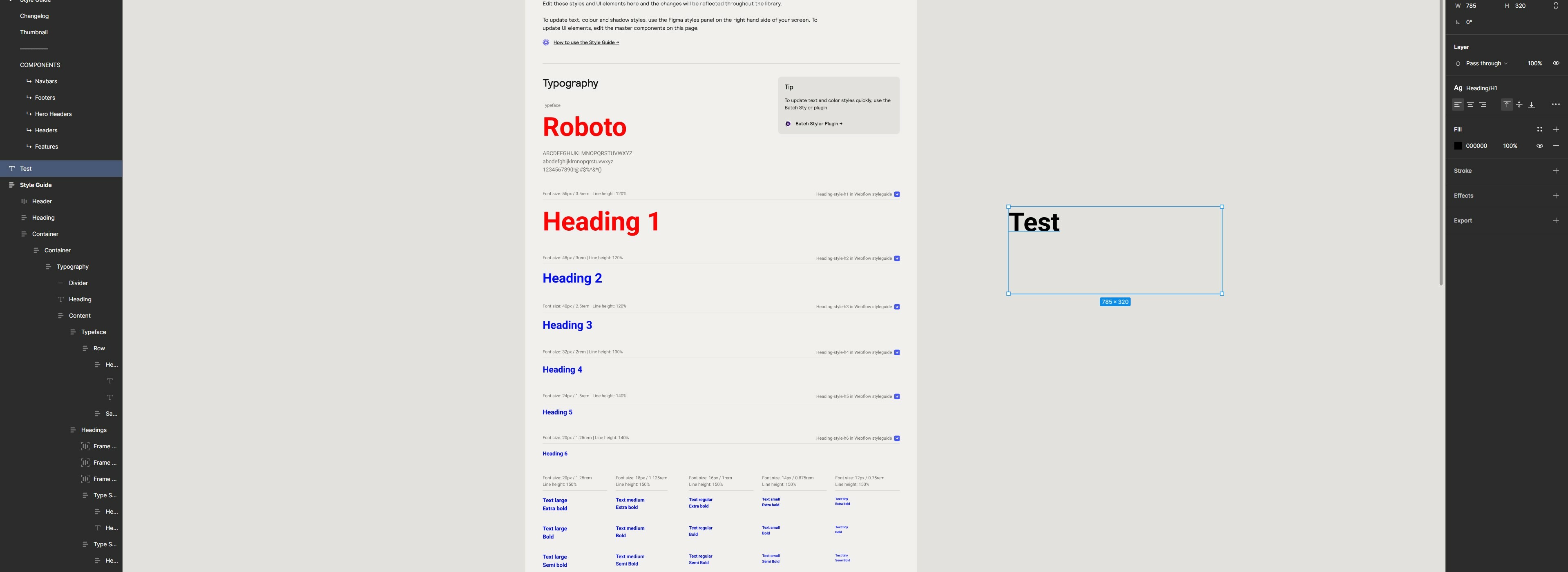
In the last two screenshots you provided, you can see that the “red” color style is applied to one object, and the “White” color style is applied to the second. And the “Test” object (from your original post) does not have a color style applied at all. Just apply the desired color style to it.


Stuart_Doyle
  • Author
  • September 25, 2023

Thanks! I did this, however the changes are not automatically applied to the other pages. If I go on to one of the pages (with the changed element) , I then have to click on it and then it will change the style


tank666
  • September 25, 2023

Stuart_Doyle
  • Author
  • September 25, 2023

Thanks. I actually just did that as I was going through some other posts in the forum. The only one that “temporarily” works is the 'Regenerate All Instances (slow)". It still doesn’t change automatically, but I have to type it everytime I have updated a style. Could this be a bug?


tank666
  • September 25, 2023

Yes, of course, there may be various bugs in Figma, and you need to report them to the support service using the form at this link: Submit a bug report.


Stuart_Doyle
  • Author
  • September 25, 2023

Thanks. Submitted. Will they come back to me?


tank666
  • September 25, 2023

You will receive any updates in your ticket.