
August 15, 2023
Solved

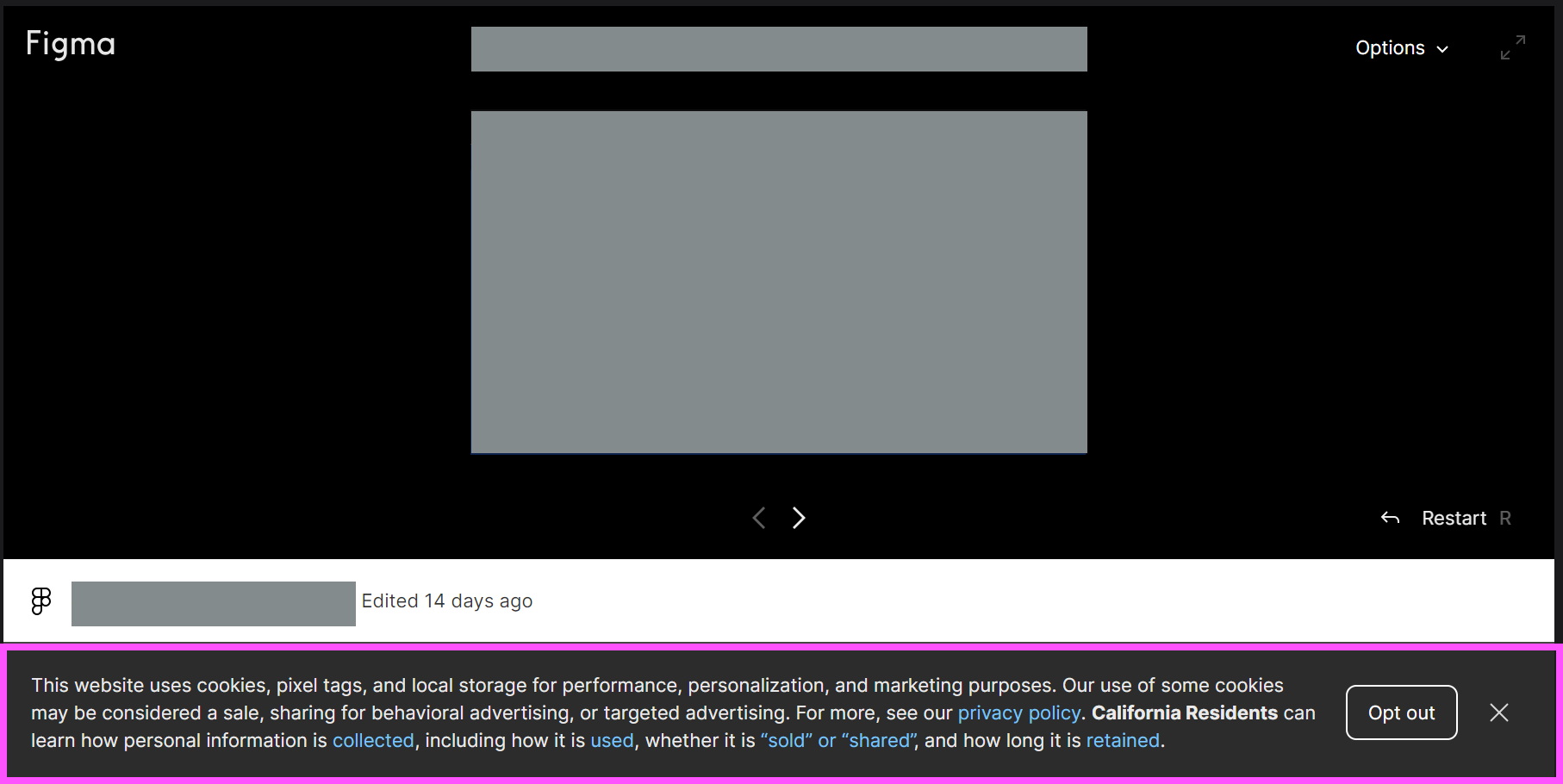
How to remove cookie banner from embedded prototypes?

  • August 15, 2023
  • 48 replies
  • 2597 views

Hey all, wondering how to solve this issue.

We created prototypes to embed in our dev docs site, so there are multiple prototypes on a page and different pages. Every prototype has this cookie banner (highlighted in pink), even when I’ve already accepted it once. How can we remove this? Can it be shown only once?

Thank you!

Denise
This topic has been closed for replies.
Best answer by djv

Hey All, sorry for the lack of update!

Our team has confirmed that this is a bug, but we’re having difficulty reproducing it, which is delaying the fix.

If you’re able to consistently reproduce, can you please share the following?

  • What device was the user using and what was the OS version?
  • What browser were they using? Does the same issue happen in all browsers?
  • Were they logged into Figma at the time or logged out?
  • Does the issue still happen for them now if they close and re-open the prototype?

We’ll then pass this info onto our team with hopes of getting a fix implemented as soon as possible.

48 replies

ksn
Figmate
Community Support
August 17, 2023

😬 hey @Denise_Villanueva_T2_Vancouver - is this happening for just you, or is it happening to everyone who previews the file/prototypes?

Also – is this surfacing on the desktop app or Figma on the web (or both)?

August 17, 2023

Hi there, thanks for responding!

It actually used to happen to me, but now I don’t see it on my end in any of the prototypes. However, all my other colleagues see the cookie banner in every prototype.

The docs site that the prototypes are embedded with is on the web. But the prototypes were created via the Figma app. We are using the embed code.

August 24, 2023

Hello, was there any updates on this? Thanks!

August 30, 2023

Hello there, I merely want to chime in to say this cookies banner is super distracting. I am teaching UX/UI and university and my students want to embed their projects on their websites in order to show potential employers. this bar makes their project look… less than professional. is it necessary to have a cookies warning if the end user isn’t actually using the software?

Moritz14
New Member
November 6, 2023

Any updates on this?

The cookie banner is really killing the vibe, when sending the prototype to users.

djv
Figmate
djvAnswer
Community Support
November 7, 2023

Hey All, sorry for the lack of update!

Our team has confirmed that this is a bug, but we’re having difficulty reproducing it, which is delaying the fix.

If you’re able to consistently reproduce, can you please share the following?

  • What device was the user using and what was the OS version?
  • What browser were they using? Does the same issue happen in all browsers?
  • Were they logged into Figma at the time or logged out?
  • Does the issue still happen for them now if they close and re-open the prototype?

We’ll then pass this info onto our team with hopes of getting a fix implemented as soon as possible.

November 27, 2023

Hi there!

I have encountered a very similar problem! I work for a casino and am loading in a carousel of the different promotions using an animated prototype.

However, this prototype gets loaded into the betting terminals, which are screen-only and therefor not interactable.

So I was wondering if there’s a solution to perhaps hide this cookie popup bar since we can’t dismiss / accept or just simply interact with it?

Thanks in advance and looking forward to your reply!

December 31, 2023

Hi all, I started seeing this cookie prompt in prototypes that I have embedded in web pages. This was not happening last week. I can reproduce the problem in Chrome, Firefox, and Edge on the Mac. It does not happen in Safari.

The last Community Support response from dvaliao is asking for more information, but is also marked as Solved. Was this solved and now has regressed or was it never solved?

January 3, 2024

Similar to Kevin, I’m also experiencing this problem, starting in the past couple of weeks. We have been using embedded prototypes in a documentation website, and the cookies make them look less than ideal, and making a selection doesn’t seem to persist in a single session, so they reappear each time a page is refreshed.

Is this a bug or intended behaviour?

January 6, 2024

Hi, I’m experiencing the same issue now as of the last week or so (not sure when exactly). It’s less than ideal as I’m using Figma embeds on my portfolio website and the banner shows up every time a new case study is opened.
