

rzmota
April 21, 2021

Sort variants alphabetically (ascending/descending)

  • April 21, 2021
  • 49 replies
  • 16334 views

Hi,

Is there any option to automatically sort the items/components in the variants menu? Seems like I can drag them and drop but while having lots of elements it’s quite hard to keep things in the correct order.

I know there are plugins to sort items in the layers menu (like SortIt) but would be great if there is an option to make the same (A->Z, Z->A) for the variants.

It will make life easier.
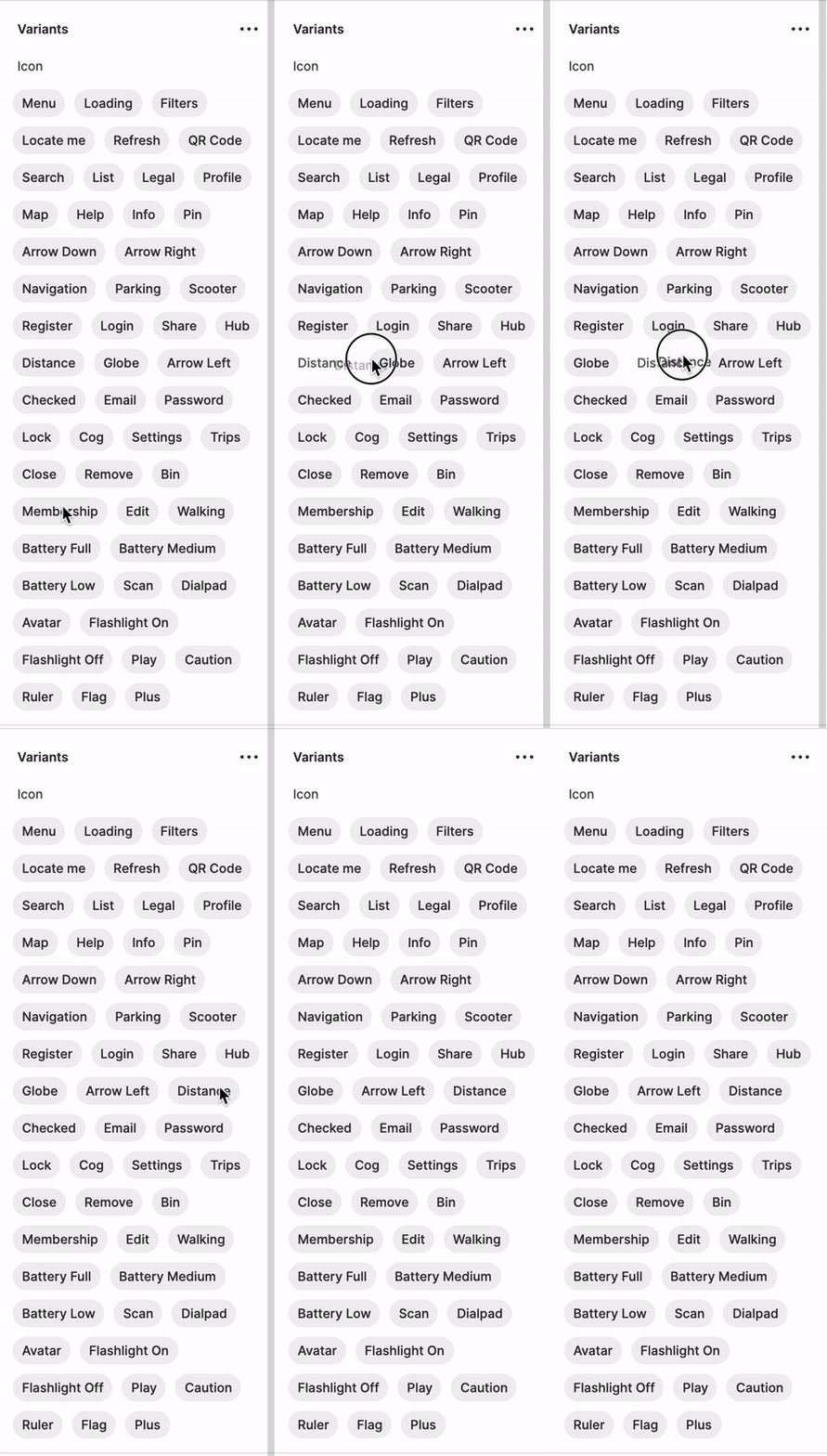
Kapture 2021-04-21 at 13.42.37

49 replies

Stephane_Popout
May 23, 2023

here a gif below
At the beginning the variant “aaa” is at the end
After changing 3 times the variant name → “aaa” is back at the top

Remarks:

  • You really have to change it in a row (2 or 3 times if it did not work)
  • The sorting is case sensitive → this is why Default stayed first before “aaa”
    • So have a lowercase or uppercase for all your variants name

Order variants alphabetically

May 29, 2023

Hi guys,
I wanted to let you know that I created a plugin that works with the solution @Stephane_Popout suggested. I hope it can help you!

Figma
Rebekka_Karrengarn
October 24, 2023

genius work-around

Ryan_Brodie
February 27, 2024

This is the answer! ❤️

Thank you thank you thank you

Mikel_Rosenthal
March 29, 2024

YES!!! I just selected all the instances. Renamed them all to have “_2” at the end. Then named them back by removing the “_2” and BOOM. Instances show up in alphabetical order now. I did use SortIt Plug to do the main organization first so they viewed in order in your library as well. THANK YOU STEPHANE! It took me seconds to fix this with this work around.

Stephane_Popout
May 1, 2024

Happy to know it worked 🎉

Stephane_Popout
May 1, 2024

Well done Mikel 🤗🎉

Michal_Seps
October 25, 2024

Holy crapmoly this is genius. Nice!

Eli_Fares
New Member
April 24, 2025

+1
Having a large list of variants in one component is pain to click and drag the order. Would love it if we can auto-sort them in ascending alphabetical order.