Question

Regression: text style picker search + keyboard controls

  • March 10, 2026
  • 4 replies
  • 50 views

ooolzhas

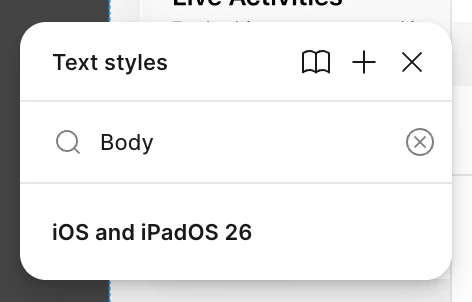
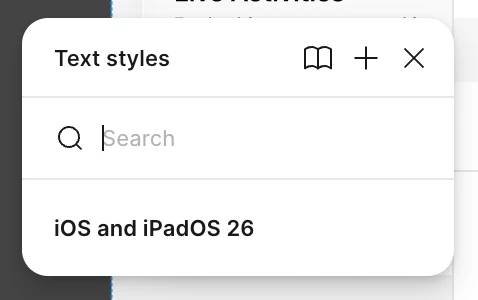
Feedback 1: since Figma Desktop App version 126.1.2 text styles picker always shows libraries of styles in collapsed state. It’s super annoying, since search doesn’t work until you un-collapse it.

Feedback 2: please fix up/down arrow behavior on styles. Example: the text span has style “Body/Emphasized” → I press arrow up expecting it to switch to “Body/Emphasized” → instead Figma selects “Headline/Regular” (the style that just happened to be below the search box). I papercut myself on this multiple times every day for the past couple of months now, at least.

Figma’s a great product, I love it, but bugs like these are a big let down for me. I believe basic features like text styles should be dogfooded more to remain best in class.


4 replies

Fabio_Pizzano

The collapsed text styles are SO ANNOYING. Please fix it.


Fabio_Pizzano

The Typography > Text styles popover always shows library styles in a collapsed state. No matter how many times I expand them, they collapse again on each popover open. It’s extremely frustrating and really slows down my workflow. Is there any solution? 


Raffaele Fulgente

I’m experiencing the same issue 😩


djv
Figmate
  • Community Support
  • March 24, 2026

Hey All, thanks for flagging this issue! 

I completely understand how this must be slowing down your workflow. I’ve combined a couple of topics into one, so that our team has all of your feedback in one place. 

That said, our team confirmed that this is a regression and not expected. We’ve created a bug report on your behalf, so the team can start working towards the fix. We appreciate you patience and understanding.