

Ash.Sharifi
May 6, 2021

Override auto layout direction on the instances

  • May 6, 2021
  • 59 replies
  • 5795 views

Hello Figma!

I can not change the direction of the Autolayout on the instances of a component. I can not understand why such a great feature is disabled on the instances and why not allow us to overwrite it?

There are so many incidents that I would have wished to be able to change the direction of the Autolayout in the instances of the component but right now I have to create multiple variants. 😦
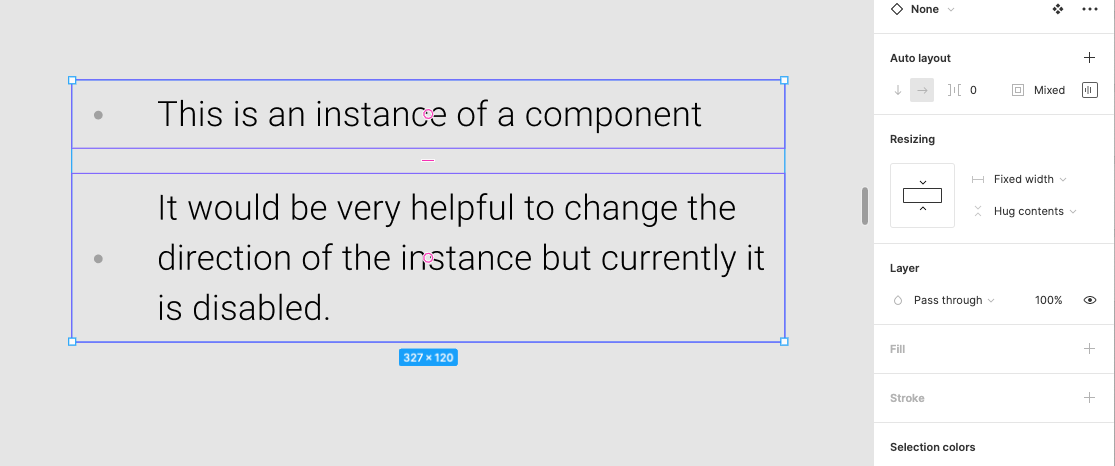
Pinned Reply By djv

Hey All, thank you for your continued feedback! 

Right now, you cannot directly override an auto layout direction on a component instance in Figma because the layout direction (horizontal or vertical) is locked to the Main Component. But there are temporary solutions to allow you to change the auto layout direction:


  • Use Component Variants: Create separate horizontal and vertical variants inside your main component, then switch between them using a variant property dropdown in the right sidebar on your instance.
  • Detach the Instance: Right-click the instance and choose Detach instance to break the link, enabling you to freely change the auto layout direction on the resulting frame.

Hope this helps clarify and gives you a couple of new options to try! If there are any promising updates from the team on when or if this can be implemented, we’ll be sure to provide an update. 

59 replies

Mathieu_Basset
September 21, 2023

Desperately need this feature to avoid creating lots and lots of variants for the same purpose 😢

ZoltanSzalay
New Participant
September 23, 2023

I need this to change the layout for desktop/mobile to make responsive components. The best would be to have it as a variable.

Bart_Van_Hecke
Active Member
October 4, 2023

Waiting for this feature to be implemented too! It seems such a trivial thing but now I purposely detach instances to be able to change order in an autolayout because I don’t want to be making variants for one simple design where I need it. And having designs with detached instances seems horror in my mind 🤯

Helping software companies design better products.
djv
Figmate
Community Support
November 1, 2023

Thanks for the feedback, All!

We’ve merged a couple of topics together with similar feedback. We’ll pass this onto our team for consideration.

December 7, 2023

Hey @dvaliao, just curious incase “we” are missing something, but is there any place the community can track the progress of feature requests? If not, do you have any idea if this was added as for some reason I remember having seen this working but it’s not working anymore. My wishful brain playing tricks maybe!

djv
Figmate
Community Support
December 7, 2023

Hey @Sowed_Castelli, thanks for asking!

This is definitely something that our team here in the community has mentioned before and continually ask for from our product teams, but an official feature request timeline has not been implemented yet.

If/when that happens, we’ll be sure to make an official announcement.

Clark_Wimberly
January 11, 2024

Add me to the “this seems so valuable it’s silly” pile. Being able to change flow direction would drastically simplify the component set needed to cover all screen sizes and layouts, and even tightly match a bunch of existing HTML/CSS paradigms. Win win!

Jake_Sumpter
January 22, 2024

+1 to the “this seems so valuable it’s silly”. Building out a set of components and was shocked to see you can’t change the auto layout direction on an instance.

Wawa
New Participant
February 12, 2024

Would love this! So much nicer to just have one component (with one reference for content) that works on both desktop and mobile desisn 😦

Dan_Hopewell
Active Member
March 13, 2024

+1 with the added request to be able to also specify flow direction through component properties and variables.

All together, this could be a huge unlock towards fully responsive components, allowing control of the flow of instance content at three levels of specificity:

  • At the system/page/screen level via responsive variable modes
  • At the component level via explicit component properties
  • At the individual instance level via overrides