
If there is an option to duplicate the Text Styles / Color Styles folder then it makes it easy when creating design systems. Attached is a screenshot of the idea.
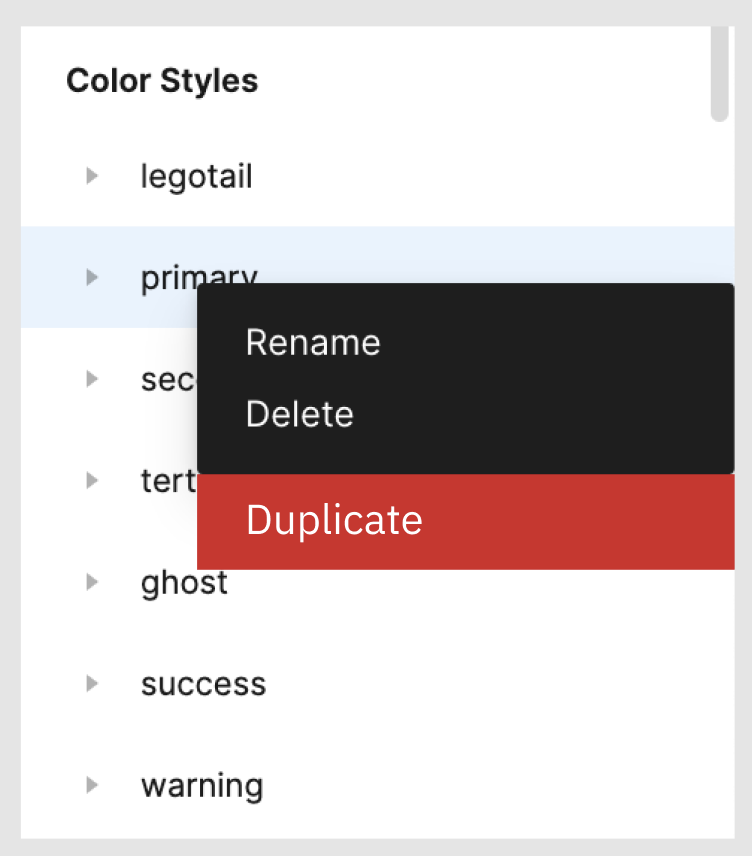
There is one specific scenario where this is VERY needed. I am a UX and UI director at an agency. We have new projects come and go all the time. When work on our clients products they have specific color, texts, shaped, shadows and more. So what we do is that we have a file that has our components and styles, we duplicate it and work over that file changing the styles and the look of the components. For example changing the colors to the new brand, or changing an input to look like the client usually uses. This is HARD to navigate and control in Figma. So a better way to handle these style would be great.
Incredible a so basic functionality is not even already done !
Maybe a plugin that manage the style already do the trick, if someone know a good one
Also, it is annoying to have to duplicate style that are kind of related, like the bold version of a style.
It is a duplication as any change in the style of one need to be replicated to maintain consistency, like the line height spacing.
Instead, it will be better to have a kind of style + modifier concept where, for example, I inherit all style of another style but override font weight for example
+1 to Copy styles, not just Cut them. I’m working at an agency where I need to combine different base styles from different files and libraries into a single master library for my project. Having styles across multiple libraries has access issues for my team, and scatters the source of truth about.
Cut and Paste styles is also destructive to the original file, and I bet it’d create a nightmare of ripples when styles are cut if that library was a dependency in other files.
Copy and Paste styles is non-destructive to the original file.
I’m working on a multi-language project. The way the test-styles are implemented now just drives me crazy. Simply being able to duplicate styles would save a lot of time. I really hope that this idea will be implemented soon!
So a hacky work around is you “Cut” the styles then hit undo to put them back so you don’t mess up the original file. Then you are free to paste them into the new file as they are still on your clipboard. bingo bango done.
We still need this. For example, I have body text group with 5 different size styles in it, and I need to create several absolutely similar groups for bold, italic or underline text. Still open context menu every time hoping to discover duplicate function ))
Your workaround is great and quick for duplicating styles. I can see the duplicated (renamed) styles available in my original file now.
Only problem is the application of the styles to elements doesn’t carry over from the duplicate file. So when I take the elements in from the duplicate file that have the renamed styles, when I paste them in the original file (which again, already has the renamed styles added), the pasted elements have no style at all. So I have to manually assign every single element to the new style. You’d think that having a renamed style applied to elements in the duplicate file would remember/retain that style when being pasted into any other Figma file (including the original file).
I have also done this trick. However, when you do this, there is a chance that when you reload the original Figma file, the style will be missing. This has happened to me several times.
