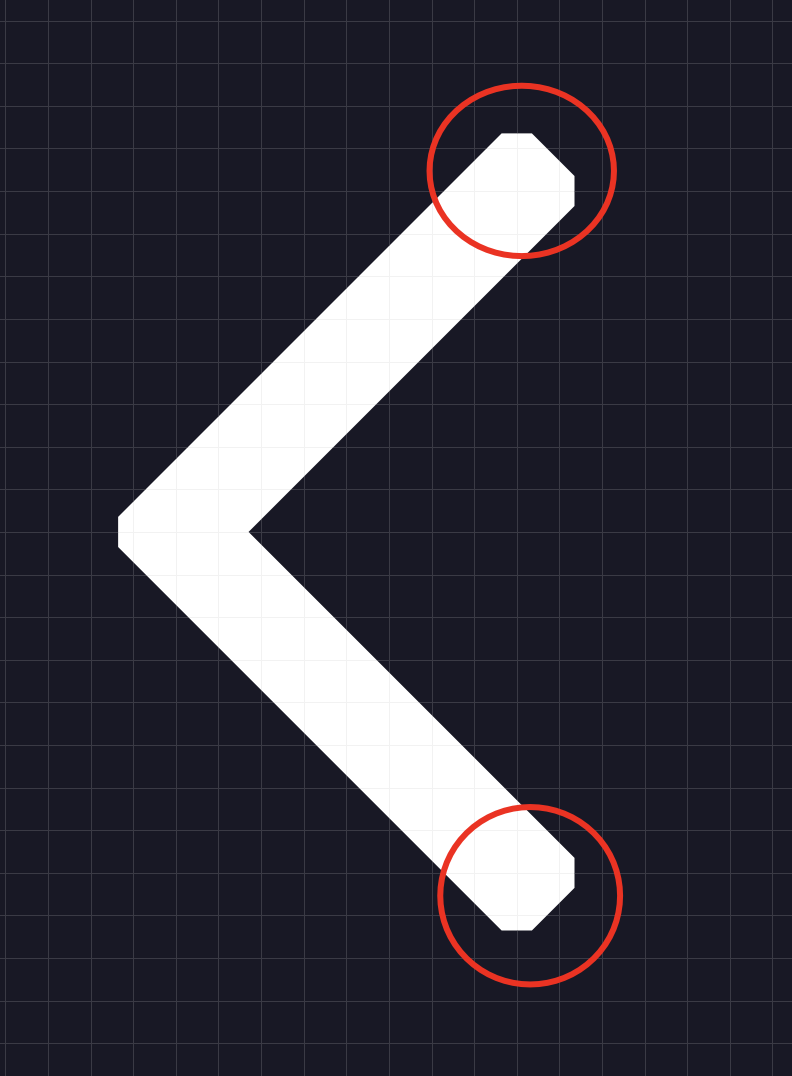
@Gleb The strokes they showed on the first post have a dent in them, yours are perfectly square.
@Deep_Shah You cannot create custom ends like that in your stroke from the stroke panel, you would have to draw that shape with the pen tool or by using rectangles and editing them.
Ah, so you think they want the opposite of sharp edges? I thought the original shape is an outlined arrow with sharp corners and a stroke that has bevel angles set like this. Much easier to create it this way instead of using a pen tool manually.
I want to use this effect on a stroke, not a shape, as I previously stated. I appreciate your assistance, however it was ineffective in this instance. I will need to shape my icons before applying the stroke effect. Since Adobe Illustrator will offer these kinds of options, I believe I will need to switch to it in order to finish this.
How did you apply union to a stroke? I think there is no way to do that. Can you create multiple artboards for each step and share a file so I understand the techniques you used?