Mr.Biscuit
New Participant
January 23, 2021

LAUNCHED: True Aspect Ratio Lock

  • January 23, 2021
  • 214 replies
  • 31504 views

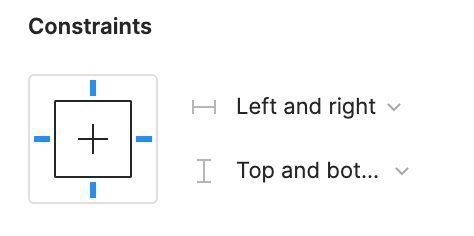
Can we get a true aspect ratio lock when the ‘Constrain Proportions’ is on?WX20210123-114719@2x A true aspect ratio lock means two things:
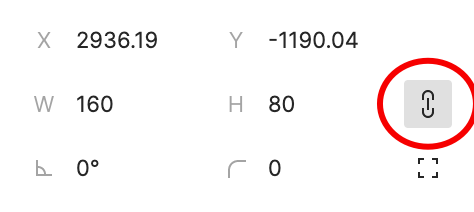
  1. When dragging on a node with ‘constrain proportions’, its width and height always stay in their original ratio no matter which direction you drag it.
  2. When resizing on the parent of a node with ‘constrain proportions’ that happens to be constrainedWX20210123-112532@2x, the node takes on the smallest of its supposed width and height, and calculates its ratio accordingly.

This would be so very helpful to polygon shapes that want to stay in that shape. Consider a spider chart. When you resize its parent, you don’t want the ‘spider net’ to squish squash; neither will you want a doughnut to turn into an oval.

*Resizing of the node’s parent layer is inevitable if you need responsive designs.

Pinned Reply By Celine_

Hey everyone, thanks for your patience! It’s fully rolled out now!

You can now lock the aspect ratio of almost any object in Figma – including frames, shapes, images, videos, vectors, and text – so that the proportions of that object are respected as you scale the object or its parent container.

 More info in the release notes here.

214 replies

Seamus_Leonard2
New Participant
February 19, 2025

This is a great enhancement and I’m looking forward to seeing how it place in cards and layout components.
One issue I’m having, since its ‘replaced’ the old control, it seems to have also ignored the previous setting. I have an icon library with a few hundred components that have all gone from locked ratio to not locked - so I have to turn on the new setting and re-publish.

Has anyone else encountered this?

Apolline
Active Member
February 19, 2025

​@Seamus_Leonard2 I encountered the same thing, all or most of my icon components were ratio locked but they weren’t after the update. 

Seamus_Leonard2
New Participant
February 20, 2025

​@Seamus_Leonard2 I encountered the same thing, all or most of my icon components were ratio locked but they weren’t after the update. 

I’m sorry to hear this, but glad that I’m not just loosing my memory!

Another really weird thing is that its not tracked as a change in my library, meaning the file is not prompting me to ‘publish changes’ despite this modification.

Celine_
Figmate
Community Support
February 20, 2025

Hey everyone! Thanks for sharing your feedback. 

In order to help our team investigate, could you clarify the following:

  • When you manually re-enable Aspect Ratio Lock (ARL) does Figma prompt you to publish changes in your library, or does it not detect the change?
  • Before the update, were all your icon components set to “Constrain Proportions,” or just some?
  • What steps are you taking when trying to re-enable ARL and publish? (Feel also free to share a video recording if possible. We recommend uploading it to an external platforms such as Dropbox, Google Drive, or Loom, and sharing the link directly in your post.)

Thank you 🙏🏼