Mr.Biscuit
New Participant
January 23, 2021

LAUNCHED: True Aspect Ratio Lock

  • January 23, 2021
  • 214 replies
  • 31503 views

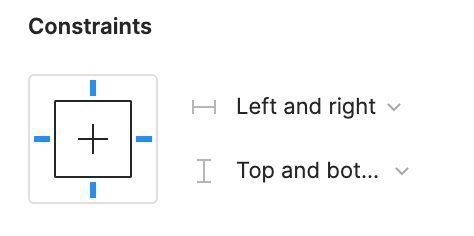
Can we get a true aspect ratio lock when the ‘Constrain Proportions’ is on?WX20210123-114719@2x A true aspect ratio lock means two things:
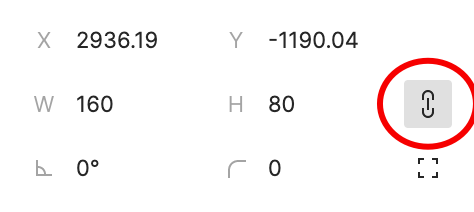
  1. When dragging on a node with ‘constrain proportions’, its width and height always stay in their original ratio no matter which direction you drag it.
  2. When resizing on the parent of a node with ‘constrain proportions’ that happens to be constrainedWX20210123-112532@2x, the node takes on the smallest of its supposed width and height, and calculates its ratio accordingly.

This would be so very helpful to polygon shapes that want to stay in that shape. Consider a spider chart. When you resize its parent, you don’t want the ‘spider net’ to squish squash; neither will you want a doughnut to turn into an oval.

*Resizing of the node’s parent layer is inevitable if you need responsive designs.

Pinned Reply By Celine_

Hey everyone, thanks for your patience! It’s fully rolled out now!

You can now lock the aspect ratio of almost any object in Figma – including frames, shapes, images, videos, vectors, and text – so that the proportions of that object are respected as you scale the object or its parent container.

 More info in the release notes here.

214 replies

matteogonzalez
February 7, 2024

Please Figma, we need this feature 😪

dennsi
Active Member
February 8, 2024

Really really need this!

I want to be able to create truly responsive Card Components with images that have a fixed aspect ratio that stays intact when resizing the Card. Especially when you use min and max-width for the Card and want to show a Dev the behaviour.

dennsi
Active Member
February 8, 2024

Great idea!
Setting an aspect-ratio like 16:9 would enable to use Fill combined with “Auto” for example to set either width or height automatically so it matches the fixed aspect ratio. Also a checkbox like “round to full pixels” would be nice so we don’t end up having unwanted decimals.

This would be a really useful counterpart to CSS aspect-ratio and Auto Layout would massively benefit from that.

wgo
Active Member
February 8, 2024

works not in Auto Layout. And Auto Layout is essential these days.

Why wouldn’t it work in AL? It could just exactly work like all our workarounds or the current native AR-Lock in the inspector: set one dimension (height or width) to fill and the other one changes automatically to hug (better wording: “auto”) when the lock is enabled, keeping this exact aspect ratio at that very moment. Actually, the lock-button even wouldn’t be necessary anymore, just set the respective combo of fill & auto, and voilá! Setting both to auto, wouldn’t do anything, using fixed anywhere behaves just like it is now. Security precautions (maybe a confirmation) have to be taken for frames as AR-locked-scaling could yield unwanted results, but for shapes, I see zero problems with this behaviour.

wgo
Active Member
February 8, 2024

But I guess we need more votes for this topic… (sigh)

Dflta
February 9, 2024

When Aspect Ratio?

wgo
Active Member
February 9, 2024

This could be it:

Setting the aspect ratio lock reveals additional controls and freezes the current aspect ratio:

Within Auto-Layout, note enabled “round pixel” button:

Setting height to fill, the width changes automatically to auto (bc AR lock is set):

Releasing the lock allows any combination of fill or fixed (what we have now), but with pixel rounding:

Of course min- and max-values can also be applied!
Bonus points for implementing “Percent” beside “Fill” and “Fixed”

Am I missing something?

Dan_Peterson
New Participant
February 15, 2024

Would absolutely love this! As others have mentioned we really want to be able to set the height or width to “fill” and then set the other direction to “auto” or “maintain aspect ratio” would help in so many places.

February 17, 2024

Just got Figma after reading of the death of XD. This is such an incredibly basic feature that I’m now questioning if Figma can really be that good. It’s like buying a new pair of shoes and discovering they didn’t come with shoelaces and you find a 3 year old thread where people are telling you you have to staple your shoes together cause shoelaces just aren’t a thing???

dennsi
Active Member
February 20, 2024

Does anyone know if other similar tools are able to do this properly?