Mr.Biscuit
New Participant
January 23, 2021

LAUNCHED: True Aspect Ratio Lock

  • January 23, 2021
  • 214 replies
  • 31503 views

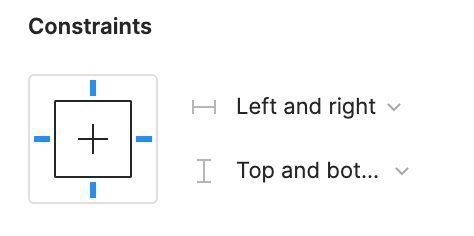
Can we get a true aspect ratio lock when the ‘Constrain Proportions’ is on?WX20210123-114719@2x A true aspect ratio lock means two things:
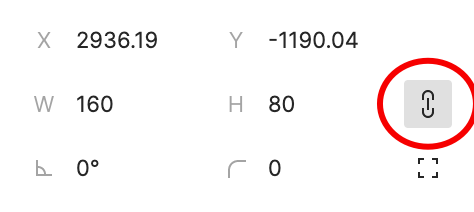
  1. When dragging on a node with ‘constrain proportions’, its width and height always stay in their original ratio no matter which direction you drag it.
  2. When resizing on the parent of a node with ‘constrain proportions’ that happens to be constrainedWX20210123-112532@2x, the node takes on the smallest of its supposed width and height, and calculates its ratio accordingly.

This would be so very helpful to polygon shapes that want to stay in that shape. Consider a spider chart. When you resize its parent, you don’t want the ‘spider net’ to squish squash; neither will you want a doughnut to turn into an oval.

*Resizing of the node’s parent layer is inevitable if you need responsive designs.

Pinned Reply By Celine_

Hey everyone, thanks for your patience! It’s fully rolled out now!

You can now lock the aspect ratio of almost any object in Figma – including frames, shapes, images, videos, vectors, and text – so that the proportions of that object are respected as you scale the object or its parent container.

 More info in the release notes here.

214 replies

Srinivas_Devaki
November 26, 2023

I’m not sure about the reason for not implementing this. but what is the current accepted workaround for this?

thanks for anyone replying to this 👍

Jonno_Riekwel
December 4, 2023

Please sir, can I have some aspect ratio ❤️

Cody_Marshall
December 7, 2023

The fact that Sketch has been able to do this forever, and now we have min/max heights, it’s laughable that Figma can’t do this. Give us proper scaling, and aspect ratios.

Christian_Jens_Boehnke
December 8, 2023

Check this file to see how it works:
https://www.figma.com/community/file/873125264217713781

Fynn_M_Llyr1
December 8, 2023

This is a separate issue from size constraints. It sounds like you’re talking about frame constraints. If you’re not seeing the frame constraints as an option, you probably have auto layout applied to the frame. It’s not possible to use both auto layout and contstraints.

wgo
Active Member
January 22, 2024

Yes, of course we all know this component set / hack / trick. But why in the first place does it have to be so complicated? Why do we have to use a special component – that sometimes introduces other problems btw and increases complexity – to get such a simple feature.

Also I can’t understand why so few people care about this… Wouldn’t this be a benefit for all of us? Place an image in an Auto-Layout container, set the width or height to “fill” and lock the aspect ratio. Would be awesome. (sigh)

Please Figma developers make this happen. We already have all the UI controls, they just need to be wired… Ooooor, please explain to us, why it isn’t so easy as I think. 😎

Other than that I like Figma a lot and use it professionally every day.

Frederic_Fornini
Active Member
January 23, 2024

Posting again here, while this topic celebrates its third birthday (sob).

When we will see this feature being released (because it will happen sooner or later), don’t forget to add a rounding decimal feature based on the original image aspect ratio calculations. Because don’t we all love pixel perfect layouts ?

January 30, 2024

Just calling out that for swapping images in cards that are meant to work in fluid layouts, it’s shocking that in 2024 this is still a gap.

I don’t want to force a fixed height that then changes the aspect ratio or have to end up with a letterbox effect.

Lars_Kwiatkowski
January 30, 2024

works not in Auto Layout. And Auto Layout is essential these days.

February 3, 2024

+1 Vote for this feature!