

LAUNCHED: Option to disable keyboard shortcuts in prototype
Issue
When performing user testing, the prototypes can look and function so real that users have tried typing into static fields. This can lead to problems if a user types a shortcut (ie “C” for comment) and a Figma login window pops up, or “R” and they are sent to the beginning of the flow.
The main use cases I have for prototypes are:
1. General/Client Presentation
Users: Only me
- This case is covered well by the existing functions. The shortcuts help the presenter navigate. However, a Table of Contents (TOC) is badly needed. Many prototypes are not linear so the forward and back button navigation is not very useful.
2. Client Handoff
Users: multiple people who may have a wide range of interacting Figma prototypes
- Improvements:
- showing users shortcuts and a TOC upfront and letting them hide it if they want
- sometimes, especially in the early stages of design, designs need written explanations, so a way for designers to leave annotations in the prototype would be very useful
3. Setting up User Testing
Users: Me and colleagues (sometimes client)
-
Currently setting up a prototype in Figma requires manually going through each page of the prototype and validating that:
- The appropriate CTAs are linked and navigate to the correct pages
- all links have the proper transitions between pages
-
Improvements:
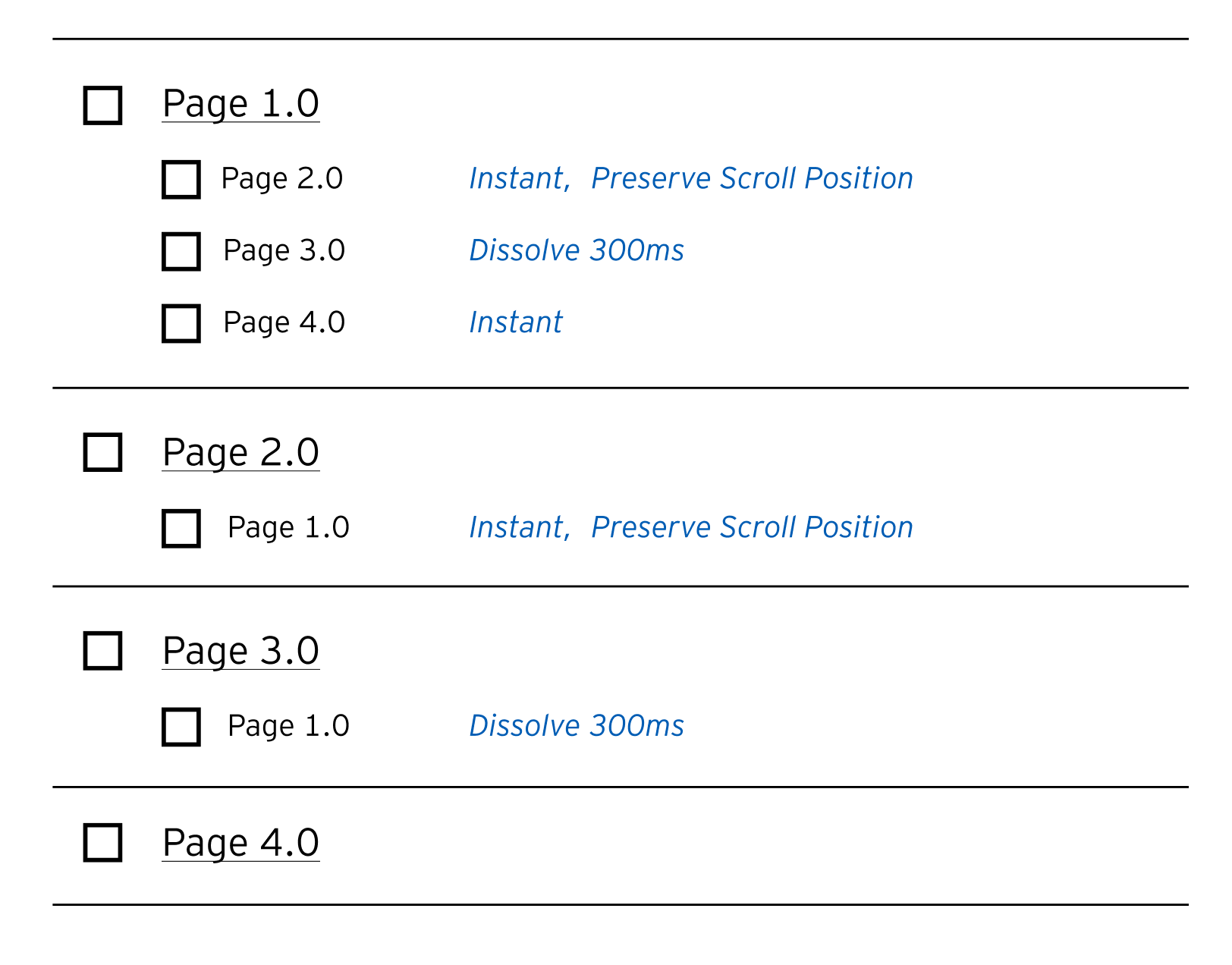
- As an MVP, a check list of frame names that displays a sublist of each prototype connection and details.
- Clicking on a frame name would focus the view to the appropriate page in the Figma file. Clicking on a sublist item’s details would display the interaction options for that item. For example:
3. User Testing
Users: Moderator and Participant
-
The participant needs to feel like they are actually using the interface and to an extent, freely navigate though the prototype. While this is happening the moderator needs to be able to quickly set participants up for the next scenario they are testing.
-
Improvements:
- A TOC would come in handy to easily direct participants to their next task
- option to disable prototype shortcuts