

pinquitte
February 5, 2021

LAUNCHED: Horizontal scroll the layers panel

  • February 5, 2021
  • 311 replies
  • 22000 views

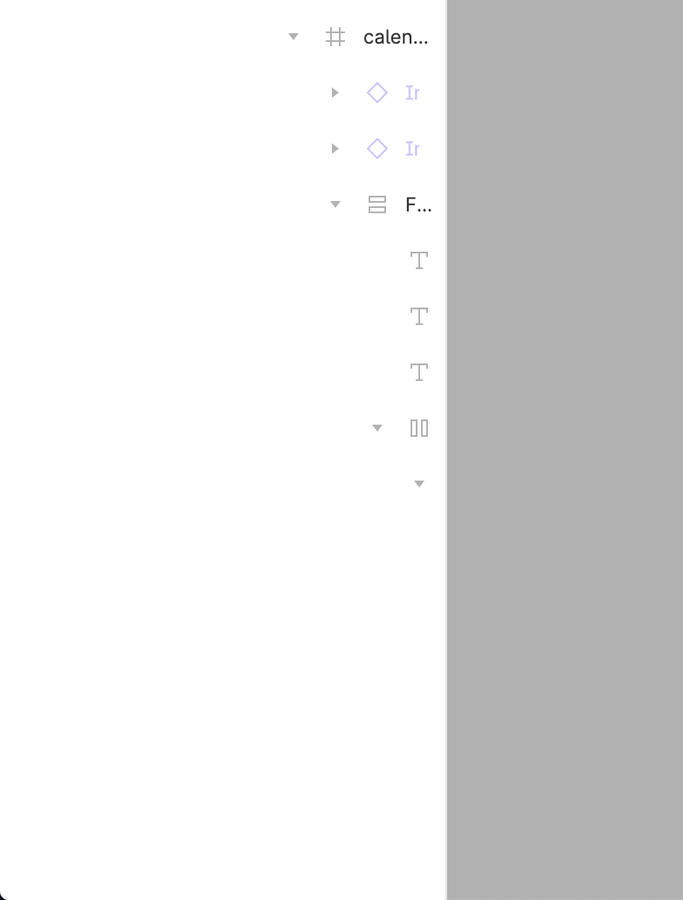
What do you think about having a horizontal scroll on the layers panel? I can’t see the name of the layers and usually widen the panel to be able to see, but since I use a 13", this makes the canvas smaller.
311 replies

djv
Figmate
Community Support
January 17, 2025

Hi ​@d.stich, thanks for asking! 

While you can expand the Layers panel in the previous UI, we have no plans to add horizontal scrolling. 

djv
Figmate
Community Support
January 17, 2025

Hi ​@Vladislav_Gushcha, thank you for asking! 

Right now, this is expected. We haven’t yet built out this capability for Dev mode. 

rdbe77
New Member
March 6, 2025

Hello ​@dvaliao,

I currently work with a complex design file that has a deep layer structure, but I do not see a scrollbar in the layers sidebar. Not in the browser-figma-app and not in the Figma MacOS app.
And I am not in Dev-Mode.

I would assume the scrollbar should show up automatically and I do not need to turn it on manually somewhere.

I can’t really continue my work without seeing the layers.
Is there something special I would need to do to get a scrollbar?

Thanks!

djv
Figmate
Community Support
March 7, 2025

Hi ​@rdbe77, thanks for following up! 

You are correct. A faint horizontal scrollbar should appear automatically at the bottom of your layers panel. Are you by any chance using our older UI and not UI3?

If so, as mentioned previously, you can expand the Layers panel, but horizontal scrolling is not available in the previous UI. 

rdbe77
New Member
March 7, 2025

Thanks ​@dvaliao for the hint about the old UI !

I found another comment from Celine_D describing how to switch to the new UI.
In case anybody else is looking for this info:

  1. Open any Figma Design file
  2. Click on the “?” Help icon in the lower right corner
  3. Select “Use New UI (in beta)”
djv
Figmate
Community Support
March 7, 2025

Glad to hear you figured this out, ​@rdbe77! :) 

Please let us know if we can help with anything else. 

Michael_Kalus
New Participant
March 14, 2025

Hi ​@Vladislav_Gushcha, thank you for asking! 

Right now, this is expected. We haven’t yet built out this capability for Dev mode. 

Do have this on your roadmap? Now, that we can scroll horizontally, our devs are now complaining about the same problem 😅

Depict team
New Member
April 1, 2025

Hi ​@Vladislav_Gushcha, thank you for asking! 

Right now, this is expected. We haven’t yet built out this capability for Dev mode. 

Do have this on your roadmap? Now, that we can scroll horizontally, our devs are now complaining about the same problem 😅

Dev here, I got annoyed enough not being able to scroll the layers panel horizontally to sign up for this site.
Please fix it. I want to have left half of my screen figma and right half webstorm, but with the then available space the layers are just cut off, meaning I constantly have to adjust the width of the layers panel when I switch layer.

Very very annoying, don’t understand why normal mode gets horisontall scrolling but not devmode.

/Daniel

Ryan_Marin
New Member
July 31, 2025

Thank you Figma for the horizontal scroll in Design Mode ! But you forgot it for the Dev Mode 😢 It’s very important for developpers to see the components’ tree structure

Yes...
...But


Je dessine à dessein ✍
Anton Vasiliiev
New Member
July 31, 2025

Totally agree — on smaller screens, horizontal scroll could really help. As someone working at a fintech development company, screen space is always tight with multiple tools open, so small UX tweaks like this make a big difference.