

What do you think about having a horizontal scroll on the layers panel? I can’t see the name of the layers and usually widen the panel to be able to see, but since I use a 13", this makes the canvas smaller.
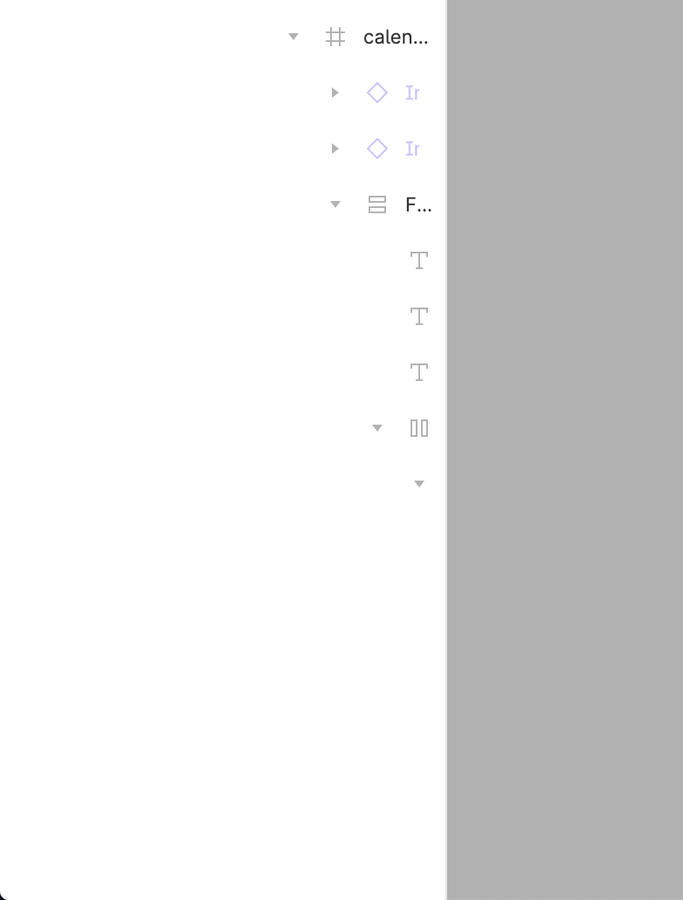
Sometimes I work long hours with Figma without a large monitor. I also try my best to organize the layers as I believe the development team will create. Additionally, I use sections to organize the files while building the handoff. In the end, I find myself with a “depth” of layers that is too large, requiring me to expand and close the left sidebar several times a day.
A suggestion that would make my day would be to allow Shift+Scroll to navigate horizontally.
Is there any solution known beforehand by someone? Thank you in advance! 😊
Thank you for sharing your idea! We greatly value your feedback, and we would like to gauge the reaction of other members in the community. We may consider it for future enhancements!
I recommend going onto the Figma website version and hitting ctrl+shift+c while hovering on the top bar (so Figma won’t act like it was a shortcut). This opens up the dev tools that you can use to select the sidebar items, go into their class styles, and do whatever.
@Michael_Kalus your solution has literally saved me for well over a year. I come here pretty much every couple of weeks or so, copy and paste your script (you legend!). However recently this isn’t working anymore. Any idea why? Perhaps a Figma update? If you could help that would be very appreciated. I am totally stuck with my work because I can’t see the layers I need to select…
To select deeply nested layers, it is necessary to expand the panel far to the right. Please add the ability to horizontally scroll. It looks like users have been asking for this very basic functionality for four years.
@Michael_Kalus this is no longer working unfortunately… I literally depended on this (thank you so much for sharing it!), any idea why / how to fix it?