

Justin_Kalaskey
January 25, 2021

LAUNCHED: Elements now stick to the top when vertically scrolling in prototyping

  • January 25, 2021
  • 136 replies
  • 101434 views

Currently the only function of fixed positioning on an element is to make it persistent in the same spot at all times. While this is useful the majority of the time, there are instances where it would be helpful to have an element become fixed when it scrolls into view or reaches the top of the screen.

For example, there could be a web page that has a secondary navigation below the hero that will become fixed when it reaches the top of the screen and be persistent for the rest of the scroll depth. Then when a user scrolls back up, the element releases from the fixed position when it reaches its original position. You can see this in effect on this page: Develop custom experiences with the Zendesk Platform | Zendesk Sunshine. It could also be used in more advanced manners such as multi-level parallax scrolling.
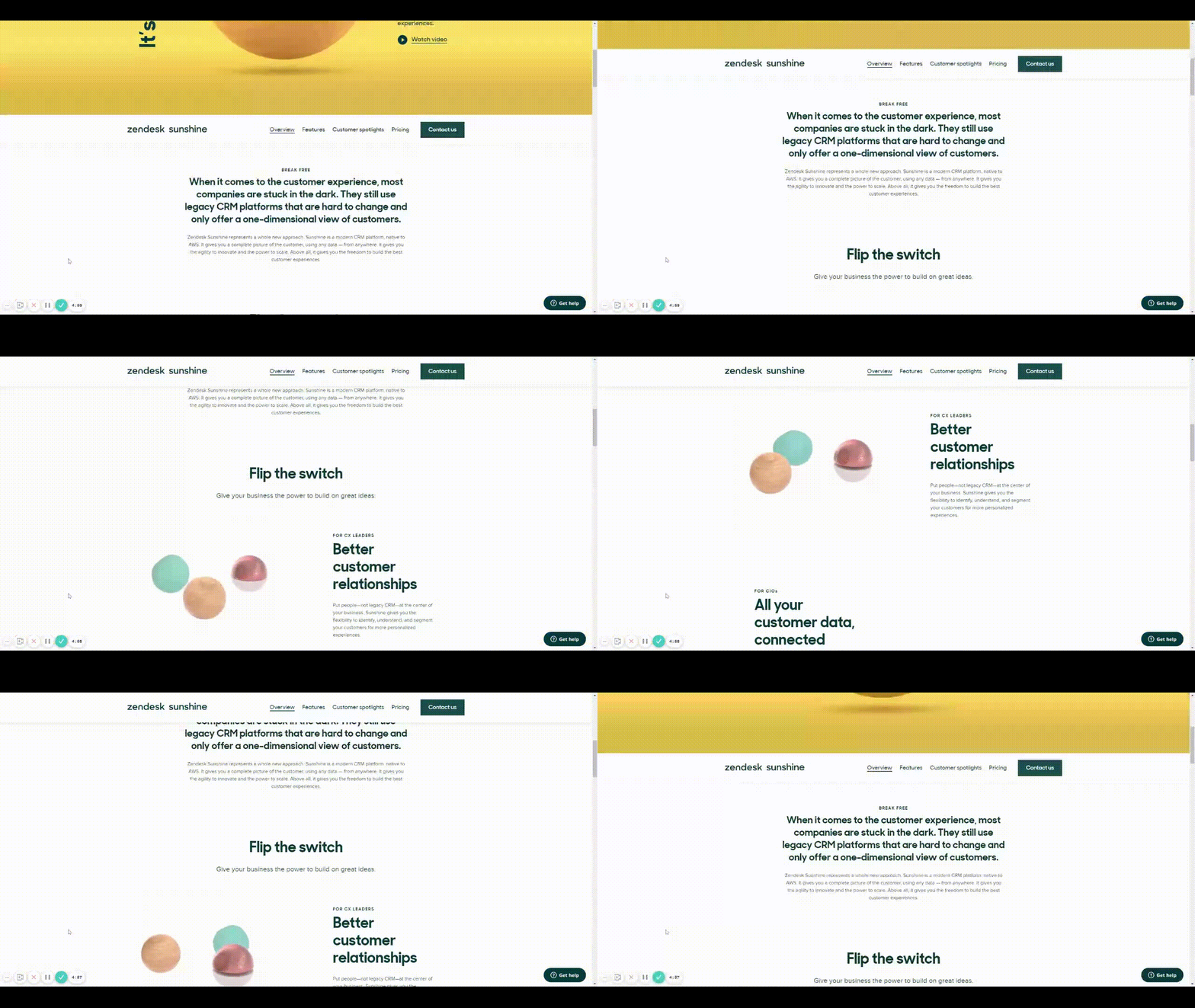
Zendesk scroll example

This would be very helpful for both engineering and stakeholders to understand functionality, especially when the designer isn’t there to describe it to them. It would also prove useful for user testing to understand if a chosen function works for users prior to spending time in engineering.

Does anyone have any other solution to this that I’m missing?

Thank you in advance and looking forward to hearing back!

136 replies

Andres_Sanz
Active Member
December 13, 2022

Do you think this problem could be solved with a scroll event?

  1. I select a frame and take the link to another frame. I make sure the distance of the element I want to keep on the ceiling.

  1. I deploy the event selector and choose the new scroll event:

  1. I select the scroll event:

  1. I specify the event at which pixel of the total height I want the event to be triggered:

Teresa_Cantu
December 13, 2022

I migrated my design from Xd into Figma… only to find a function that I was able to do on Xd SO easily, and I cannot recreate it on Figma. 🤦‍♀️

+1 vote

Shevchenkoserj
New Member
December 25, 2022

let’s make it!

Jack_Wiese
January 13, 2023

looking forward to this addition, it’s such an important feature to so many implementations these days!

Patricio
New Member
January 19, 2023

I need this feature also, thanks

dennsi
Active Member
January 19, 2023

That’s why competition is so much needed in this industry.
Figma has the biggest market share so Figma folks don’t have the pressure to catch up to a competitor and this basically means they do not improve their features as quickly as we would like them to.
Many core features have flaws and features like this don’t exist yet despite being already implemented in competitors tools.
If Figma really wants people to switch to them they should reconsider the importance of improving on things their competitors may do better.

Markus_Beck
January 26, 2023

we want this plssssss

Benjamin_Lipinski
February 1, 2023

+1, our design team could really use this!

Anna_Faerber
February 2, 2023

Figma team, please please please add this feature!

February 9, 2023

Yes ! Would love this feature @Figma_Support ! Let us know if you are working on it 🙂