

megaroeny
Active Member
August 19, 2021

Finding Missing Library components/styles

  • August 19, 2021
  • 91 replies
  • 25524 views

First off, I’m loving the new Swap Library feature!

Problem

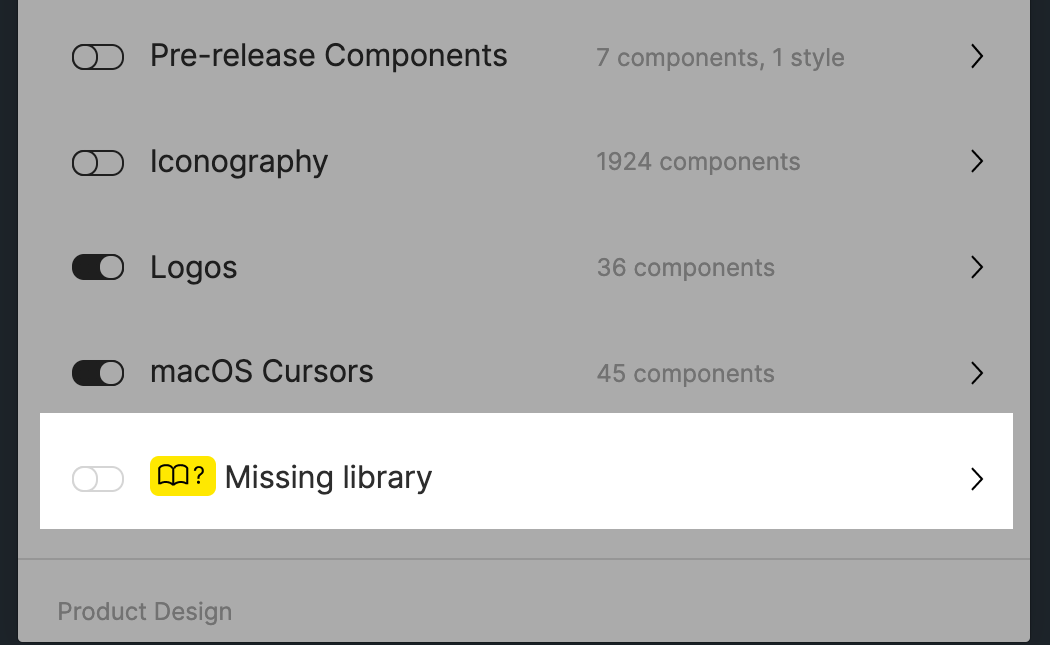
Today, it actually helped me discover some “rogue” styles and components that were leftover from an old library! Now I can try to locate those and finally get rid of them in our current library!

But wait - what if I don’t actually know where these are in the file? Or even further, what if I can’t get Figma to find a match?
Suggestions:

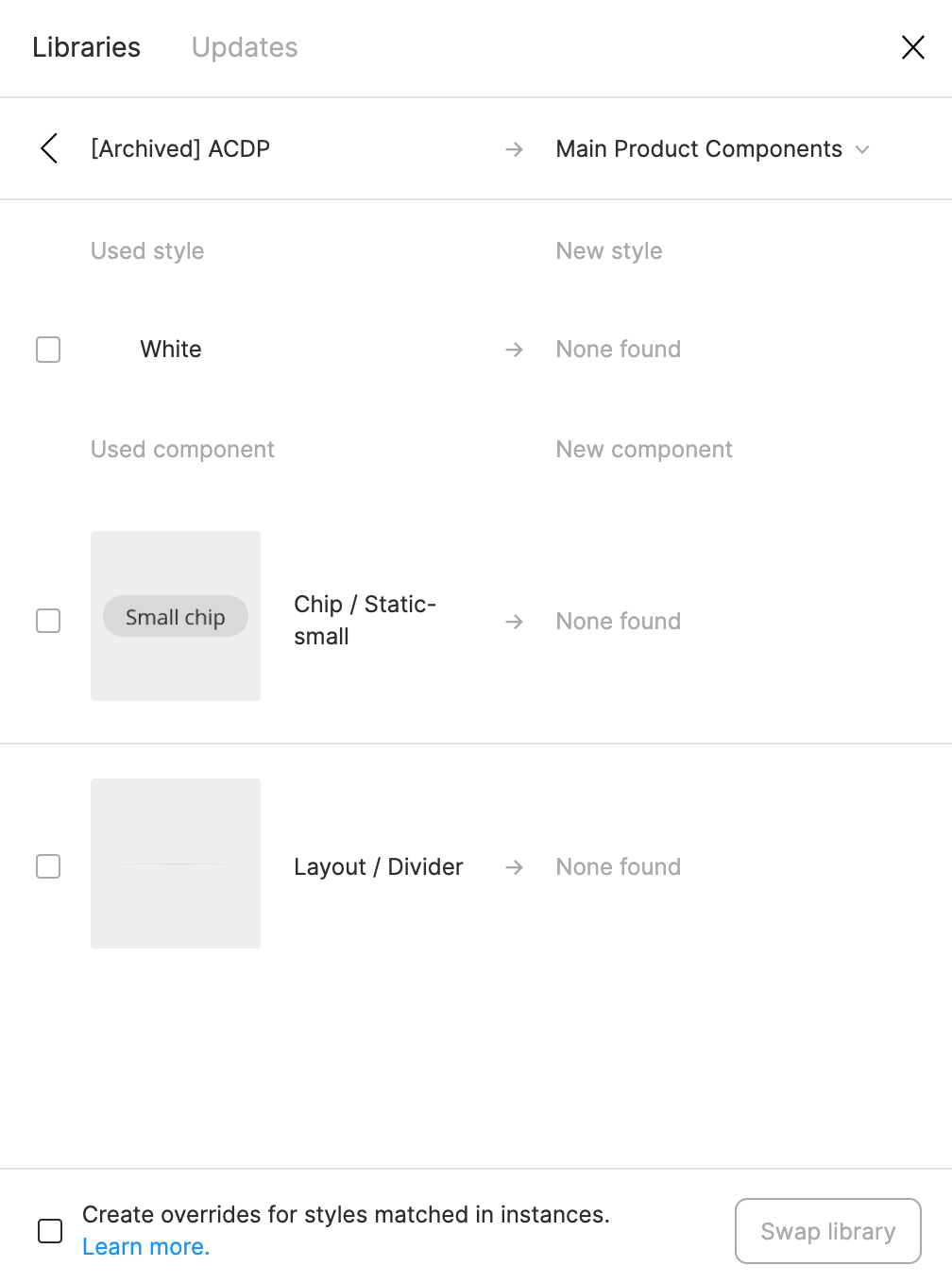
  1. The one thing I wish this feature could do is to help me actually locate those rogue styles or components. I tried using the Instance Finder plugin but it still didn’t help because I have to actually locate them on the canvas/file first. ☹
  2. What if the dialog let us force a new style or component match, instead of us running into a dead-end with the None found message. Currently, it tries to match using the name. But that might not always work (like in this case.)
Any ideas are appreciated. Otherwise, wanted to pass this suggestion on to the Figma team. Thanks!

91 replies

Antoine
Active Member
November 18, 2021

Great idea! That workaround solved my ghost styles issues (although I don’t know if there are still somewhere in my file…)

Thanks Florian!

megaroeny
megaroenyAuthor
Active Member
November 18, 2021

Some questions, and thanks for the suggestion! I’ll have to try it out later:

  1. Step 2 - You’re making this duplicate style in another file, yes? For example, making this duplicate style in your main library?
  2. Step 3 - “Go back to the design file…” Do you mean the one with the new local style, or the main library file?
Florian_Bredl
November 18, 2021
  1. Yes. In the end you need to have the same style in two different locations. In the file where the missing library error appears and in a different file which is linked as library.

  2. Back to the design file in which the missing library error is shown.

Roman_Roan
December 5, 2021

The multi-step workaround is very time consuming if you have tens of styles missing.
Looks like these libraries linking related features have multiple serious bugs and it’s overlooked by Figma planning team. Figma may be too big now and focusing more on adding new features rather than making existing features better.

ben.wc.ko
December 6, 2021

@Florian_Bredl Thank you so much! It does solve my bothering “Ghost” library issue.

Florian_Bredl
December 6, 2021

To be honest it’s an edge case and doesn’t impact productivity or workflow. It’s fair to not be a high priority issue.

Jonathan_Hill
December 9, 2021

Hi everyone, I’m also having a problem with this too. Long story short I have a design system file containing several pages which I am currently working on. In my library it is saying I am missing 3 colour styles. These styles originate from another design system and I know exactly where they are located in this other system. My guess is they somehow got copied over from this other design system to the one I am working on right now. The problem is I cannot find these ‘rogue’ colour styles in my design system even after scouring every single page and element. Figma doesn’t have a ‘find’ option so I cannot find these styles easily. Does anyone know how to get around this issue? All I can think of right now is the solution @Florian_Bredl came up with whereby I replicate these ‘broken’ styles in my design systems current colour library and publish them so I can stop the missing colour styles message. However, this isn’t really the best solution in my opinion because I don’t need these colour styles and what is even more concerning is I don’t know where they are. Any thoughts would be appreciated as this is driving me insane!

EwaKaminska
New Member
January 4, 2022

I had a lot of those in many files too. Usually, I’ve found those missing styles used in hidden layers. After cleaning them there are no more missing ones 🙂

I also use w few plugins to search & replace styles:

Those used in various configurations helped me clean all missing styles in my files and especially in my libraries.

megaroeny
megaroenyAuthor
Active Member
January 4, 2022

I stay away from plugins like those. They tend to break things that can cause large sweeping changes. I’ll check out the Hidden Styles Remover at least.

January 31, 2022

Yep - Seems obvious.