

Alex_Prime
New Participant
January 28, 2021

Edit the space between items (paddings) in auto layout independently

  • January 28, 2021
  • 38 replies
  • 40877 views

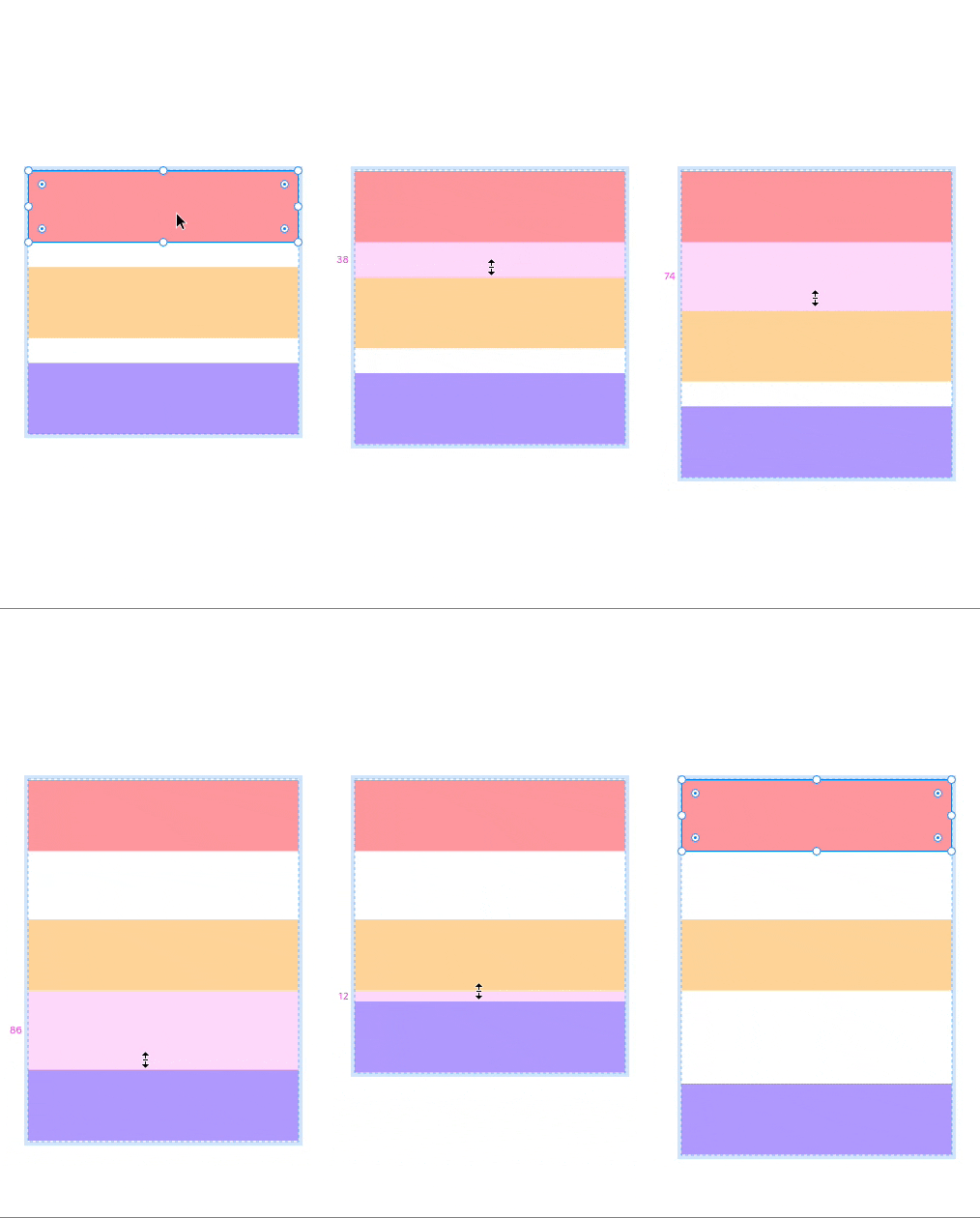
Really don`t like the approach that I need to create a lot of additional auto-layouts just to have different spacing between components. I guess Adobe XD have a more convenient way to do it.
spacing

38 replies

Pablo_Sara
New Participant
March 9, 2023

This is extremely useful for design. You can’t do good design without this. Figma is not just used for prototypes, we use it to make millions of ads and with the auto layout feature we don’t have to arrange individual elements by hand anymore. If you don’t want to use it, fine!

Adanma
New Member
April 17, 2023

wow, I really envied Figma for all the things that would be a design system great, but we really cant individually edit spacing? Even in code you can place things at the very end with Flex.

Shirin_Pfisterer
New Member
June 28, 2023

Hi, with the new updates in June 2023, is it still possible to do “space between”? i can t find that option anymore. thanks for helping out.

Taichi_Kozaki
July 5, 2023

@Shirin_Pfisterer There are 2 ways:

Under auto layout section of design panel

  • Hover on gap setting input field >> click on dropdown >> Set it to “Auto”
  • Double-click on blue bars (where you can see which alignment option is applied)
Shirin_Pfisterer
New Member
July 5, 2023

AMAZING, thank you!

August 23, 2023

this is a must I guess hope they add it someday

October 13, 2023

In Adobe XD it is perfect. However here you can achieve something similar by setting the gap between rows to 0 and controlling the space between blocks with the padding bottom of each block that can be individualized.

Thamara_Tarek
New Member
October 25, 2023

" It would be great if we could edit the space between items in an auto layout independently. Adobe XD handles this by allowing the user to click on the space between elements and drag up or down to adjust the amount of space. Then the user can reset to equal spacing by entering a value in the Space Between Items field."

… and have the option to set a maximum or minumum gap.

Tam
ca-sey
New Member
November 4, 2023

Is there any news or updates on this? It’s so sad that we can’t have different spacing between multiple items if we select auto-layout. It’s so convenient yet so frustrating!

Diego_Casiano
November 10, 2023

Yes! It works. I think it’s a good solution. Anything to avoid creating more frames