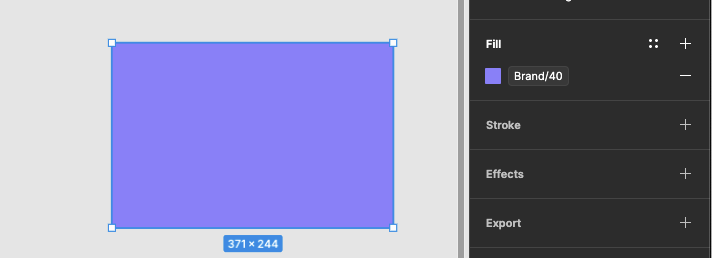
When aliasing a color variable to another (img 1), or using it directly on an element (img 2), we should be able to override the opacity without the need to create a variable for each transparency variation:
For all ppl out there apparently you can make a Linear gradient with the same color and them add a transparency on the side panel :P
But what’s the point? Consider this: The most convenient use case (for me at least) is selecting a component and clicking on “Selection colors” option to change necessary colors easily. There’s no work around to enable this.
This is another one where I wish that absolutely every text or number field would accept variables in them. I would love to be able to set the fill color opacity as a variable, and the H/S/L values as well, etc.
Tried creating a new color style and the gradient hack above (cool trick if you just need to hand-key opacity in), none of them allow setting the opacity as a variable. So for now I’ll just create a layer above and set variables on Fill color and Appearance opacity until we get support for this in. I am glad with the recent updates to Figma and glad they are hopping off the AI train some.
The absence of these core features is a significant oversight, especially considering the long-standing community demand. Their continued omission suggests a disconnect between product development and actual user requirements.
Our current workflow for building design systems and implementing variables is inefficient. We are forced to rely on complex, time-consuming workarounds to compensate for these functional gaps, which compromises our productivity.
Figma’s current market dominance appears to have led to a plateau in meaningful innovation. The platform requires more rigorous competition to incentivize the delivery of essential updates and quality-of-life improvements that professional users require.
I hit the exact same limitation and it drove me nuts.
Figma doesn’t let you override the alpha/opacity of an aliased color variable without detaching, so you lose the reference. I built Variables Plus to solve this class of problems by adding formulas on top of Figma Variables.
With Variables Plus you can keep Blue-950 as the single source of truth, then create derived variables like “Blue-950 @ 50%” (or drive the alpha from a separate opacity variable) while staying fully linked — when Blue-950 changes, all opacity variants update automatically.
Example: I reference Blue-950 and apply a 50% opacity formula. If Blue-950 changes later, the derived color updates too, while always keeping 50% opacity.
My only issue is that the developers would require the variable to remain intact in the code.
It appears that your plugin displays it as a hex code (that’s linked to a variable) rather than reference the variable itself. We would need the variable with opacity applied (my version using a gradient fill still achieves this, but it is duplicated into a gradient)