


Rolling out: Projects become folders 📂 ✨
Hi Figma Forum — we rolled out some changes that will make organizing team files more flexible and intuitive.
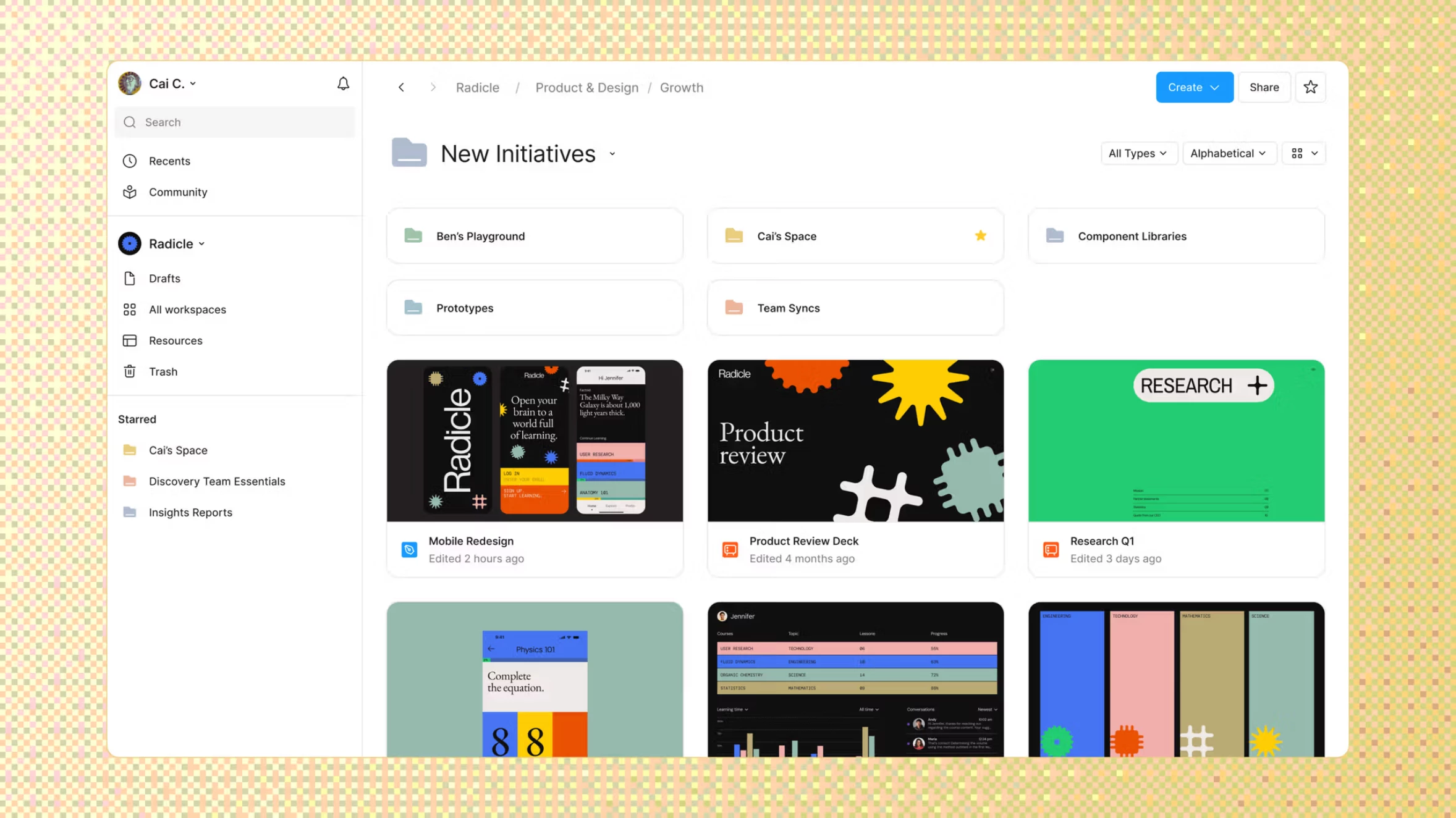
As more work happens in Figma, files can get harder to find. In the coming weeks, we’ll introduce folders, so you can structure files to mirror the ways your teams work.
Here’s what’s changed:
- Projects become folders. All files in Teams will live in folders. Any previous reference to Projects in the UI will be renamed to Folders.
- Subfolders and colors. Nest folders and assign folders colors to create hierarchy.
- Simpler sharing. Subfolders inherit access from the folder above it by default, or you can limit access to specific people.
What’s not changing:
- Workspaces and teams — these structures will stay exactly the same as before.
- Who can access folders — the same people who had access to the project before have access to the folder now. This includes Connected projects, now called Connected folders.
- Creating, moving, and sharing folders — the same ways and places apply as they did with projects.
- API keys — these will continue to work as before.
✅ Thank you for your questions and feedback!
Learn more about what’s changing specific to your plan type here: Updates to Figma’s file management.