

Jannis1
July 4, 2023
Solved

Variables do not update in design

  • July 4, 2023
  • 42 replies
  • 8768 views

I am working with a colleague and some local variables simply do not update in the design when she is entering new values in the local variables window. Some do, some don’t.

I on the other hand are able to update all variables with no issue.

Both are using latest Figma Version via App. Only difference she is working on Windows, I am on Mac.

This topic has been closed for replies.
Best answer by Celine_

Hi @Weston_Ballard ,
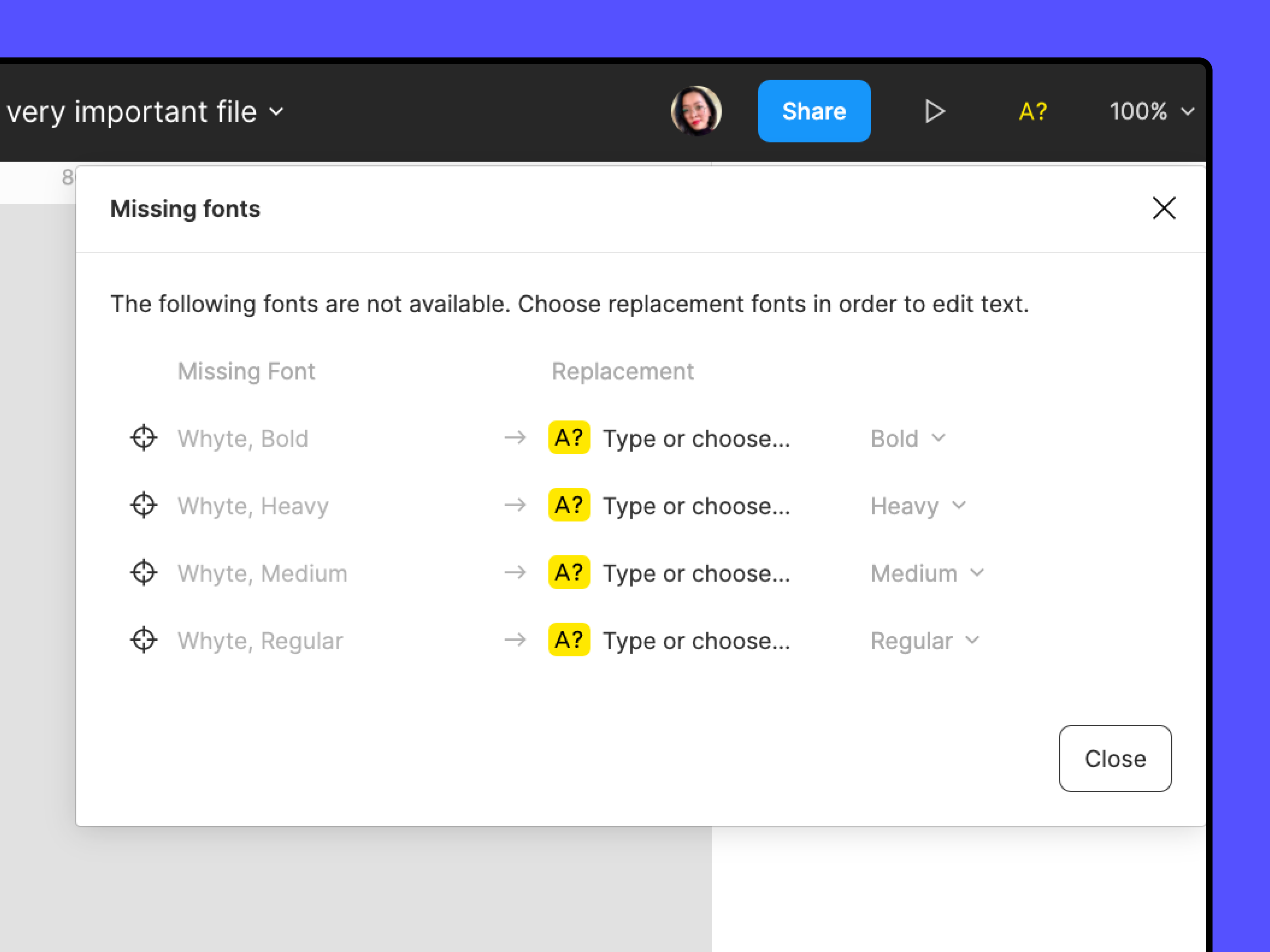
For visibility, I can see in the back end that the issue was related due to a missing font for your case. If you see a yellow A? icon:


Manage missing fonts, Manage conflicting fonts and Access local fonts on your computer might all be helpful in clearing those missing font warnings so that changes they make to the variables are reflected in the file’s text.

Still, I recommend you to reach out to the support team to have a deeper look at your file, as it may be another issue. Please contact the team by filling this form: here
Be sure to use your Figma account email, include a link to the file, and share it with support-share@figma.com as an Editor so they can take a closer look. Thank you!

42 replies

Carlos Santos
New Member
June 23, 2025

Hello,
I am having the same issue. Do you have any solution?

Thank you

Jacob Kenning
New Member
August 5, 2025

Fixed: I noticed in the variables panel that on some colors, if you select the more options icon on the far right, it shows a small window. At the bottom of the window there’s a checkbox that says “Hide from publishing”. Uncheck that. To publish it, you need to make a change in order to enable a publish.