

Jannis1
Jul 4, 2023 10:37 AM UTC
Solved

Variables do not update in design

I am working with a colleague and some local variables simply do not update in the design when she is entering new values in the local variables window. Some do, some don’t.

I on the other hand are able to update all variables with no issue.

Both are using latest Figma Version via App. Only difference she is working on Windows, I am on Mac.

This topic has been closed for replies.
Celine_
Celine_Solution
Community Support
Jul 17, 2023 8:27 AM UTC

Hi @Weston_Ballard ,
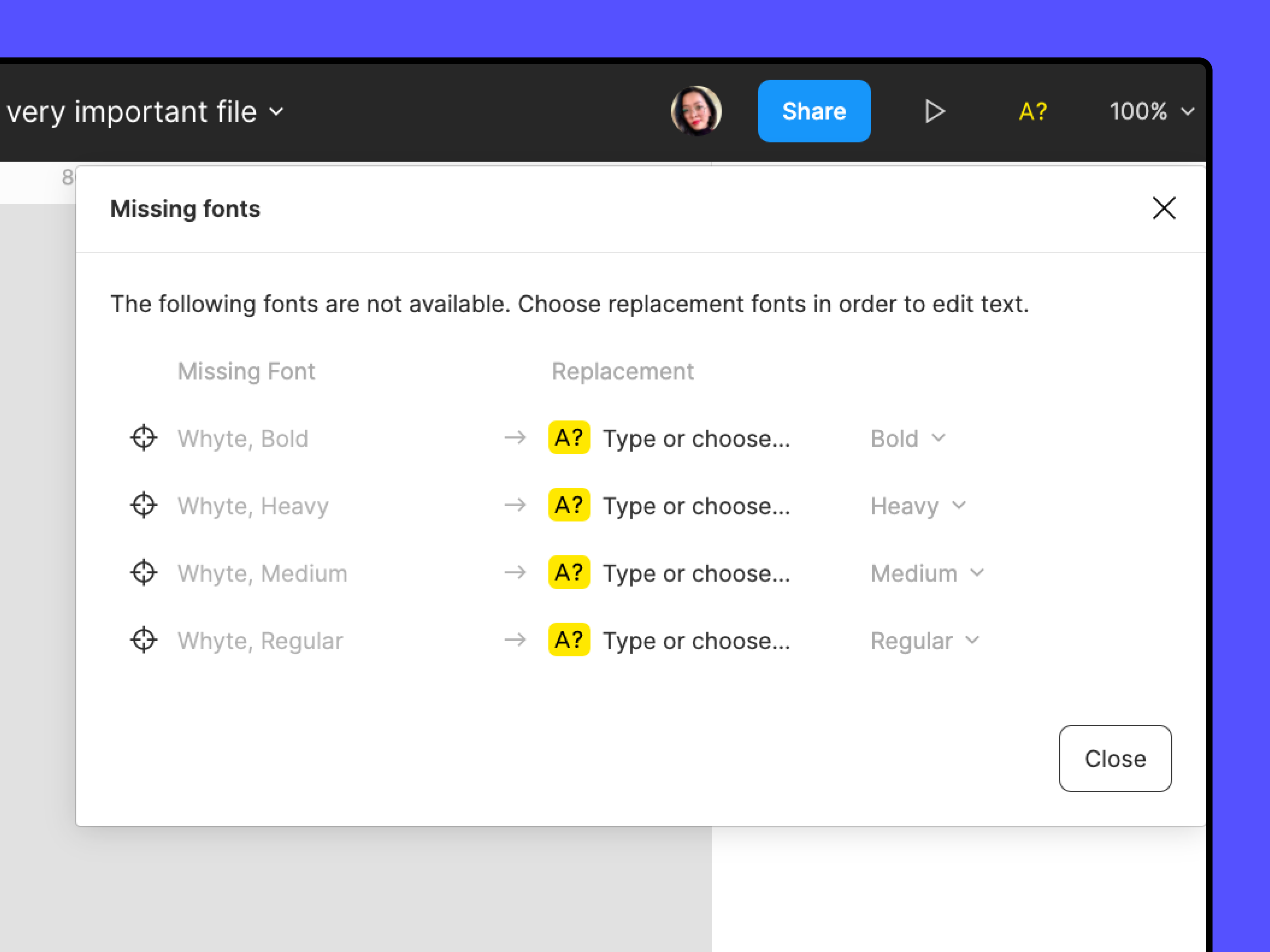
For visibility, I can see in the back end that the issue was related due to a missing font for your case. If you see a yellow A? icon:


Manage missing fonts, Manage conflicting fonts and Access local fonts on your computer might all be helpful in clearing those missing font warnings so that changes they make to the variables are reflected in the file’s text.

Still, I recommend you to reach out to the support team to have a deeper look at your file, as it may be another issue. Please contact the team by filling this form: here
Be sure to use your Figma account email, include a link to the file, and share it with support-share@figma.com as an Editor so they can take a closer look. Thank you!

42 replies

Celine_
Figmate
Community Support
Jul 5, 2023 10:35 AM UTC

Hey @Jannis1 , thanks for flagging this! We hear you - this must be frustrating. We’d like to have our support team investigate, you can submit a bug report to our support team directly via the form: here.

Jul 16, 2023 11:54 PM UTC

Hi there, any update on this one? We are experiencing the same issue! Thanks

Celine_
Figmate
Celine_Solution
Community Support
Jul 17, 2023 8:27 AM UTC

Hi @Weston_Ballard ,
For visibility, I can see in the back end that the issue was related due to a missing font for your case. If you see a yellow A? icon:


Manage missing fonts, Manage conflicting fonts and Access local fonts on your computer might all be helpful in clearing those missing font warnings so that changes they make to the variables are reflected in the file’s text.

Still, I recommend you to reach out to the support team to have a deeper look at your file, as it may be another issue. Please contact the team by filling this form: here
Be sure to use your Figma account email, include a link to the file, and share it with support-share@figma.com as an Editor so they can take a closer look. Thank you!

Aug 2, 2023 5:37 PM UTC

Hello, I am having this same issue with color variables. I updated all of the names and only half of them displaying the updated names on the right panel.

Himanshu8
Aug 3, 2023 9:12 AM UTC

Hi Team,
I am also facing the same issue. I have passed variables under my previous styles. I have created dark and light mode for all the variables.
When I switch light to dark mode in variables. It doesn’t get applied to all colors. Some colors gets changed, some doesn’t.
This behaviour is different on each page.

Chris28
Aug 16, 2023 8:22 PM UTC

Noticed the same behavior. I created a text variable, applied it to a text layer, and when the variable is updated it does not update the text layer. Fonts are installed.

Alex_Leaming1
Aug 22, 2023 10:56 PM UTC

Did Figma just pull all the variable features with the latest update?

Daisey_Fahringer
Aug 25, 2023 5:52 PM UTC

I’m experiencing this issue with color variables as well. They update just fine in the file I created them in, but those color variables do not get updated when used in components in other files (even after the file has updated all the component changes).

Kelsey_Waara
New Participant
Aug 28, 2023 7:55 PM UTC

I’m also experiencing this issue. I just went through and re-named and re-grouped some of my token variables but they aren’t visible in the panels on the right.

Kelsey_Waara
New Participant
Aug 28, 2023 7:56 PM UTC

FWIW – I checked for updates in Figma to see if that would solve my issue, and it said there was no updates for me, but asked if I wanted to reload all my tabs. I said yes and it seems like it’s fixing some of my variable issues… (although closing out of Figma and restarting it didn’t seem to the trick, apparently reloading the tabs will?)