Patrick_Cusack
New Member
December 2, 2025
Question

Unable to Remove Unused or Auto-Generated Figma Slides Styles

  • December 2, 2025
  • 24 replies
  • 259 views

Hi Figma Support team,

I’m running into an issue with unwanted colours appearing in the Design-mode colour picker in Figma Slides, and I’m hoping to understand whether this is expected behaviour or a limitation.

Summary of the issue

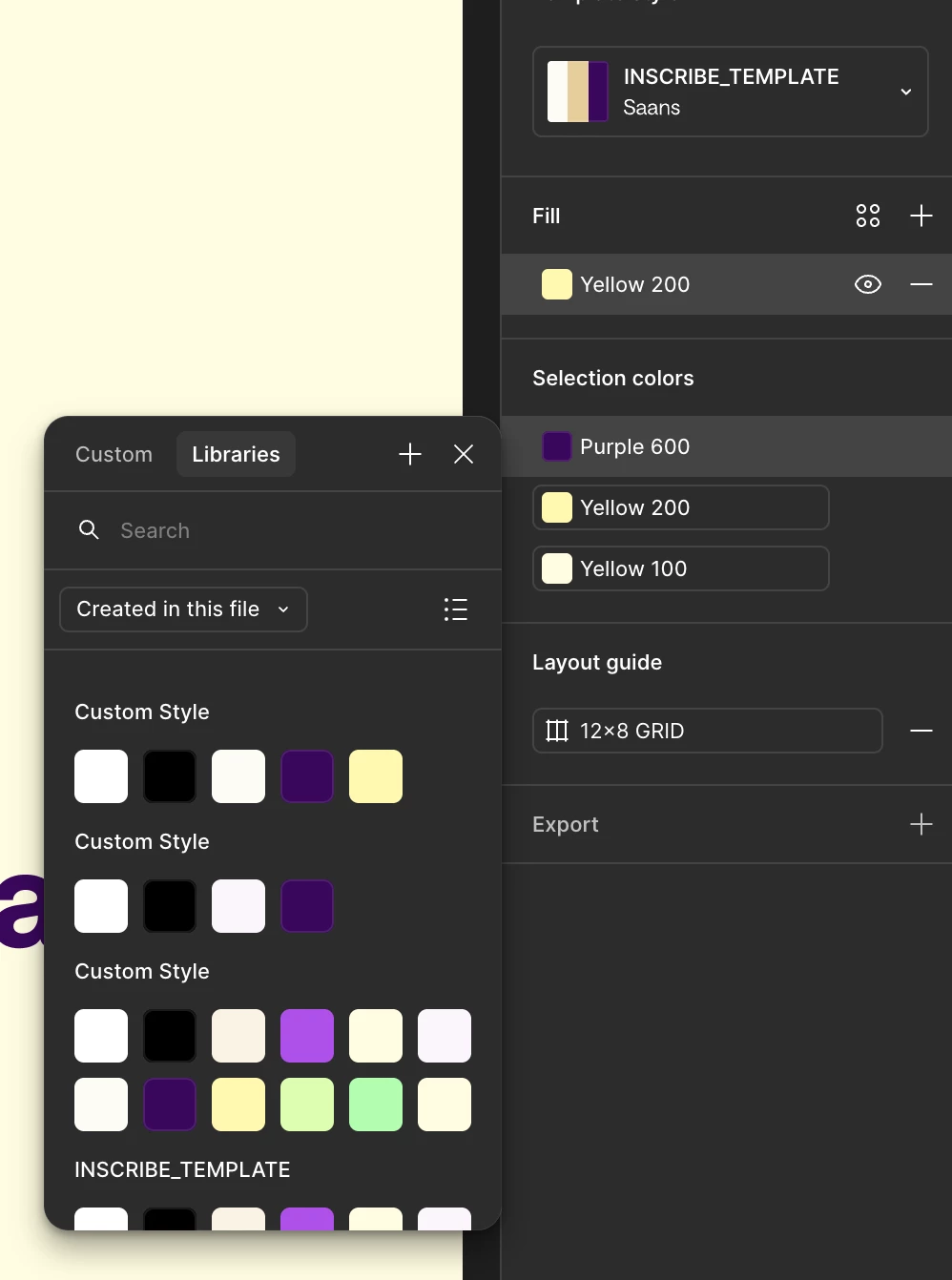
Even after fully cleaning my Slides template so that every element uses only my defined template colour variables, the colour picker in Design mode still shows many extra custom colours that are not used anywhere in the file. These appear to be leftover colours that were automatically created when pasting designs from regular Figma Design files into a Slides file.

What I’ve tried

  • I replaced all existing colours with my new template colours

  • I verified that none of the stray colours are used in any layer, component, or style.

  • I also confirmed that this only affects Design mode, not Slides mode, where only the correct template variables appear.

The core problem

These extra colours appear to be orphaned, auto-generated colours with no UI to remove them, even when they’re completely unused. They clutter the colour picker and make it difficult to maintain a clean colour system inside a Slides template.

Expected behaviour

  • If a colour is unused and not part of a Slides theme, it should be possible to delete it.

  • Or at least, unused colours should not appear in the Design-mode colour picker.

Current behaviour

  • Stray colours persist indefinitely.

  • They appear only in Design mode, creating visual clutter.

  • They seem to originate from copy/paste actions from Design files.

Impact

This makes it difficult to maintain a clean colour system for a shared Slides template. These lingering colours introduce confusion and inconsistency when designing inside Slides.

Questions

  1. Is there currently a way to delete or reset unused or auto-generated colours in Slides?

  2. Is this behaviour expected, and are there plans to give users more control over colour management in Slides?

  3. Is there a recommended workflow to avoid these stray colours appearing in the first place?

Thanks so much!
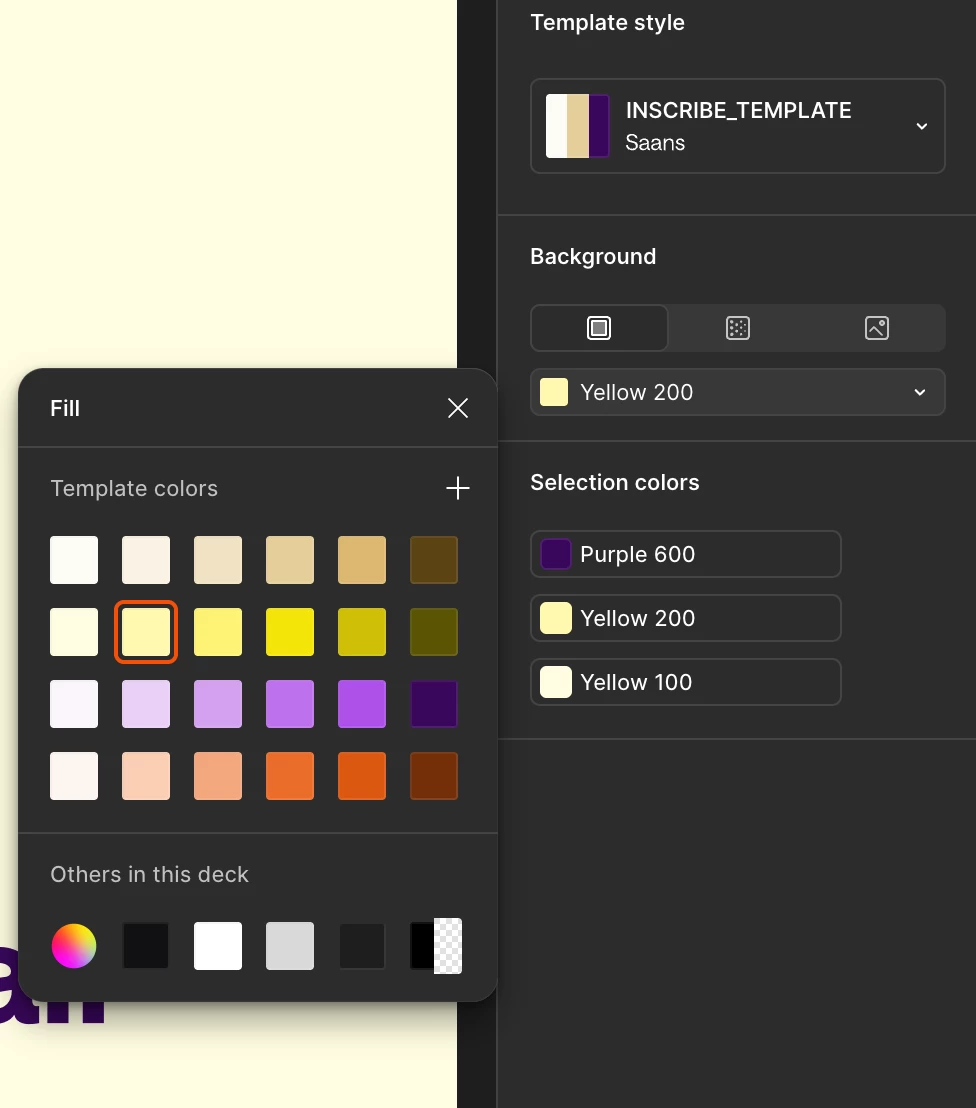
Colours look fine in Slides Mode
Loads of stray messy colours in Design Mode that can’t be removed


24 replies

Margot_Gabel
Active Member
January 13, 2026

Is everyone around here ever able to use Template styles in Figma Slides? 

EVERY time we paste a slide from another presentation, it creates a ‘new’ template so we end up with a dropdown full of slightly similar templates styles and it is impossible to delete them unless I switch every culprit style to the ‘main’ style. But doing usually changes things around so we just gave up trying to use them 😭


Here is a screenshot of the dropdown in most of our slide decks:


Using Figma since 2018.
Nicolas_DUFAU
New Member
February 5, 2026

Hi,

It seems like we can’t delete a Layout guide Style after creating one in Figma Slides… And how do we delete a Template style when we have more than one in a deck?

This is basic features, yet somehow it’s so hard to find, or doesn’t even exist.


Dana3
New Member
February 9, 2026

Having the same issue, I used to be able to delete any unused style once I made sure all the slides were the same. However, the delete/bin icon has disappeared now. It’s getting messy!

djv
Figmate
Community Support
February 19, 2026

Hey All, thank you for flagging this and apologies for the delayed reply here! 

I completely understand how this could be affecting your workflows. I’ve flagged this over to our Slides team, and they are aware of this issue. They’re already working towards improving this in the future. 

Gail Barlow
New Member
March 4, 2026

Agreed - huge problem over here too

Chris-hug
New Member
March 12, 2026

please get this sorted! Super annoying.

simgust
New Participant
March 26, 2026

Yes! I’m having this issue as well. Really annoying. Did you find a fix?

I find Figma Slides to be annoyingly under-cooked, which is strange given how long it’s been out.

Margot_Gabel
Active Member
March 27, 2026

It’s only getting worse and worse as we copy paste slides from various decks all the time, PLEASE FIX THIS SOON, let us delete templates styles !!!!


Using Figma since 2018.
Margot_Gabel
Active Member
March 27, 2026

I realize that today as well, Figma Slides is so half-baked….

Using Figma since 2018.
Margot_Gabel
Active Member
March 27, 2026

We also discovered it is not possible to delete Layout guides once you create one, great …. 

Using Figma since 2018.