

Question

Turn off all Dev Mode notifcations

  • September 2, 2025
  • 3 replies
  • 107 views

qurle

Sometimes I use dev mode links to look through people’s files. For every file I viewed I get notifications when something is marked as Ready for dev.

And it also bloats my mail with

Frame 2087324273 is ready for dev in Draft | You're subscribed because you viewed this file in Dev Mode.


Kinda tired to unsubscribe from every single file. Why there’s no option to opt off every dev mode updates in settings?
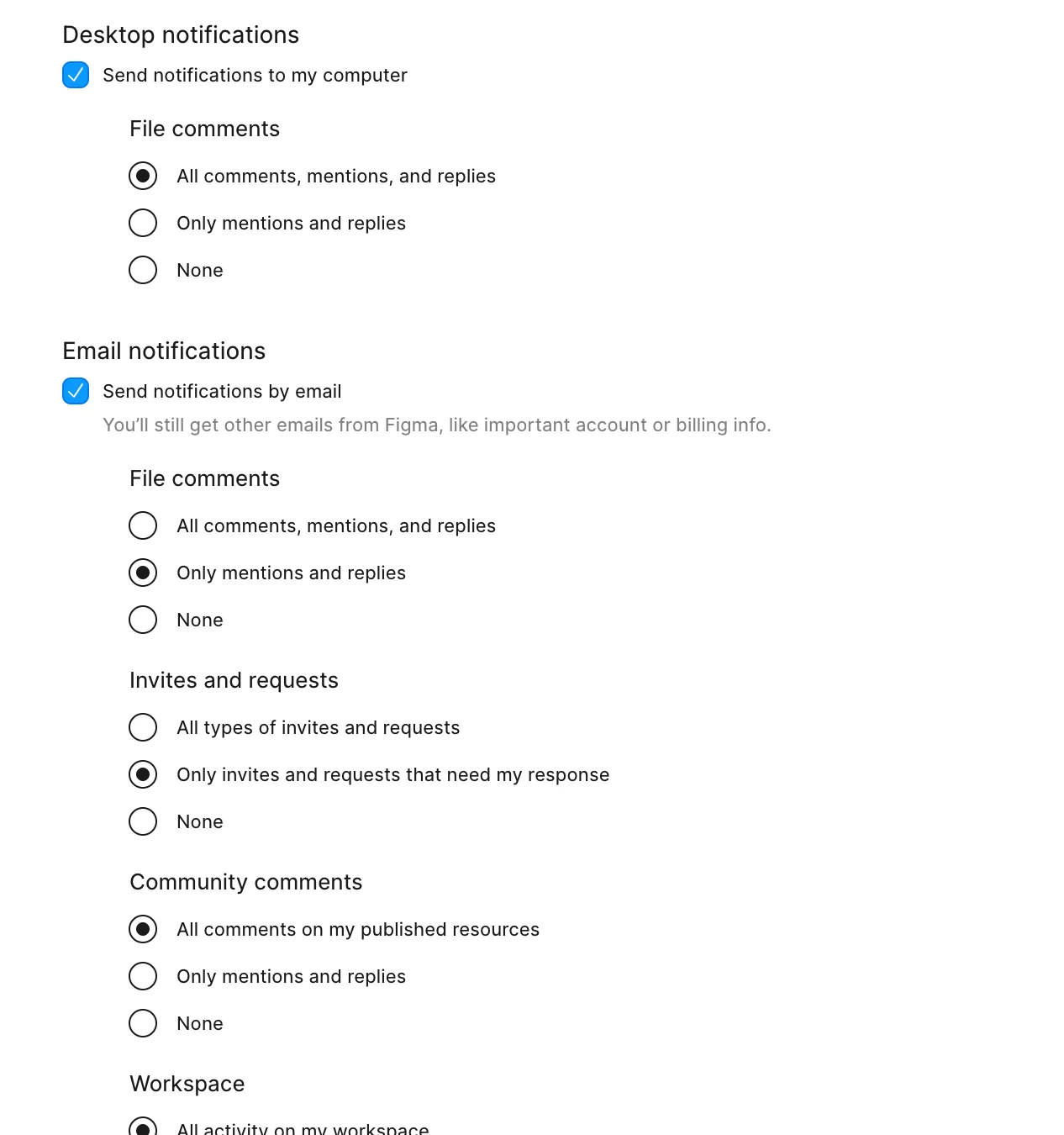
 

Figma notifications settings


3 replies

Sheila_Sheikh
  • New Participant
  • April 1, 2026

I browse various files in my org very often, and sometimes I’m in dev mode. This automatically subscribes me to notifications which is not what I want.

I’d like to be able to set default preferences globally (like “subscribe by default: on/off”), similarly to how another topic states (which to my disappointment didn’t get any replies and was closed for some reason).

Or at least the feature to ask me each time to confirm if I want to be subscribed, which obviously would be irritating, but not as irritating as receiving all those notifications and having to open the file to unsubscribe.

Or at the very least, to be able to unsubscribe without having to open the file, either from emails or from desktop notifications.


Ruslan_Fedorov2

same here! I saw a file once and now I get useless notifications about something marked as ready for dev.


djv
Figmate
  • Community Support
  • May 14, 2026

Hey All, thanks for chiming in and sharing your feedback about Dev Mode notifications! 
 

I’ve merged these topics into one thread so we can keep the discussion and feedback organized in one place. For anyone looking to turn off Dev Mode notifications for a specific file, you can update your notification settings from within that file by doing the following:

  1. Open the Figma file.

  2. Turn on Dev Mode, or use Shift + D.

  3. Enter Comment mode by clicking Comment or pressing C.

  4. Click Settings at the top of the right sidebar.

  5. Under Dev Mode notifications, select Nothing.

This will stop Dev Mode status notifications for that file, including notifications when designs are marked Ready for dev.


Please note that:

  • This setting applies per file, so you may need to update it in each file where you’ve previously used Dev Mode.

  • General Figma notification preferences can still be managed from the file browser by opening your account menu, selecting Settings, and going to the Notifications tab.

  • If you’re receiving Figma notifications in Slack, you can adjust those from Slack using /figma settings.


Lastly, while email, desktop, mobile, and Dev Mode notification preferences can be adjusted, in-app Figma notifications can’t be fully disabled at this time. Hope this helps!