
Ganesh Thorat
New Member
March 17, 2025
Question

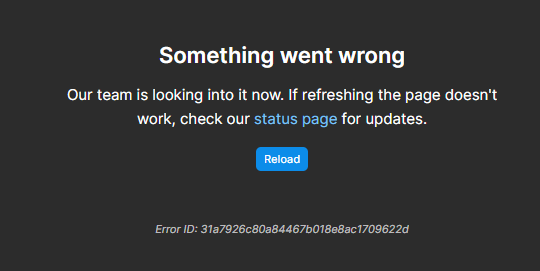
Something went wrong
  • March 17, 2025
  • 11 replies
  • 1313 views

Our team is looking into it now. If refreshing the page doesn't work, check our status page for updates.

Reload

This topic has been closed for replies.

11 replies

Gayani_S
Figmate
Community Support
March 17, 2025

Hey ​@Ganesh Thorat, thanks for reaching out. I know how frustrating it can be to run into this kind of error, and I’d love to help figure it out with you.

A few quick questions to better understand what’s happening:

  • Are you seeing this issue in the desktop app, the browser, or both?
  • Have you tried clearing your cache to see if that helps?
    For the desktop app: Clear Desktop Cache
    For browsers, here are guides for each:
    Google Chrome
    Safari
    Mozilla Firefox
    Microsoft Edge
    ​​​​​​​​​​​​​​
  • Does this error appear when opening a specific file, or is it happening more generally?
  • How often are you running into this issue?
  • If you switch to a different network or disable any VPN/Proxy connections, does the problem still occur?

Let me know, and I’ll do my best to help you troubleshoot this!

Nabin Sapkota
New Member
April 12, 2025

​@Gayani_S 

Just reviving this thread again rather than starting another one. I have ran into the same issue. Although the error id is different; Error ID: 9e9b9f192b964d59ad0fa9a4eebd1ca2


  • This issue occurs on both the desktop app and the browser. 
  • Clearing the cache on both desktop and the browser I am using does not solve the issue. 
  • This error appears when opening a specific file – once I hit reload it will open a page that works. 
  • This is happening every time for that specific page. Everything else works fine. 
  • I don’t have any VPN connected. I only have a hotspot network connection available as an alternative and that didn’t help although it tried to load it for longer.

Any help is appreciated– it’s decided to do this on the one page that I absolutely need. 

Thank you

y_toku
Figmate
Community Support
April 14, 2025

Hi ​@Nabin Sapkota 


Thanks for reaching out. Are you still experiencing the error? We had a service disruption, as noted here: Service Disruption, but it has been resolved.

If the error persists, could you please submit a bug report detailing the steps that led to the issue? You can do so by following this link: Submit a Bug Report.


Thanks for your patience!

Toku

Nabin Sapkota
New Member
April 14, 2025

Hello ​@y_toku 


Yes, I’m still experiencing the issue. Thank you I will log a bug ticket. 
 

Thank you

Nabin Sapkota
New Member
April 18, 2025

If anyone is wandering through here for a fix – I logged a bug ticket. After following some tips to download some network and debug log files - it resolved itself.

Specifically, the problem file opened when on the error page but initiating developer tools. (On mac CMD+OPN+I). I also remember clicking on the crosses and exclamation mark area to see the errors but unsure if that did it or if it just worked when I opened dev tools. (Not to be confused with Figma’s Developer Mode)


Rajeswara_Rajan
New Member
August 8, 2025

i am facing this issue for past 3 days


Thunder Beast
New Member
September 1, 2025

I just facing the same issue from last 3 days on desktop app


Aldi Syach Bagus Soewigto
New Member
November 5, 2025

i also facing this issues also, sigh… its really depressing...

Gayani_S
Figmate
Community Support
November 6, 2025

Hey everyone, thanks for flagging this!  As I mentioned in my previous reply, to dig into this properly, I’ll need a bit more info from each of you so we can narrow down what’s causing it.

A few quick questions that will really help investigating:

  • Are you seeing this in the desktop app, the browser, or both?

  • Have you tried restarting Figma in the browser, and reinstalling the desktop app? 

  • Does the error happen with a specific file, or everywhere in Figma?

  • How often does it show up?

  • And if you try a different network or turn off a VPN/Proxy, does anything change?


Appreciate your help! ​​​​​​​

tangzhu
New Member
November 21, 2025

Hey everyone, thanks for flagging this!  As I mentioned in my previous reply, to dig into this properly, I’ll need a bit more info from each of you so we can narrow down what’s causing it.

A few quick questions that will really help investigating:

  • Are you seeing this in the desktop app, the browser, or both?

  • Have you tried restarting Figma in the browser, and reinstalling the desktop app? 

  • Does the error happen with a specific file, or everywhere in Figma?

  • How often does it show up?

  • And if you try a different network or turn off a VPN/Proxy, does anything change?


Appreciate your help!

1. This issue occurs on both desktop and web versions.

2. Reinstalling the version does not resolve the issue.

3. Sometimes it occurs frequently after a few operations, roughly every few minutes.

4. Disabling the proxy does not solve the problem.