Badredine Aniba
New Member
March 6, 2026
Solved

Not receiving recent Figma updates (UI3, Slots) on both main and beta app

  • March 6, 2026
  • 61 replies
  • 2920 views

I noticed that my Figma app hasn’t received some of the recent updates such as new left navigation bar and Slots for components.

I’m using the desktop app, and I also tried installing the beta version, but the features still don’t appear in either version.

To troubleshoot, I also reinstalled the application, but the issue remains the same.

Are these updates still being rolled out gradually, or could this be related to account permissions, region, or workspace settings?

Thanks in advance for your help!
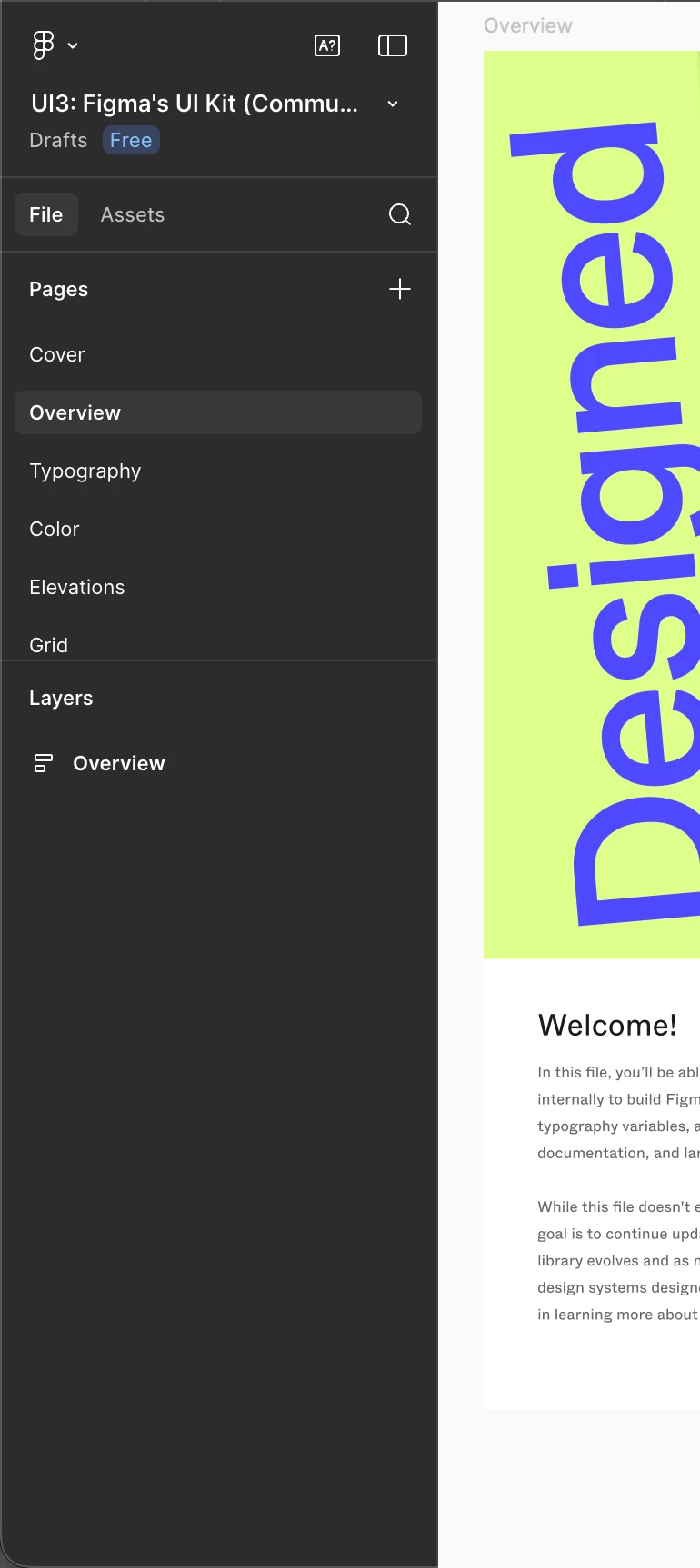
The actual left bar


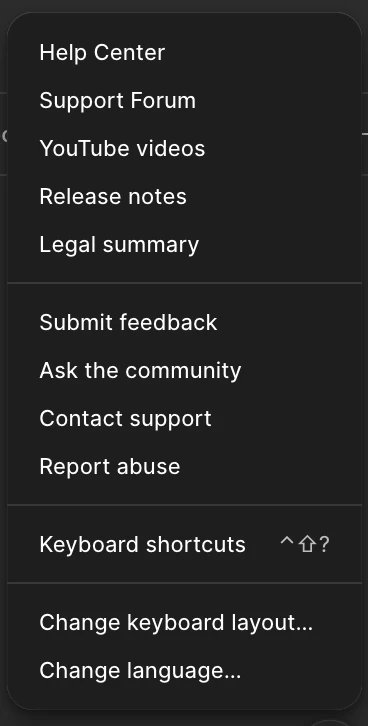
No new UI in the help section


Best answer by ksn

Hello everyone! I’m happy to tell you that slots is now rolled out to all Full seat users. If you're unable to access the feature, refresh the design file and check if you have edit access to it.

If you do not see the feature after that, please reply or PM me so I can have someone take a look. Enjoy!

61 replies

djv
Figmate
Community Support
March 26, 2026

Hi ​@Heath Dyer, ​@Badredine Aniba, and ​@David_Galliford, thanks for following up here! 


As mentioned above, we’re still gradually rolling out the new left navbar to users. This rollout is happening at the user level (not the team or organization level), so it’s expected that people within the same team or organization may see different experiences for now. We understand this can be frustrating, but thanks for your patience while the rollout completes.
 

Regarding Slots, this feature has already been fully rolled out to all Full seat users. If you’re unable to access it, try refreshing your design file, confirming you have edit access to the file, or creating a new main component. For step-by-step guidance, you can visit:
https://help.figma.com/hc/en-us/articles/38231200344599-Use-slots-to-build-flexible-components-in-Figma


If you’re still having trouble accessing Slots, please feel free to let me know!

Andrea_Avesani
New Member
April 14, 2026

Still can’t access slots. It’s been months since the launch and my colleagues are creating files I can’t work on!

djv
Figmate
Community Support
April 14, 2026

Hi ​@Andrea_Avesani, thanks for letting us know! 

That definitely doesn’t sound right. Slots has already been fully rolled out to all Full seat users. Have you already tried all the recommendations I’ve given in the thread above?


Again, if you’re not seeing slots, could you double-check the following?

  • You have a Full seat on the team where the file lives
  • You have edit access to that specific file
  • You’re using Figma Design (or design mode in Figma Buzz)

If everything above looks correct, I also recommend trying to create a new main component. As a reminder, a slot can only be applied to layers nested within a main component or within variants of the same component set. Are you trying to add slots to variants or convert a frame inside a main component into a slot? 

For step-by-step guidance, you can also check out our Help Center article: Use slots to build flexible components in Figma


If after everything, you’re still having trouble; please feel free to let me know. 

Takaz cao
New Member
April 16, 2026

Hi ​@djv 

I access slot but do not have left navigation bar. Please check my account and update for me


djv
Figmate
Community Support
April 16, 2026

Hi @Takaz cao, thanks for chiming in here!
 

As mentioned above, we’re still gradually rolling out the new left navigation to users. At this time, both our support teams aren’t able to manually grant access.

I understand the wait can be frustrating, and we appreciate your patience while the rollout continues. You should receive access in a future rollout wave.

Kingsley3
New Member
April 22, 2026

I don’t see them in the web view. Paid plan as well. 

djv
Figmate
Community Support
April 23, 2026

Hi ​@Kingsley3, thanks for chiming in here! 

Are you referring to slots? 


If so, slots has already been fully rolled out to all Full seat users. Have you already tried all the recommendations listed above?


Again, if you’re not seeing slots, could you double-check the following?

  • You have a Full seat on the team where the file lives
  • You have edit access to that specific file
  • You’re using Figma Design (or design mode in Figma Buzz)


If everything above looks correct, I also recommend trying to create a new main component. Are you trying to add slots to variants or convert a frame inside a main component into a slot? As a friendly-reminder, a slot can only be applied to layers nested within a main component or within variants of the same component set. Check out our Help Center article here for more info: Use slots to build flexible components in Figma


If you’re still having trouble after trying these, please let me know. 

Dennis O'Neil
New Member
May 22, 2026

Here we are on May 21st several months after these features have started rolling out and I am sitting with an Organization account of 10+ seats and do not have the updated UI3 sidebar or slots. Seeing that agents are coming now has me excited and instantly frustrated that my account is so far behind on updates. 

Get with the program, let’s go. We are all starting to use other tools in the meantime. 

noella.choi
New Participant
May 22, 2026

Following up on this. Our organization still doesn’t have the latest UI. 

We have 16 Full Seats, 6 Collab seats, 3 Dev seats. We’ve been using figma for years and use it on a daily basis. I echo the previous poster’s frustration. Agents is very exciting and we have a project coming up in a month that would be great for testing out Agents. 

But I feel extremely deflated that despite always requesting for beta access, we never get it. And all our updates are always so far behind everyone else.

adamsmasher
Figmate
Figmate
May 23, 2026

Hi, ​@noella.choi - thank you for your post.


I can definitely understand your frustration and excitement over AI agents, especially with a project coming up in a month and as a team that is using Figma on a daily basis. Regarding AI agents in specific, did you use the form to join the waitlist? I wasn’t sure if you were speaking more broadly about betas or this one in particular. While the beta is gradually rolling out, you are welcome to join the waitlist - as you already know, this doesn’t guarantee early access but will let our team know that you’re interested!