Solved

No variables available issue

  • March 2, 2026
  • 1 reply
  • 155 views

Svitlana


I found a similar issue reported here already, but we’re still experiencing problems with using variables.

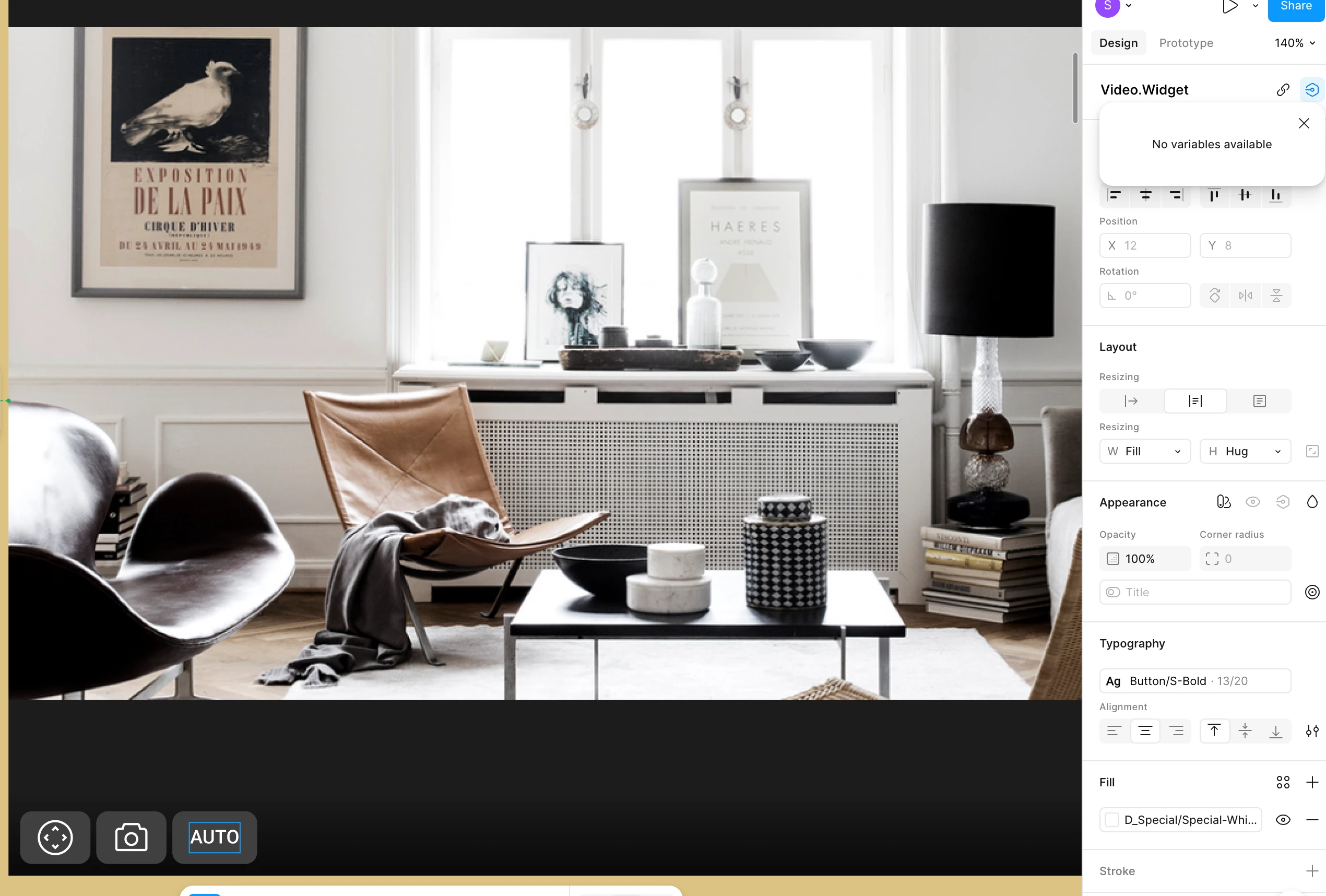
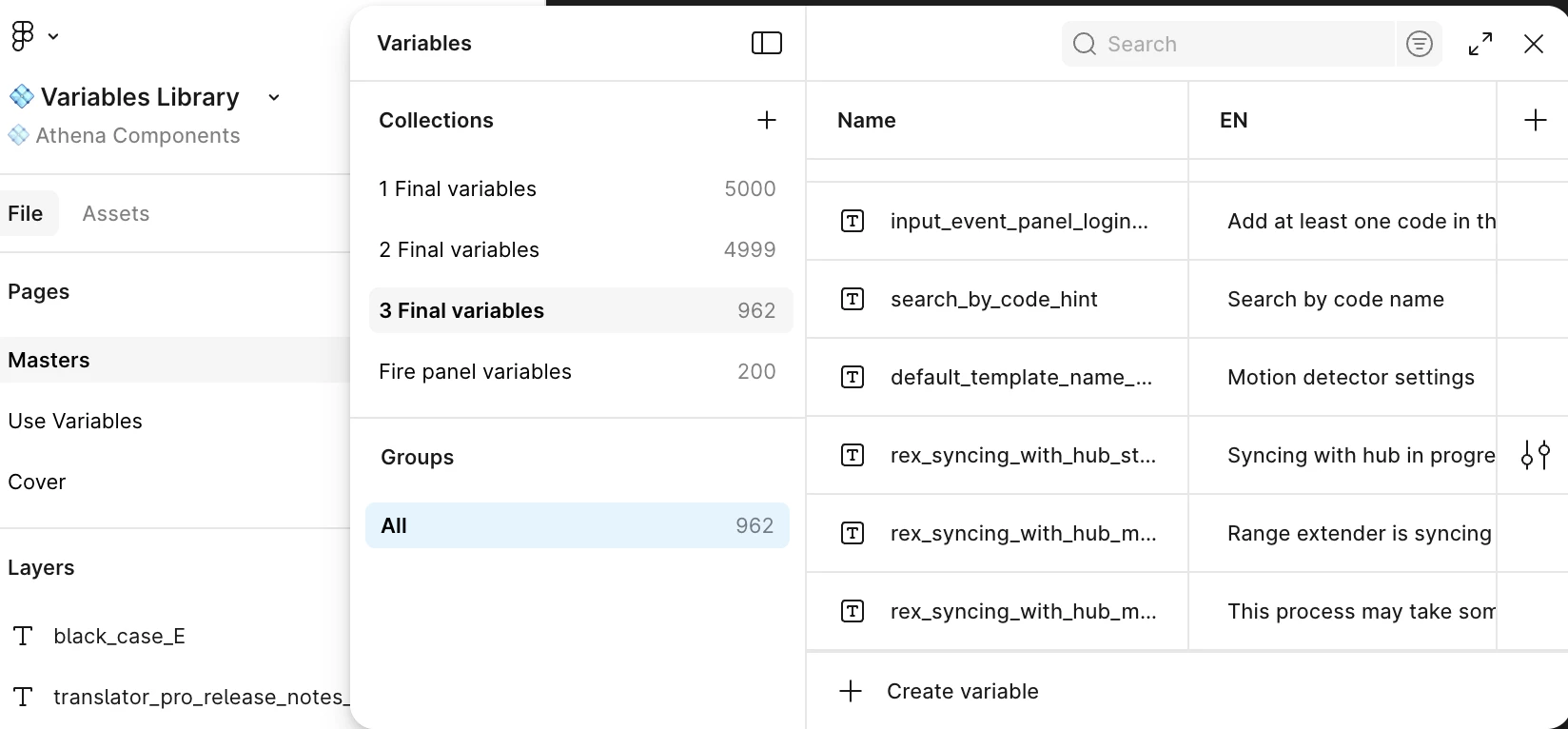
When trying to apply text variable to a component, it shows ‘No variables available’. I’ve checked the library and it is connected to the file.


The library is available too. 


It’s not just me — the entire team is facing this issue when working with variables. We’ve already refreshed Figma, but nothing has helped.

Could you please advise on how to fix this issue?

Best answer by Celine_

Hey ​@Svitlana , Celine from Figma here! Thanks so much for sharing the details and screenshots.

Our Support and Engineering teams would like to investigate this further, so I’ve gone ahead and created a support ticket on your behalf. For reference, your case number is #1774307, sent via your email address kuxxxx.s@ajxxxms.
When you have a moment, please check your inbox and add any additional details directly to the ticket. Our team will follow up with you there shortly.

I also noticed a few others in the community have liked this post — if you're experiencing a similar issue, we’d love to help. Please submit a bug report by going to the Support Hub / Clicking Start a chat / Typing “Report a bug”  and including a direct file URL (with view access granted to support@figma.com). Thank you!


Update:  Our engineering team have found the root cause of the issue and released a fix for this. I am glad to see in the backend that the issue has been solved on your side!

For others who encounter similar issue, please refresh Figma and try again. Thank you!

This topic has been closed for replies.

1 reply

Celine_
Figmate
  • Community Support
  • Answer
  • March 3, 2026

Hey ​@Svitlana , Celine from Figma here! Thanks so much for sharing the details and screenshots.

Our Support and Engineering teams would like to investigate this further, so I’ve gone ahead and created a support ticket on your behalf. For reference, your case number is #1774307, sent via your email address kuxxxx.s@ajxxxms.
When you have a moment, please check your inbox and add any additional details directly to the ticket. Our team will follow up with you there shortly.

I also noticed a few others in the community have liked this post — if you're experiencing a similar issue, we’d love to help. Please submit a bug report by going to the Support Hub / Clicking Start a chat / Typing “Report a bug”  and including a direct file URL (with view access granted to support@figma.com). Thank you!


Update:  Our engineering team have found the root cause of the issue and released a fix for this. I am glad to see in the backend that the issue has been solved on your side!

For others who encounter similar issue, please refresh Figma and try again. Thank you!