

Solved

No variables available

  • February 26, 2026
  • 5 replies
  • 107 views

Emma26

From this morning I’ve been unable to use variables, here’s what happens:

  1. On first load/reload of page
  2. Select Gap Dropdown
  3. Select Apply variable
  4. Variable list appears briefly then updates to “No variables available”
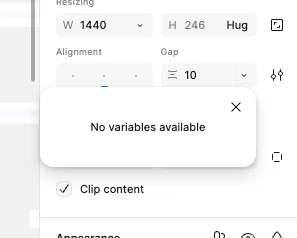
It’s not happening with Colors and is the case on every file I’ve worked on this morning.

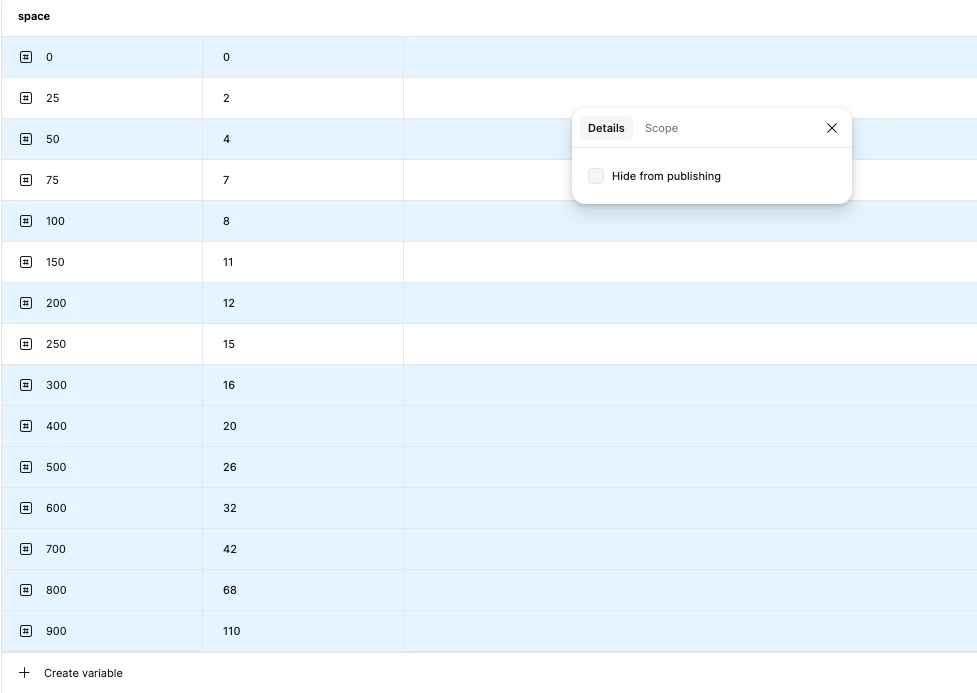
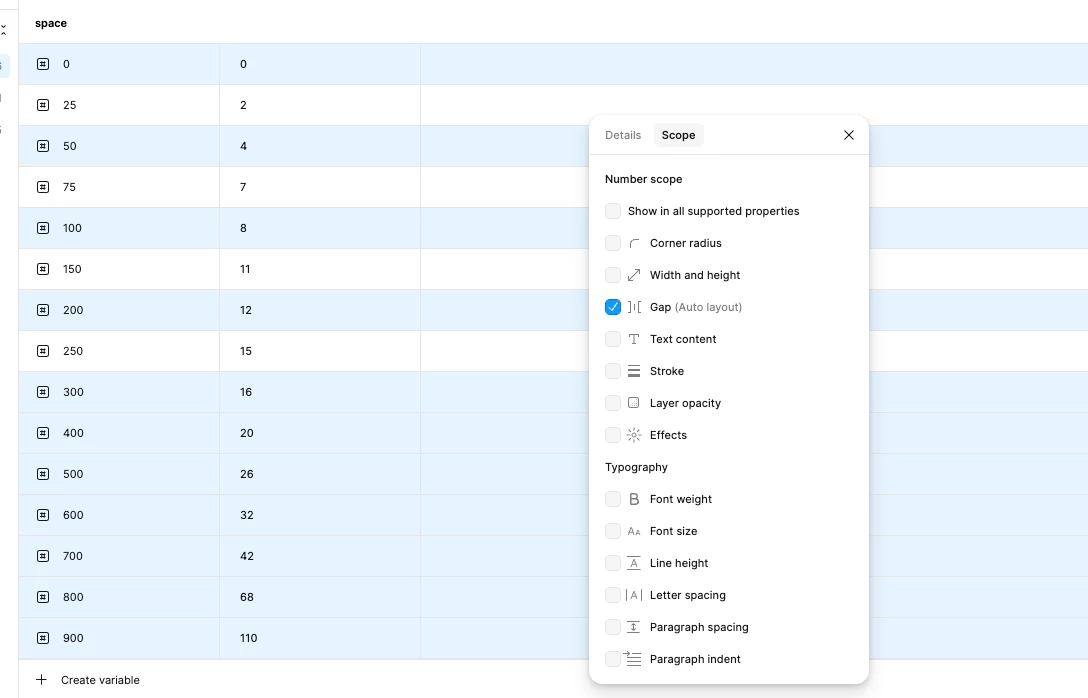
All my variables should be available. Non are marked as “Hidden from publishing” and the scope is set to Gap.
 

Best answer by Celine_

Hey ​@Emma26 , thank you for sharing the screenshots and details, and sorry you’re running into issues with Variables!

This definitely looks unusual, and I’d like our Support team to take a closer look. I’ve gone ahead and created a ticket on your behalf so they can investigate further.
I’ve gone ahead and created a ticket on your behalf so they can investigate further with your email address: ekxxxgh@shxxxck.xom. For reference, your case number is #1766439. Please check your inbox when you can and free to reply directly to your case with any additional context, including the URL of the impacted file. Thank you! 


Update: Our team has pushed a fix. Please refresh Figma and try again, thank you!

5 replies

Celine_
Figmate
  • Community Support
  • Answer
  • February 26, 2026

Hey ​@Emma26 , thank you for sharing the screenshots and details, and sorry you’re running into issues with Variables!

This definitely looks unusual, and I’d like our Support team to take a closer look. I’ve gone ahead and created a ticket on your behalf so they can investigate further.
I’ve gone ahead and created a ticket on your behalf so they can investigate further with your email address: ekxxxgh@shxxxck.xom. For reference, your case number is #1766439. Please check your inbox when you can and free to reply directly to your case with any additional context, including the URL of the impacted file. Thank you! 


Update: Our team has pushed a fix. Please refresh Figma and try again, thank you!


Probin Johori

We’re experiencing the same issue on our end. It’s also affecting the Variables panel when we try to update variable values, it shows “No variable found.”

We’ve already raised a support ticket for this (#1771100).

Is anyone else facing the same problem, or has found a workaround?


Celine_
Figmate
  • Community Support
  • March 2, 2026

Hey ​@Probin Johori , , sorry to hear you’re running into trouble with Variables as well.

I’ve checked Emma’s case on our end and can confirm it’s been resolved. Our team has pushed a fix for this issue. Could you please refresh Figma and give it another try?

If you’re still seeing the problem after refreshing, please follow up on your existing support ticket so our Technical Quality team can take a closer look at it. They’ll be best equipped to investigate your case directly.


Svitlana
  • New Member
  • March 3, 2026

@Celine_ hi! Our team has been experiencing the same issue since Friday. I’ve already reported it, but we haven’t received any updates.

Can you please assist us? We’ve restarted our laptops and refreshed Figma, but nothing has resolved the issue.


Celine_
Figmate
  • Community Support
  • March 3, 2026

Hey ​@Svitlana , thank you for flagging this and sorry to hear the issue still persists! I’ve replied to you in this Forum topic, please have a look when you can, thanks.
