

Kelly_Dyson
New Participant
October 10, 2025
Question

‘Manage libraries’ and ‘Review updates’ window bug.

  • October 10, 2025
  • 11 replies
  • 369 views

I’m having a bit of trouble with the ‘Manage libraries’ modal since I updated to Tahoe on Mac, and the latest Figma update. 

What used to happen: On the ‘Manage libraries’ modal there’s a list of components that can be updated. You would click on one of the rows and the modal content would change to ‘Review updates’ for that component. The back button would change the modal content back to ‘Manage libraries’.

What happens now: When you click on one of the rows on the ‘Manage libraries’ modal, the ‘Review updates’ opens in a modal behind it. This seems like a bug as it is hidden by the ‘Manage libraries’ modal which stays open. If you click a different component to update, another ‘Review updates’ modal opens. The result is multiple ‘Manage libraries’ and ‘Review updates’ windows, it feels like a bit of a mess.
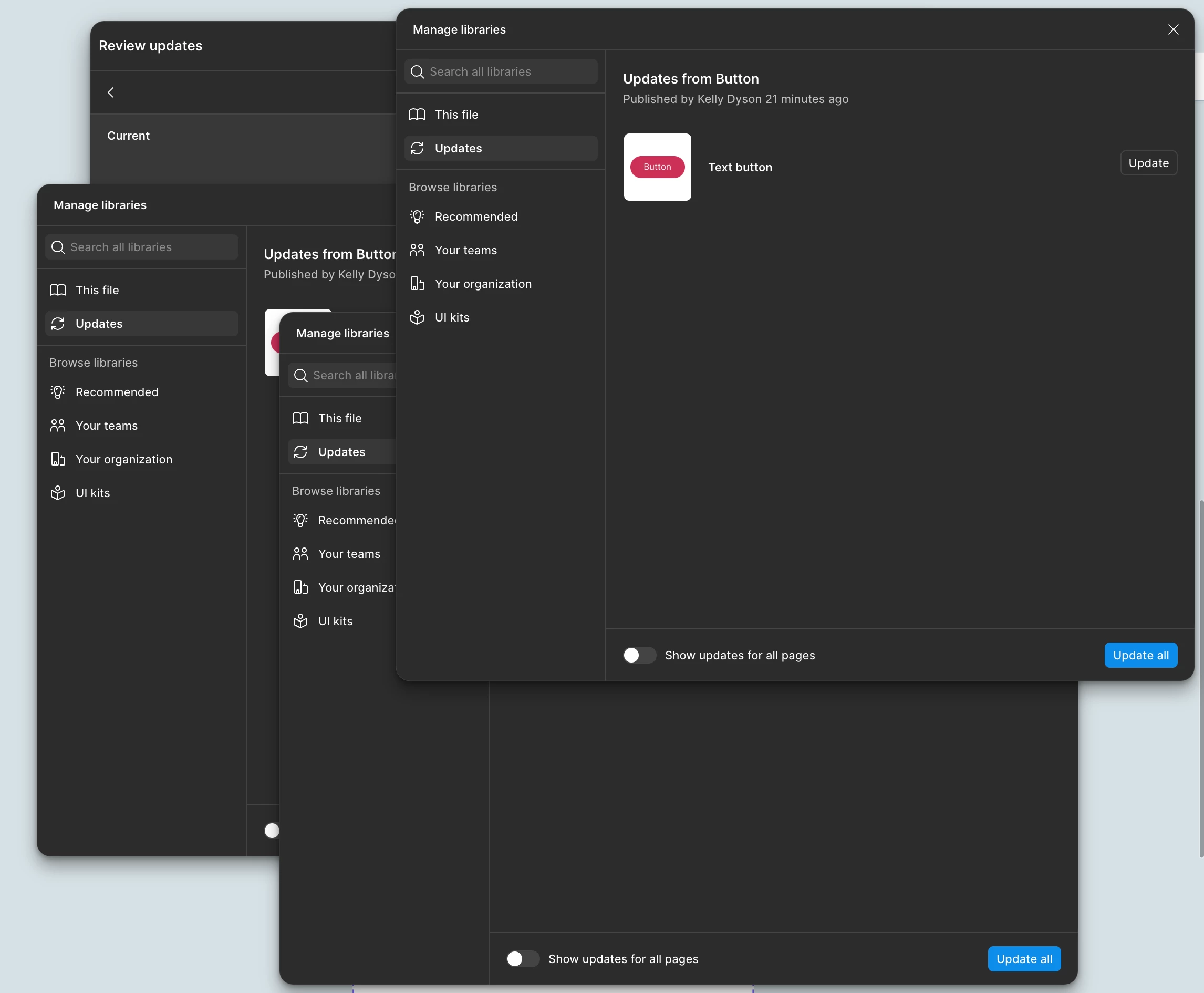


Anyone else have this issue?

    11 replies

    djv
    Figmate
    Community Support
    July 31, 2026

    Hi ​@puffah f1sh, thanks for chiming in here! 

    Our team pushed a fix for this issue back in February, so you’re likely running into a new, similar bug. A couple of quick questions, so I can inform the team:

    • Does this happen every time you close Review updates, or only in certain cases (e.g., after reviewing multiple components in a row)?
    • Are you on the latest desktop app version and does it happen if you use Figma in the browser too, or only desktop?
    • As a temporary solution, does reopening Manage libraries from the Assets panel after this happens work fine, or does that also glitch?

    Let me know, and we will circle back with the team to check if there are any new issues. Thanks again for flagging this to us!