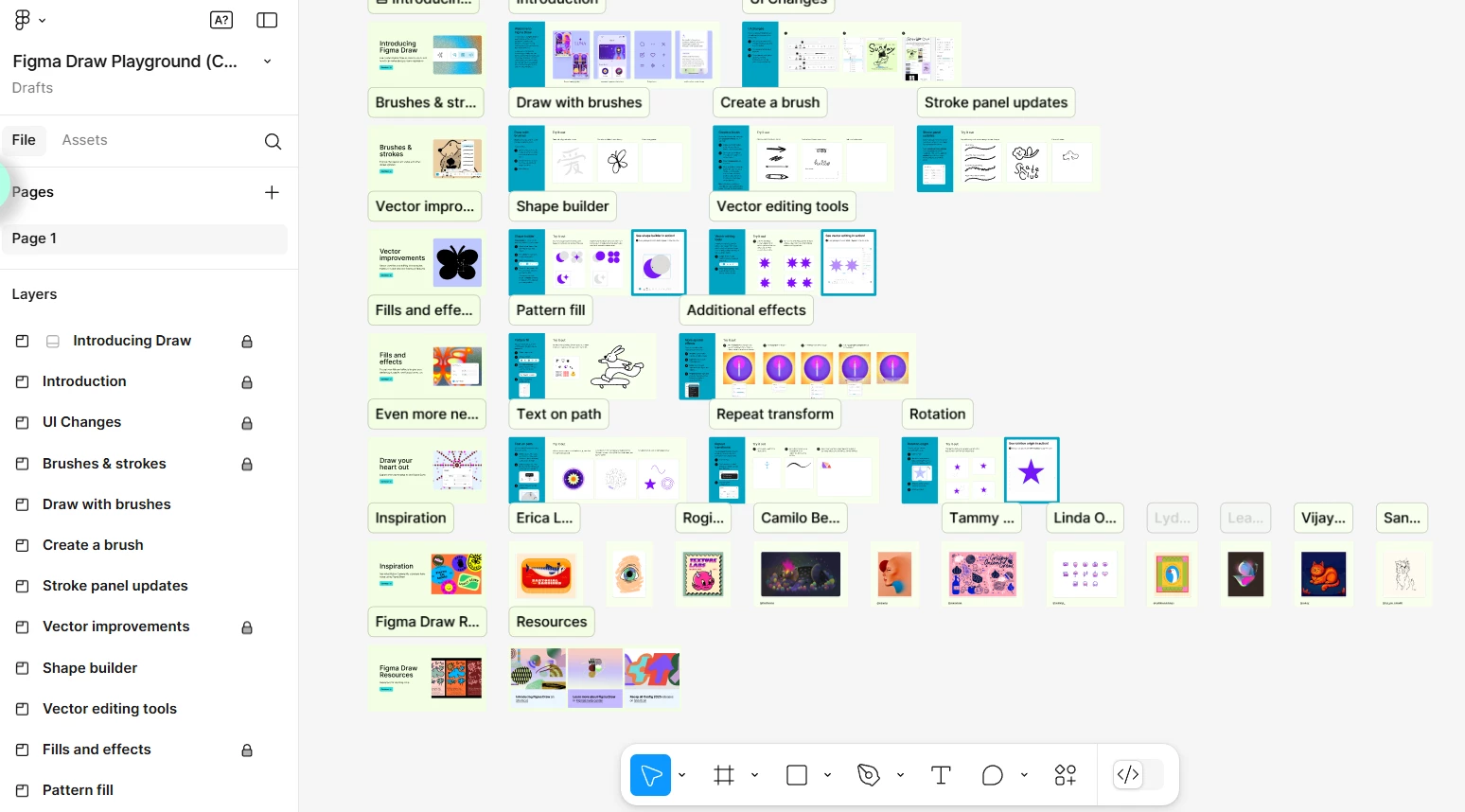
So, I see that the Draw tools isn't showing up in your toolbar.
Just to confirm, the Figma Draw is available on the Education plan. So, if you have edit access to the file, you should be able to use it.
Let's try a couple of quick things to see if we can get the Draw tools to appear:
Close any Figma tabs you aren't currently using.
Browser: Completely close your browser and then open Figma in a new window.
Desktop App: Completely close the Figma Desktop app and then restart it.
After trying that, if you still don't see the Draw tool, could you let us know if this is happening only in the Figma Desktop app, in the browser, or both?
It’s so weird that I tried different browsers(edge, chrome and even private browsing) and desktop app, the toolbar is still the old one. @Junko3
Hey @yangsheng,
So, I see that the Draw tools isn't showing up in your toolbar.
Just to confirm, the Figma Draw is available on the Education plan. So, if you have edit access to the file, you should be able to use it.
Let's try a couple of quick things to see if we can get the Draw tools to appear:
Close any Figma tabs you aren't currently using.
Browser: Completely close your browser and then open Figma in a new window.
Desktop App: Completely close the Figma Desktop app and then restart it.
After trying that, if you still don't see the Draw tool, could you let us know if this is happening only in the Figma Desktop app, in the browser, or both?
Hey, thanks for getting back to us. Just wondering if you've had a chance to try these quick steps yet?
Close any Figma tabs you aren't currently using.
Browser: Completely close your browser and then open Figma in a new window.
Desktop App: Completely close the Figma Desktop app and then restart it.
Yes, I have tried million times, but it didn’t work. I created a new account using my gmail, and the toolbar has the “draw” function. 😔 I guess the problem is about my account.
Alright, I'll go ahead and create a support ticket for you using the information you've provided. Our support team will be in touch to help you out with this. Keep an eye on your inbox – you should receive an email about the new ticket shortly.
In the meantime, could you please check the following?
Is Figma Draw not showing up with just one specific file, or are all of your files in your education account affected?
Once you receive the ticket confirmation email, please reply to it and let the support team know the answer to that question.
Figma Draw requires a "Full" seat on the team, and also edit access to the file. Could you please double-check your seat type on the team where the file lives, and also the access settings for that file?
Here are the related articles on how to check those:
Hey Nico, Sorry to hear you are having issue to get access with Figma Draw. I am working closely with Junko, happy to help! That does seem a bit odd. As Junko mentioned, let’s cover a few basics to make sure everything’s set up correctly.
To access Figma Draw, please double-check that:
You’re connected on a Professional plan with a Full seat
You have "Can edit" access to the design file
You see the Draw icon in the Figma Design toolbar (as shown below). More information in our guide for Figma Draw here.
If everything looks good on your end, here are a few quick steps that can sometimes help resolve access issues:
Log out and back into Figma
Make sure your app or browser is up to date (theupdates can include important fixes)
If you're using the desktop app, try reinstalling it. You can follow the instructions in our Help Center.
Please let me know how it goes, if you are still having trouble I’d recommend to reach out directly to our support team for further investigation here: Submit a bug report Thanks!