

Guilherme Correa
New Member
February 3, 2025
Solved

FIXED Color Style properties are disabled and cannot be edited

  • February 3, 2025
  • 13 replies
  • 594 views

Hi everyone,

I'm having an issue where I can't edit any Color Styles in Figma. I can create new styles and rename them, but the properties (like color and opacity) are disabled.

It happens on every project, even in completely new files.
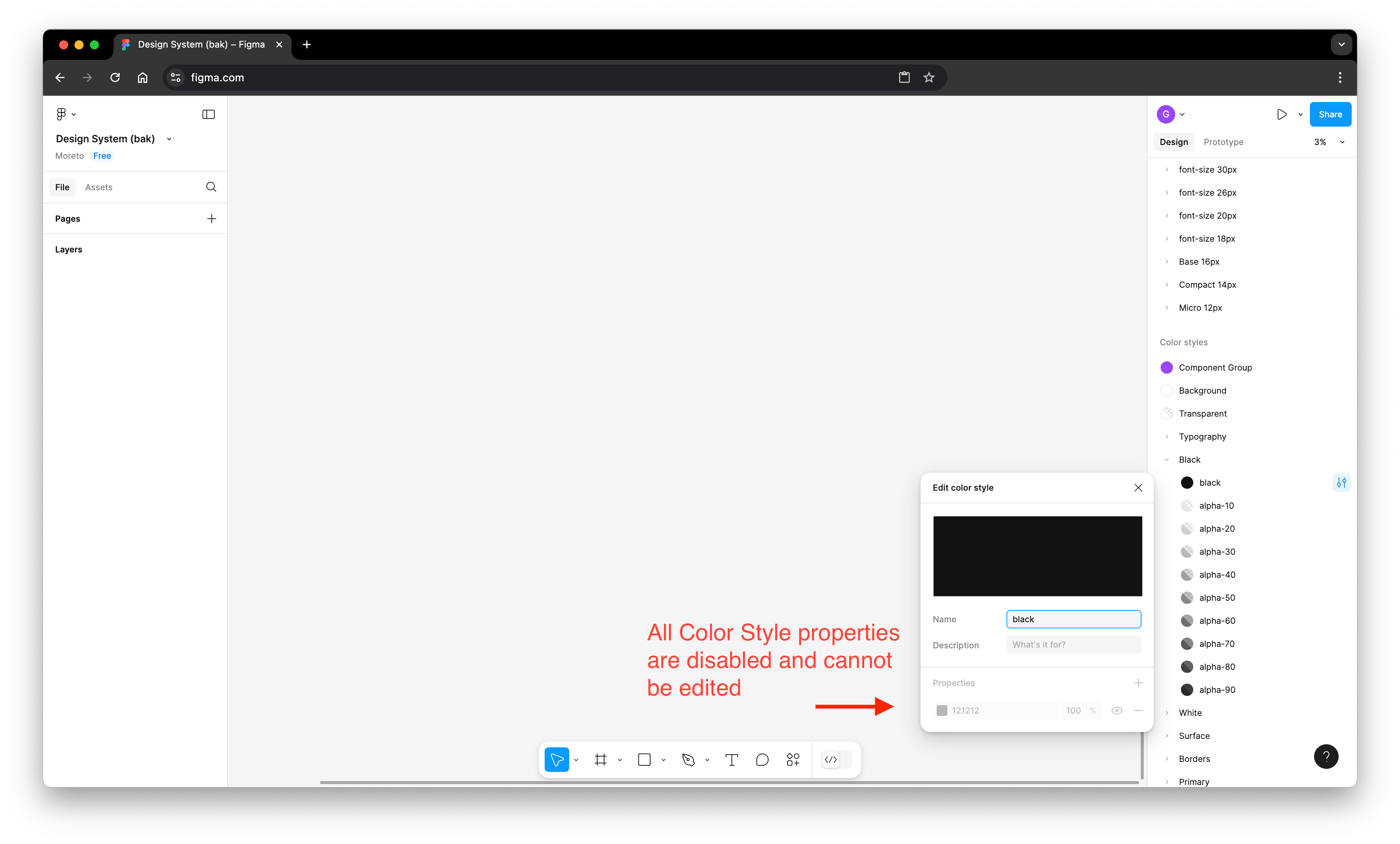
Is anyone else experiencing this? Could this be a bug, or am I missing something?

Thanks in advance!

    This topic has been closed for replies.
    Best answer by y_toku

    Hi all,


    Thanks for flagging this issue and our apologies for the issue. Our product team has released a fix, so could you please try reloading a tab to see if you can edit color styles?

    Please let us know if the issue persists.


    Thanks!!

    Toku

    13 replies

    Cecilia2
    New Member
    February 3, 2025

    I’m trying to edit some color styles but the properties area is grayed out/disabled. I made another style just to make sure the issue wasn’t that the style was made in a different file that I copied this from, but after saving the new style, the same thing happened with that one. I can rename and delete them, but I cannot change the properties. Same thing with the Effects styles, but Text styles I can edit just fine.


    Guilherme Correa
    New Member
    February 3, 2025

    I'm also experiencing this issue. The properties of Color Styles appear disabled, and I can't edit them through the UI. However, I can still navigate and modify them using the Tab key, which makes me think this is a UI bug.

    Cory Adrian
    New Member
    February 3, 2025

    I use a “Design System” file as my style and publish my library to role out any changes to the brand. Going into my “design System” file today to try and update one of the colours (they wanted to brighten it up), but the properties area of the “edit color style” modal are greyed out. How do I change this Color Style for my library?


    djv
    Figmate
    Community Support
    February 3, 2025

    Hey All, thank you for flagging! 

    Our team was able to reproduce the issue, so we’re now working on a fix. We’ll provide an update as soon as we can. 

    nms8303
    New Member
    February 3, 2025
    “Properties” is greyed-out.

    I am having the same issue.

    Afsane
    New Member
    February 3, 2025

    Hi all,

    I was able to edit all the styles in my Figma design file but suddenly today it stopped working. So I can edit the text styles but NOT the Color, Effect, and Grid. Oddly, my co worker was able to edit the style on the same file (we have the same access) so I asked them to log in with my credentials to see if it’s an issue with my device or my account. Not only they couldn’t edit the style using my account, but also they no longer can edit the style switching to their own account!!!

    I appreciate any help, thanks!


    danham22
    New Member
    February 3, 2025

    I am having the same issue. 


    danham22
    New Member
    February 3, 2025

    The color styles properties are greyed out and I am unable to edit any color styles. Its not the library permissions because this also happens in a file in my drafts aswell. Ive tried it in multiple different files and all of them are greyed out so I cant edit the color style.

    I am able to create a new color style but not edit it afterwords.

    See attached screenshot.


    y_toku
    Figmate
    y_tokuAnswer
    Community Support
    February 4, 2025

    Hi all,


    Thanks for flagging this issue and our apologies for the issue. Our product team has released a fix, so could you please try reloading a tab to see if you can edit color styles?

    Please let us know if the issue persists.


    Thanks!!

    Toku

    nms8303
    New Member
    February 4, 2025
    “Properties” is no longer greyed-out

    Much better, thank you!