

Guilherme Correa
New Member
February 3, 2025
Solved

FIXED Color Style properties are disabled and cannot be edited

  • February 3, 2025
  • 13 replies
  • 594 views

Hi everyone,

I'm having an issue where I can't edit any Color Styles in Figma. I can create new styles and rename them, but the properties (like color and opacity) are disabled.

It happens on every project, even in completely new files.
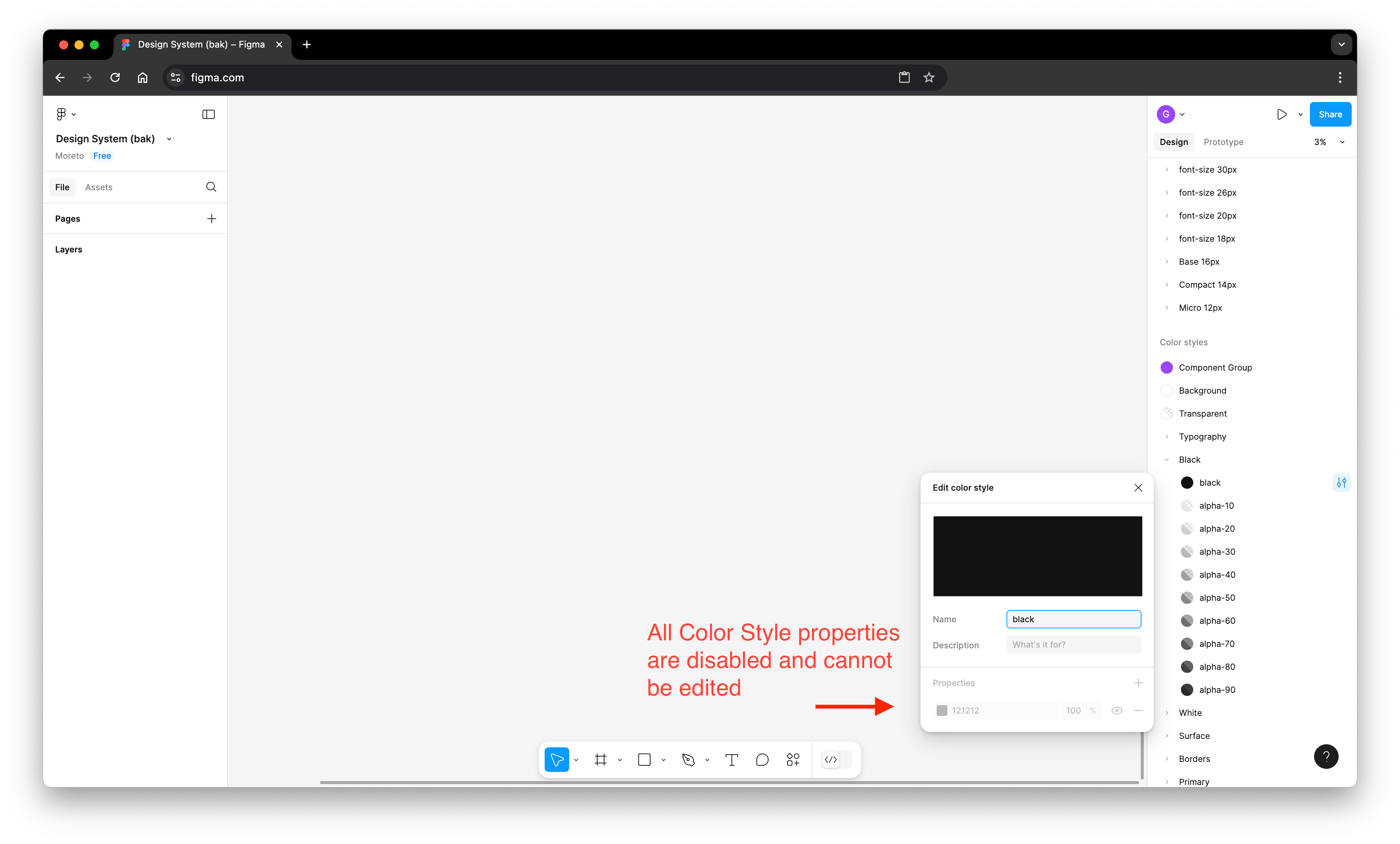
Is anyone else experiencing this? Could this be a bug, or am I missing something?

Thanks in advance!

    This topic has been closed for replies.
    Best answer by y_toku

    Hi all,


    Thanks for flagging this issue and our apologies for the issue. Our product team has released a fix, so could you please try reloading a tab to see if you can edit color styles?

    Please let us know if the issue persists.


    Thanks!!

    Toku

    13 replies

    y_toku
    Figmate
    Community Support
    February 4, 2025

    @nms8303 thanks for confirming so quickly! 

    Guilherme Correa
    New Member
    February 4, 2025

    Solved!
    Thank you very much ♥

    Cory Adrian
    New Member
    February 4, 2025

    Thank you guys for correcting it so quickly! Appreciate the support.