

Solved

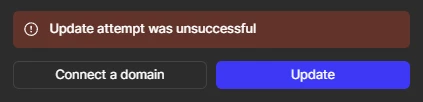
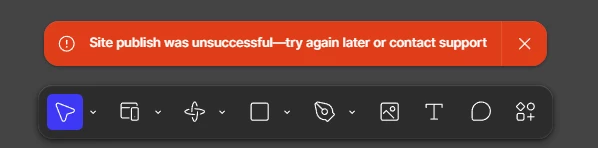
Figma Sites: Site publish was unsuccessful

  • August 7, 2026
  • 9 replies
  • 110 views

Wentils Lentils

I’m trying to push an update to a Figma Sites file I started a few weeks ago and continue encountering the same error over multiple days. I’ve tried:

  • addressing all critical non-accessibility errors
    • in the meantime I will work on any accessibility errors
  • checking all video files are under 10MB and not using any non-Google fonts (as recommended in this post)
  • checking my components (this post)
    • all components live in the Figma Sites file directly rather than a separate Figma Design file

I’ve read through a number of other posts related to this error and am at a loss, so let me know what I might be missing. In the future a more robust error message that specifies the cause or next steps would be appreciated.
 

Best answer by ksn

@Wentils Lentils Thanks for checking and getting back to me. Would definitely recommend a support review at this point, since I’m limited in my access to the tools that would be able to help you further.

I’ve got a support ticket drawn up for you - it was be sent to the email address you have associated with your forum account. 

In the meantime, can you share view-only access to the site file with support-share@figma.com? That allows the team to look at it directly. You won’t be charged for this. That can help speed things along.

Appreciate your patience!

9 replies

ksn
Figmate
  • Community Support
  • August 7, 2026

Hey ​@Wentils Lentils - sorry for the publishing trouble! Can you recall an exact day/time that you started having update issues? Do you recall a specific or significant change you made that you suspect might be related?

First: can you take a look at your version history, and try to restore a version of the Sites file from around that time to see if you can successfully update one of those? I’d like to see if we can try and isolate what triggered the file to stop publishing correctly. If we can narrow down the possibilities, I can try to piece together what’s happening, and/or loop in one of our technical quality team members to review.


Wentils Lentils
  • Author
  • New Participant
  • August 8, 2026

@ksn 

Can you recall an exact day/time that you started having update issues?

It appears to have started on July 28.

Do you recall a specific or significant change you made that you suspect might be related?

I had been successful publishing the site originally: https://colinwendt.figma.site/ I think there might have been an update to Figma I installed the day publishing stopped working? That’s the only thing that comes to mind (I use the desktop client and have tried on two different computers).

can you take a look at your version history, and try to restore a version of the Sites file from around that time to see if you can successfully update one of those?

I tried restoring multiple version going back further in time with no luck. I also tried duplicating the file and publishing that which didn’t work either.


peteerboro
  • New Member
  • August 9, 2026

If you've already checked the videos, fonts, components, and critical issues, it may be a Figma Sites publishing issue rather than something in your file.

I'd try duplicating the site file and publishing the duplicate as a test. If the duplicate also fails, that would make a file-specific publishing problem less likely. You could then contact Figma Support and include the file URL, the exact error, and the browser/OS you're using so they can inspect the publishing logs.

I agree that the error message could be much more useful if it identified which element or resource is preventing publication.


Wentils Lentils
  • Author
  • New Participant
  • August 11, 2026

@peteerboro I did duplicate the file and published that one, which failed as well. How do I contact Figma support outside of these forums?


ksn
Figmate
  • Community Support
  • Answer
  • August 12, 2026

@Wentils Lentils Thanks for checking and getting back to me. Would definitely recommend a support review at this point, since I’m limited in my access to the tools that would be able to help you further.

I’ve got a support ticket drawn up for you - it was be sent to the email address you have associated with your forum account. 

In the meantime, can you share view-only access to the site file with support-share@figma.com? That allows the team to look at it directly. You won’t be charged for this. That can help speed things along.

Appreciate your patience!


Wentils Lentils
  • Author
  • New Participant
  • August 13, 2026

@ksn Thank you! I have gone ahead and emailed that link to that address you provided. Let me know if there is anything else I should do.


ksn
Figmate
  • Community Support
  • August 14, 2026

Thank you! Just to clarify: you just need to share view-only access to the file with support-share@figma -- if you email that address, it will bounce back (this email is for support to only view the files).

Just wanted to update you on timing as well - our Technical Quality team is reviewing your ticket (2068103) right now and will be touching base once they’ve been able to dig up more information

Thank you for your patience again!


Wentils Lentils
  • Author
  • New Participant
  • August 18, 2026

Thanks ​@ksn ! I realized that after I emailed that address and got a bounced email 😅 Once I reread your message, I understood what it was you were saying. I have since shared my file with that address.

As an update, I was doing more troubleshooting and determined something on my About page was preventing the site from being published/updated. I created a new Figma Sites file, copied each page over, then published each time until it didn’t work. I had some icons in my work experience section on the About page that wouldn’t display properly when I hit preview, so I suspect it might have something to do with some vector objects I imported.

I’ll eventually copy the About page back over piece by piece to determine what caused the issue in the first place and report back here.


Wentils Lentils
  • Author
  • New Participant
  • August 25, 2026

I determined the issue preventing publish was a component I created for a résumé section. It utilizes slots (that pink box), which I know are a relatively new addition to Figma. Maybe that’s the issue?

My workaround: within the body of my site, I detached the instance from the component, then was able to publish.
