Sushrut Baporikar
New Participant
April 7, 2026
Question

Figma Make Stuck on Loading Screen

  • April 7, 2026
  • 25 replies
  • 690 views

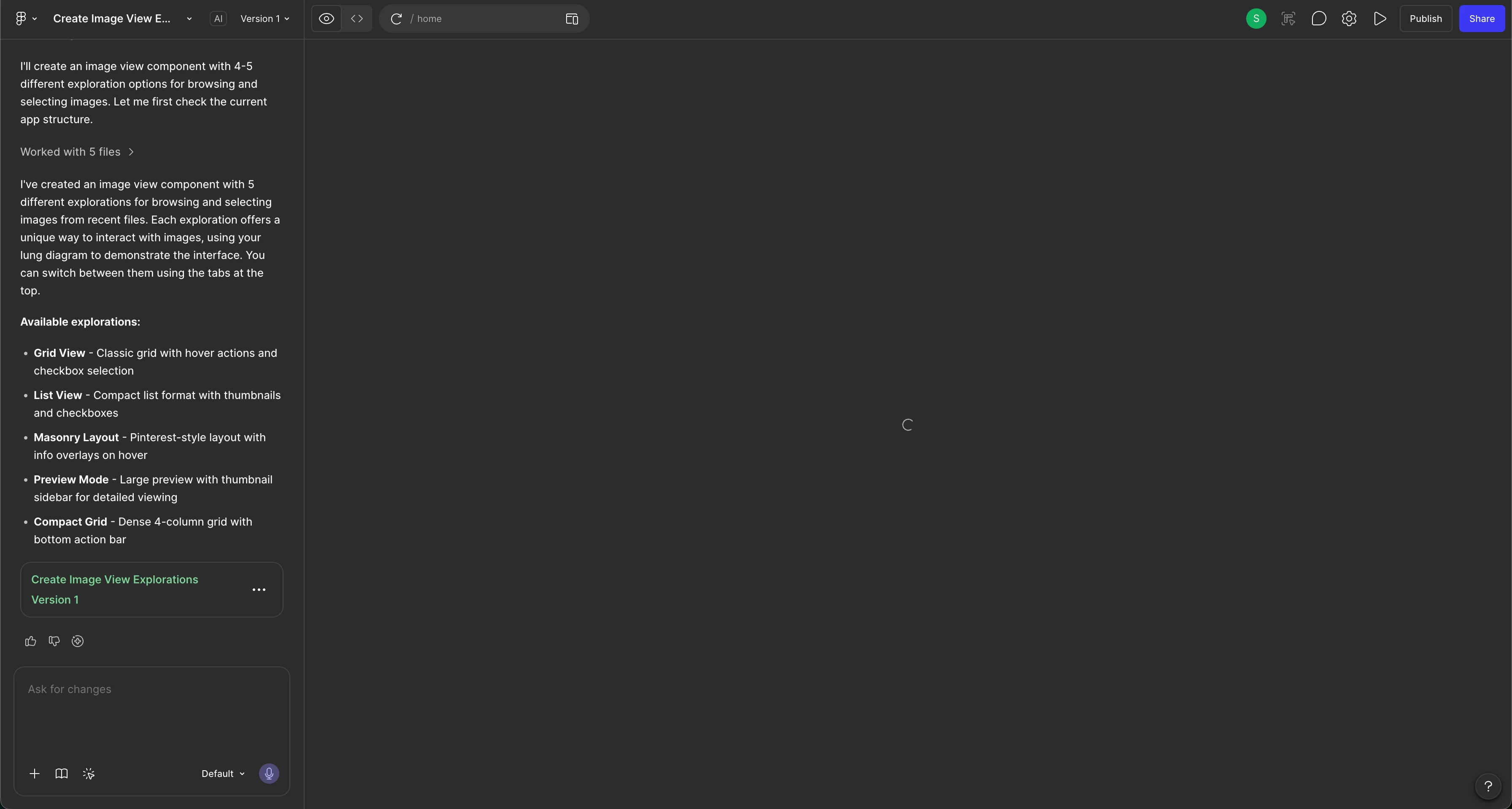
Hello. There is a loading icon that is appearing and won’t go away/I am unable to view the result. I’ve tried all the steps but nothing has seemed to work. 

Steps i’ve tried:

  • Duplicating the file
  • Refresh
  • Opening in a browser window (instead of the app)
  • Restarted the app and laptop too
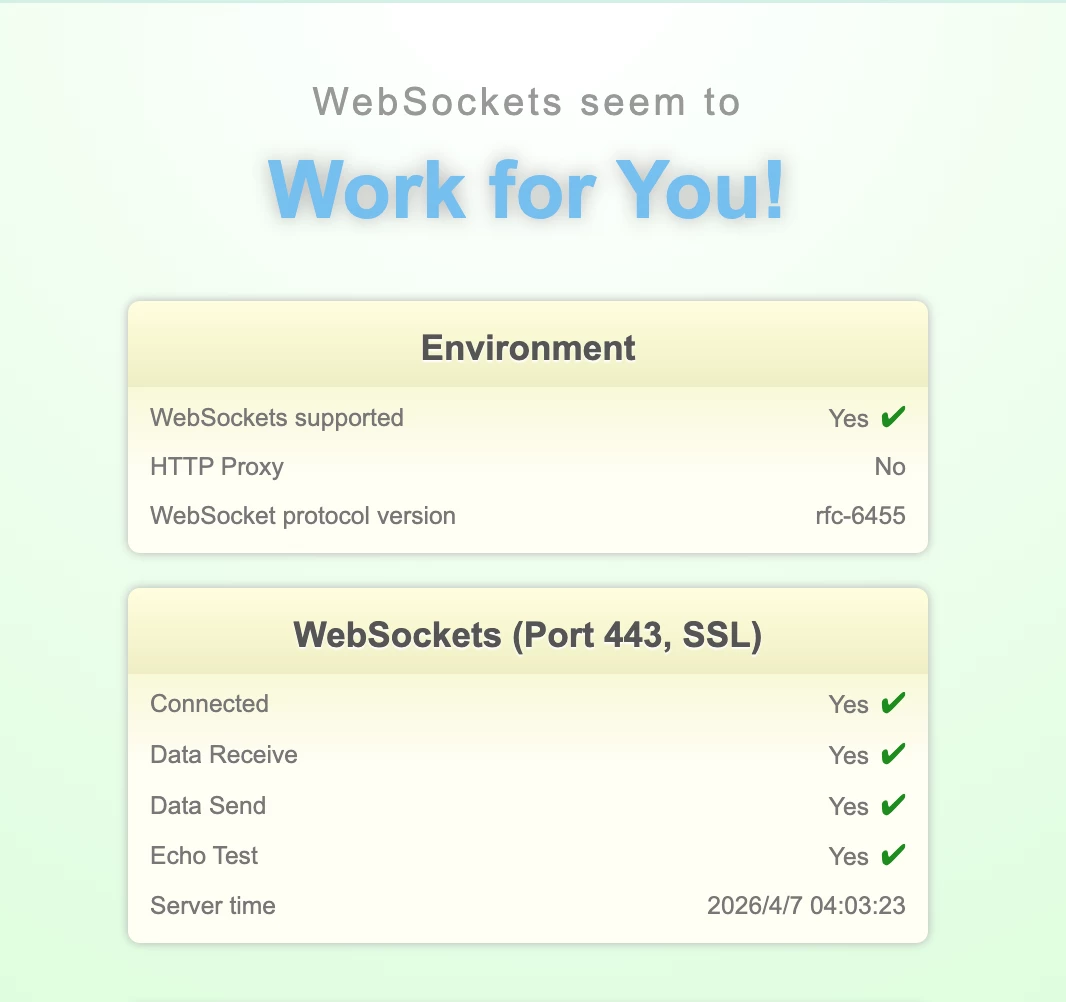
  • Also, my websockets also work.
  • Tried opening through my personal laptop (Windows) and still got the same issue. (I use Mac for work purposes but get the same issue)
  • I checked all queries regarding this and tried all methods. Nothing is working.
  • Prompting that I’m only seeing a loading window and providing it with a screenshot

I’ve also confirmed that no errors are showing. 
 

25 replies

Celyn_L
Figmate
Figmate
April 8, 2026

Hi ​@Kshitiz — thanks for sharing the additional context and the screenshot.

I can see that a specialist has already reached out to you on your ticket (#1833776).

When you have a moment, could you follow up on the ticket with:

  • Inviting support-share@figma.com to your impacted file with “Can view” permissions and sharing the link there (this won’t affect your billing), and
  • Including a full-window screen recording of the steps leading to the issue

This will help the team with the investigation and move things along more quickly.

Please continue the conversation directly on the ticket so the team can assist you further. Thanks!

NabilK
New Member
April 9, 2026

I am unable to use the Figma Make (AI) feature. The screen stays on a loading spinner and the browser console is flooded with net::ERR_BLOCKED_BY_CLIENT errors for events.statsigapi.net.
 

Steps already taken:

  • Verified it happens in both Chrome and the Desktop App.

  • Disabled all ad-blockers/extensions.

  • Cleared site data and cache.

  • Flushed DNS and tried different networks.

  • Duplicated the file (still fails).

The error persists at (index):1, suggesting an initialization failure.

NabilK
New Member
April 9, 2026

​@Celyn_L, I’m experiencing the same infinite loading issue with Figma Make. While it was working perfectly yesterday for my personal projects, the designs are no longer appearing today. Interestingly, the tool seems to work fine for brand-new files, but my existing project is completely stuck.

I have already granted 'Can edit' permissions to support-share@figma.com so you can investigate the file directly.

Technical details from my browser console:

  • Primary Symptom: The 'Make' interface fails to initialize, showing a persistent loading spinner (see attached screenshot).

  • Console Errors: Consistent net::ERR_BLOCKED_BY_CLIENT errors for events.statsigapi.net.

  • Initialization Failure: I'm seeing a 403 (Forbidden) error on the npm_private_registry/scopes endpoint and a hang at (index):1.

Environment & Troubleshooting:

  • Network: The issue persists across different networks (Primary Wi-Fi and Mobile Hotspot).

  • Extensions: I’ve tested with all ad-blockers and privacy extensions disabled.

  • Platform: Occurs on both Chrome and the Figma Desktop App.

  • Steps Taken: I have already tried duplicating the file and clearing site data/cache with no success.

It appears the 'Make' feature is unable to verify my account permissions because the Statsig connection is failing or being interrupted. Could you please check if this is a known regional issue or a specific feature-flag conflict for existing files?


Celyn_L
Figmate
Figmate
April 9, 2026

Hi ​@NabilK — thank you so much for taking the time to put together such a detailed report, along with the screenshot and console logs (and also granting access to the file 🙏). This kind of context is incredibly helpful for the team.

Just a heads up that I’ve merged your post into this thread so everything is kept together in one place.

I’ve gone ahead and created a support ticket for you and shared all the details from your post with the team so this can be properly investigated — your case number is #1839756.

When you have a moment, could you please:

  • Share the link to the impacted file directly on the ticket, and
  • Include a full-window screen recording of the steps leading to the issue, if possible

That will help the team reproduce what you’re seeing and get to the root of it faster.

Please continue the conversation directly in the ticket, and keep an eye on your inbox — the team will follow up with you there as soon as possible.

Thanks for your patience and for working through this with us 🙏

NabilK
New Member
April 9, 2026

​@Celyn_L 

https://www.figma.com/make/fi70Q4FhlCwGbvCxS26Jl6/blahblah?p=f&t=GRhInusNAc3upFrF-0

this is the file link which is not able to open up on screen, and a video recording for this issue.


Celyn_L
Figmate
Figmate
April 10, 2026

Thanks ​@NabilK — thanks for the file link and screen recording. 

I’ve passed this along to the team on your ticket #1839756, and they’ll follow up with next steps shortly.

Please continue the conversation directly on the ticket so the team can assist you further 🙏

NabilK
New Member
April 10, 2026

Thanks ​@Celyn_L  for your time&help to the issue.

Please inform me when the issue gets resolved.

Agrawalyash1041
New Member
April 14, 2026

Hi ​@Celyn_L , I am also facing the same issue, Request your help on this please

Celyn_L
Figmate
Figmate
April 14, 2026

Hi ​@Agrawalyash1041 thanks for flagging this. 

As mentioned in my response above, if you haven’t had a chance yet, here are a few things that might help unblock things quickly:

  • Try clicking “Refresh preview” at the top
  • If that doesn’t work, refresh the page and run your prompt again
  • You could also duplicate the Make file and try it in the copy instead

This guide also walks through a few common fixes if helpful: Troubleshoot in Figma Make

In the meantime, I’ve created a support ticket for you (#1848041) so the team can dig into this further.

To help us investigate your specific case, could you:

  • Reply to the ticket with a link to the file where this is happening
  • Share the file with support-share@figma.com and grant “Can View” access (this won’t impact your billing and will allow us to reproduce the issue)

Really appreciate your patience here — the team will reach out directly once they’ve reviewed this.

Agrawalyash1041
New Member
April 14, 2026

Hi ​@Celyn_L , Here is the link to my figma where the issue is happening : https://www.figma.com/make/6Urt9RkU5snR8gU4MLBbuY/Figma-Moonshot-with-new-AI-Capabilities?t=CKOKhJG8uECCgQgl-1