Question

Figma Make Stuck on Loading Screen

  • April 7, 2026
  • 7 replies
  • 40 views

Sushrut Baporikar

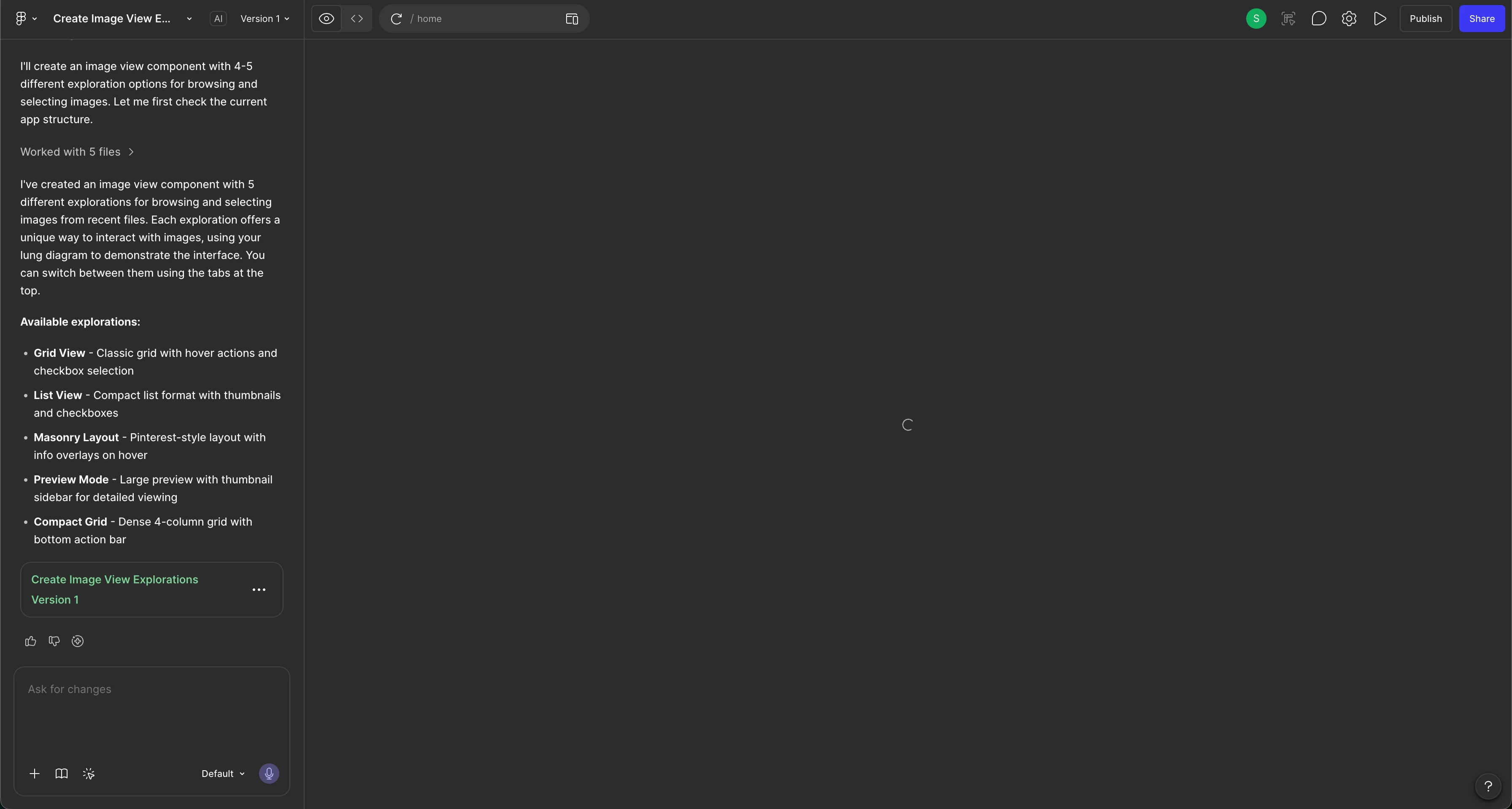
Hello. There is a loading icon that is appearing and won’t go away/I am unable to view the result. I’ve tried all the steps but nothing has seemed to work. 

Steps i’ve tried:

  • Duplicating the file
  • Refresh
  • Opening in a browser window (instead of the app)
  • Restarted the app and laptop too
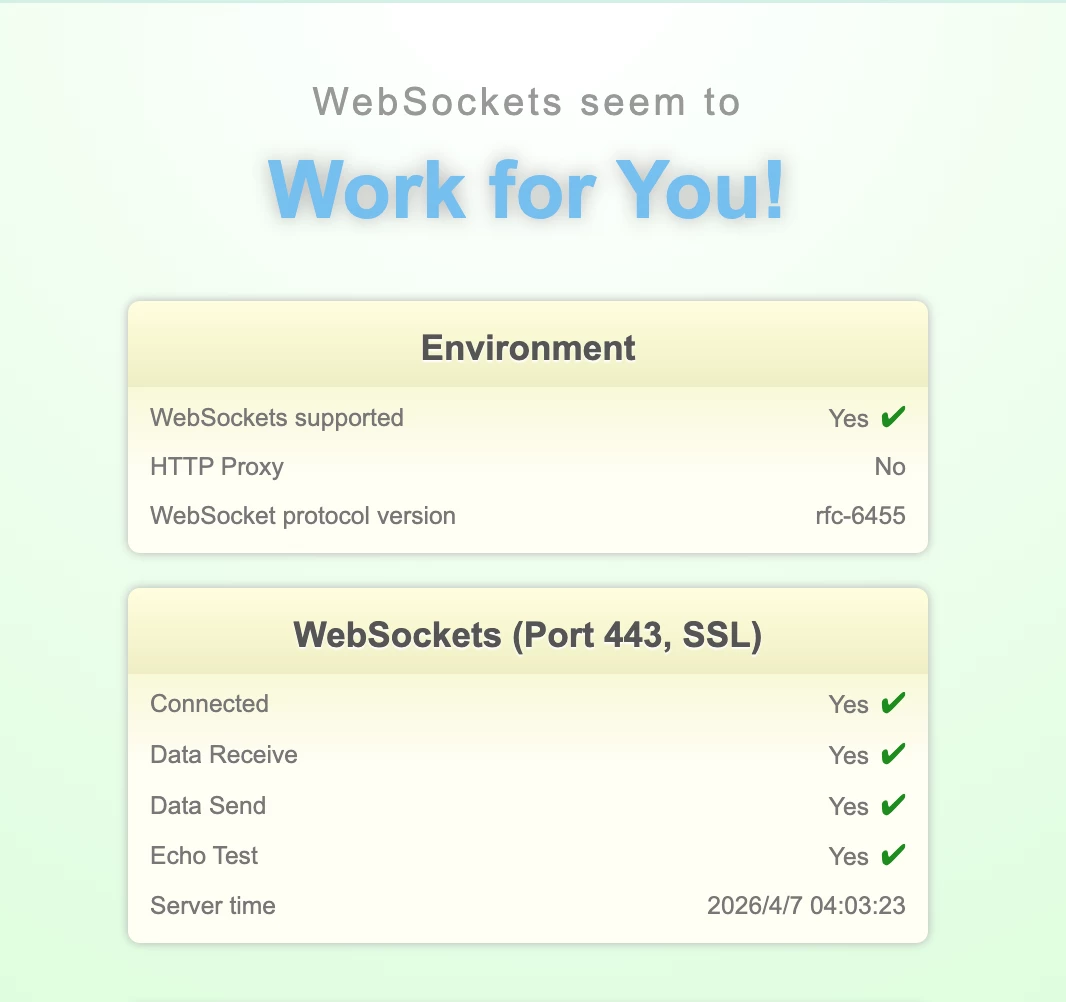
  • Also, my websockets also work.
  • Tried opening through my personal laptop (Windows) and still got the same issue. (I use Mac for work purposes but get the same issue)
  • I checked all queries regarding this and tried all methods. Nothing is working.
  • Prompting that I’m only seeing a loading window and providing it with a screenshot

I’ve also confirmed that no errors are showing. 
 

7 replies

Kshitiz
  • New Member
  • April 6, 2026

Hello Figma Support Team,

I’m facing an issue with Figma Make where the live preview is not loading after the prompt is processed.

I have been trying to use this feature for the past 36 hours. While the prompt/command completes successfully, the live preview never appears and continues to remain stuck on loading.

I’ve already tried multiple troubleshooting steps, including:

  • Switching between different internet connections
  • Using different devices
  • Retrying with multiple prompts

Despite this, the issue still persists.

This is affecting my workflow significantly. I have attached a screenshot for your reference.

Please look into this issue and let me know if there’s any fix or workaround available.

Looking forward to your response.

Best regards,
Kshitiz Kamal

@Kshitiz [Moderator note: This post was merged from “Issue with Figma Make – Live Preview Not Loading” into "Figma Make Stuck on Loading Screen" on 7-Apr-2026.]


Celyn_L
Figmate
  • Figmate
  • April 7, 2026

Hi ​@Sushrut Baporikar ​@Kshitiz — Celyn from Figma Community Support here.

Thanks for reaching out and for clearly outlining everything you’ve tried so far, that’s really helpful.

@Kshitiz — If you haven’t already, could you please try these quick troubleshooting steps:

  • Click Refresh preview at the top of the preview
  • If that doesn’t help, refresh the page and try prompting again
  • If it’s still stuck, duplicate the Figma Make file and try prompting in the copy

You can also refer to this guide for more details: Troubleshoot in Figma Make

In the meantime, I’ve gone ahead and created a support ticket for you both so the team can investigate further:

@Sushrut Baporikar - Your case number is #1833709.

@Kshitiz - Your case number is #1833776.

So we can take a closer look at the specific file you’re working in, could you please:

  • Reply to the ticket with a link to the file where this is happening
  • Share the file with support-share@figma.com and grant “Can View” access (this won’t impact your billing and will allow us to reproduce the issue)

In the meantime, if helpful, you can also include any of the following in your reply to the ticket:

  • Whether this happens across different Figma Make files, or only in this specific file
  • Whether it occurs across all prompts, or just a specific one
  • Whether it happens across different browsers and networks, e.g., mobile hotspot?
  • If disabling any VPN or network-level filters changes the behavior

If you discover anything new, please reply directly to the ticket email so we can keep all the information in one place.

Appreciate your patience here — someone from the team will be in touch with next steps soon.


Sushrut Baporikar

Hi ​@Celyn_L. Thank you for your reply. I will give the view access to the respective file (I’ll give access to the file in which it is happening from first prompt itself). I just found out a way to see my designs but it is very cumbersome. So, basically, I make an error the to existing code deliberately which prompts the Figma Make to make version 2. Once version 2 is created and is loading, I clicked on ‘view preview’ for the version which I want to view. So, I did found a way but it is greatly increasing my work time. (Just told you this FYI as I’m not stuck in figuring it out).

For the questions, you have asked
- This is happening to all my Figma Make files across different browsers and the app and also on different devices. (As mentioned, I use Mac for work and Windows for personal use)
- It is happening across all prompts
- It is happening across different browsers and networks
- I do not use any VPN and I also tried using different networks at my house. (Main WIFI, WIFI extendor etc.) 


Sushrut Baporikar

@Celyn_L Hi! I have sent an invite to the respective mail ID. Also sent an invite the other file in which i figured out a way to view the designs! So, you’ll get 2 different invites for 2 different files. One with only one version and one with multiple versions.


Celyn_L
Figmate
  • Figmate
  • April 7, 2026

Hi ​@Sushrut Baporikar — thanks for following up and for inviting support-share@figma.com with “Can View” access to your impacted files.

I saw that a specialist has already reached out to you on your support ticket. When you have a moment, could you take a look and reply with the links to the impacted files so the team can continue investigating?

Appreciate your help with this — the team will take it from there once they have the links.


Sushrut Baporikar

https://www.figma.com/make/iAeSXZQuUOzLSn4XP7lpKO/Design-history-button-view?t=2jUOZntVytDWWAMj-1 - This is the link which has only 1 version (Having 1 prompt only) 

https://www.figma.com/make/HNpTs76sg9uQjowEpgGmmE/Create-Image-View-Explorations?t=wnW69ZGxOaJycxNz-1 - This is link having multiple versions and prompts as I had to do some changes to code in order to figure out a way to tackle the problem. 

Hope this ​@Celyn_L!


AskDave
Figmate
  • Figmate
  • April 7, 2026

Hi, 

I am Dave from Figma. I am picking this up while ​@Celyn_L  is out of office, Thanks for the info, I have passed this onto our technical support team. They will be in touch with you soon. 

Thanks

Dave