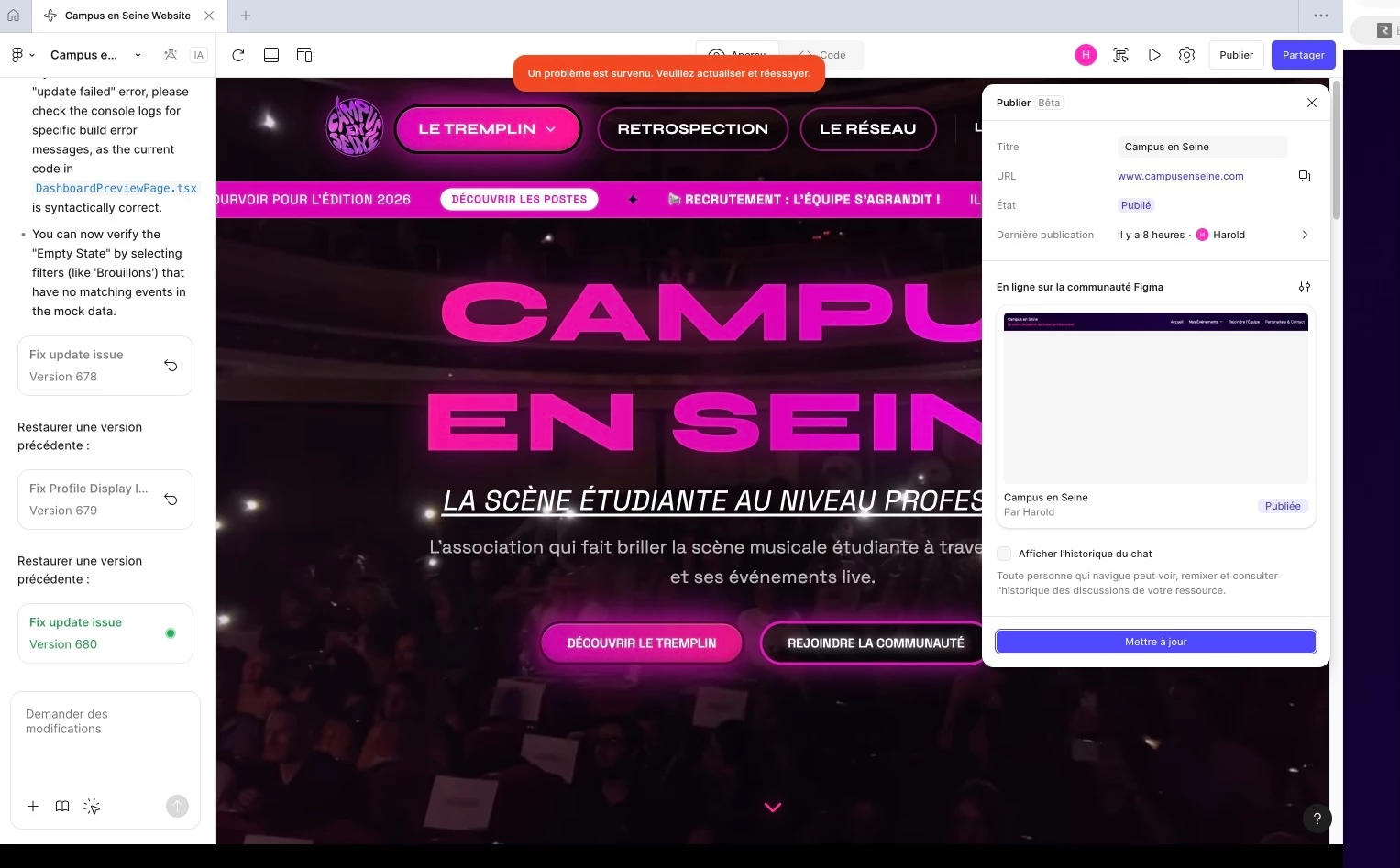
Critical issue – Unable to publish or update website on Figma Make after last prompt
Hello Figma Support Team,
I am reaching out because I am currently experiencing a blocking issue with Figma Make, which prevents me from publishing or updating my website.
Since sending my last prompt in Figma Make, I am no longer able to update or publish the website. Every time I try to do so, I consistently receive the following error message displayed in red at the top of the interface:
“An error occurred. Please refresh or try again.”
I have tried refreshing the page and retrying multiple times, but the issue persists and I am completely blocked.
Additional troubleshooting attempted
To isolate the issue, I also tried reverting the project to the previous version, before I sent the prompt that seems to have triggered the problem.
However, even after reverting to this earlier version and attempting to publish/update the website, I still received the exact same error message.
Because of this, I reverted back to the latest version (after the prompt), but the issue remains unchanged: I still cannot publish or update the site.
Context
The initial reason I was using Figma Make was to fix a critical issue affecting users of the website (related to association account creation and email confirmation). Unfortunately, since attempting to implement this fix, I can no longer:
-
Publish the website
-
Update the live version
-
Push new features or corrections
-
Resolve the existing user-facing issue
This means that not only is the original problem still affecting users, but I am now also unable to use Figma Make at all to address it.
I have attached a screenshot showing the error message for reference.
Impact
This issue is particularly problematic because:
-
The website cannot be updated or maintained
-
Users are currently blocked by an existing bug
-
Figma Make is effectively unusable on my end at the moment
Could you please help investigate what might have caused this issue and how it can be resolved?
If this is related to the last prompt, a failed build, a corrupted project state, or a publishing pipeline issue, I would really appreciate guidance on how to restore a functional and publishable version of the site.
Thank you very much in advance for your help. I remain available to provide any additional information you may need.
Best regards.