

Question
Copy-pasting design across two Figma instances on multiple monitors results in missing elements
I am experiencing a bug where copying a design from Figma Instance A (Monitor 1) and pasting it into Figma Instance B (Monitor 2), the elements do not paste correctly. The layers are missing in the destination instance and components are detached as well resulting in empty groups or incomplete components.
This issue only happens when using two separate Figma Desktop instances. If I copy from the same window, the copy-paste operation works perfectly.
Environment:
OS: Edition Windows 11 Home 26200.8655
Figma Version: 126.5.6
Setup: Dual-monitor, two separate Figma Desktop app windows.
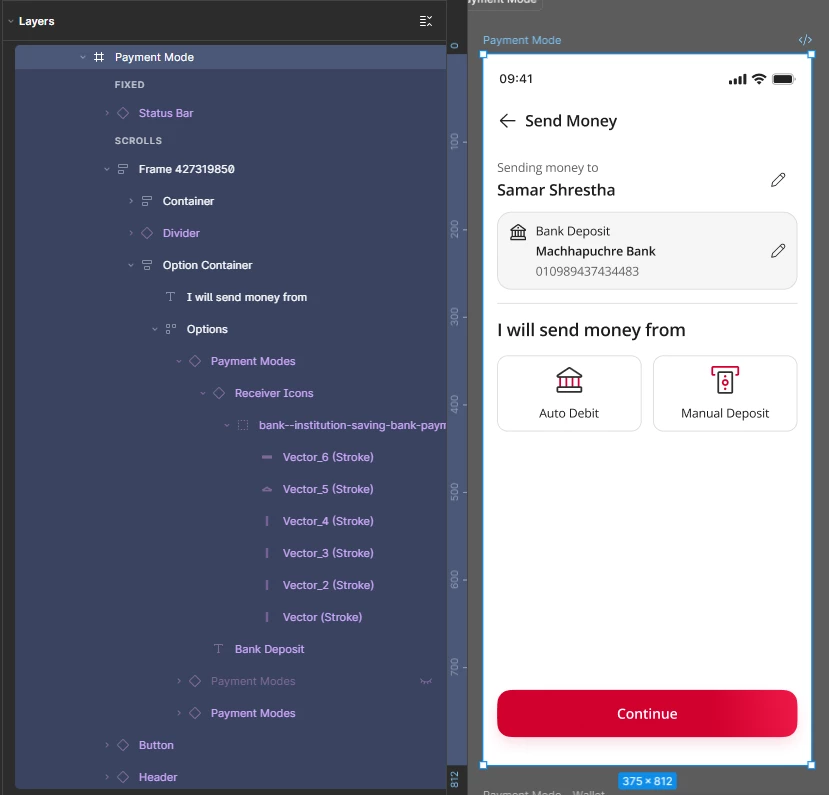
Copied Design from Monitor 1
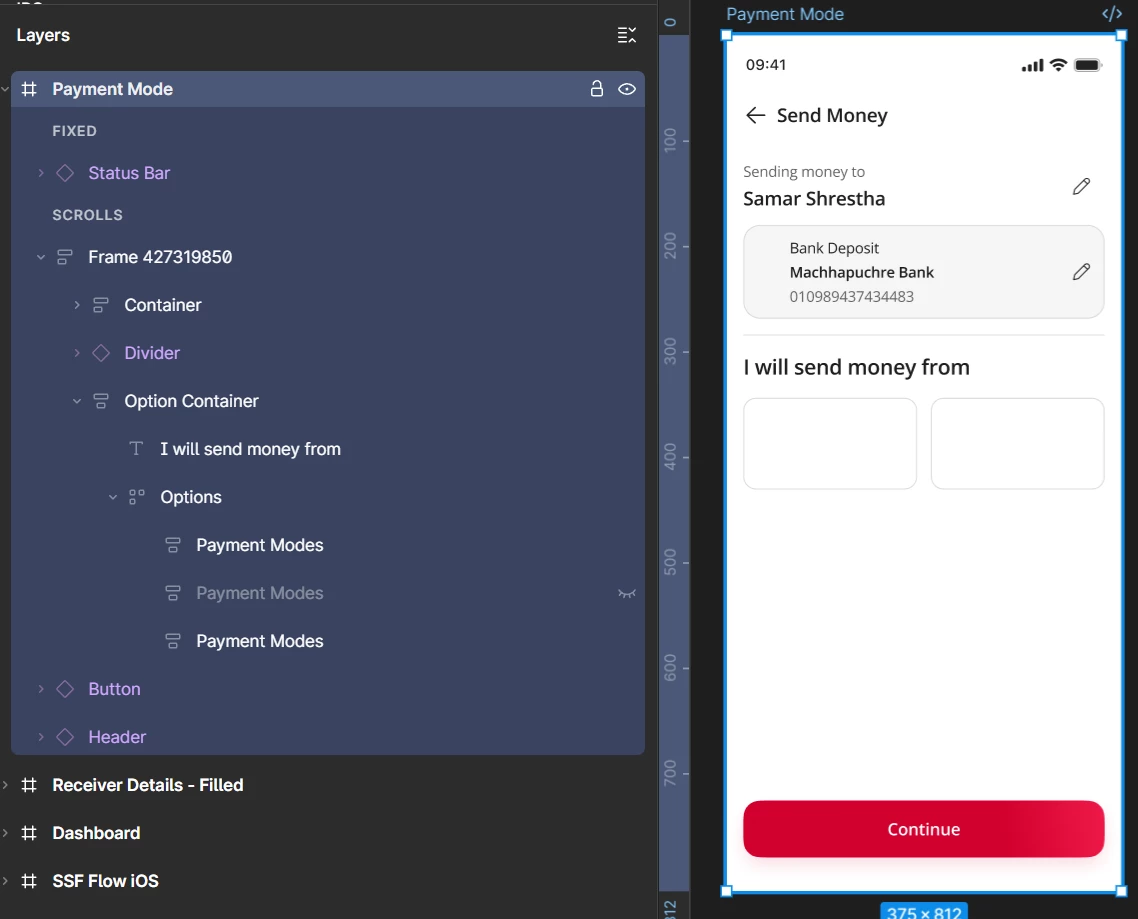
Pasted Design in Monitor 2