

Solved

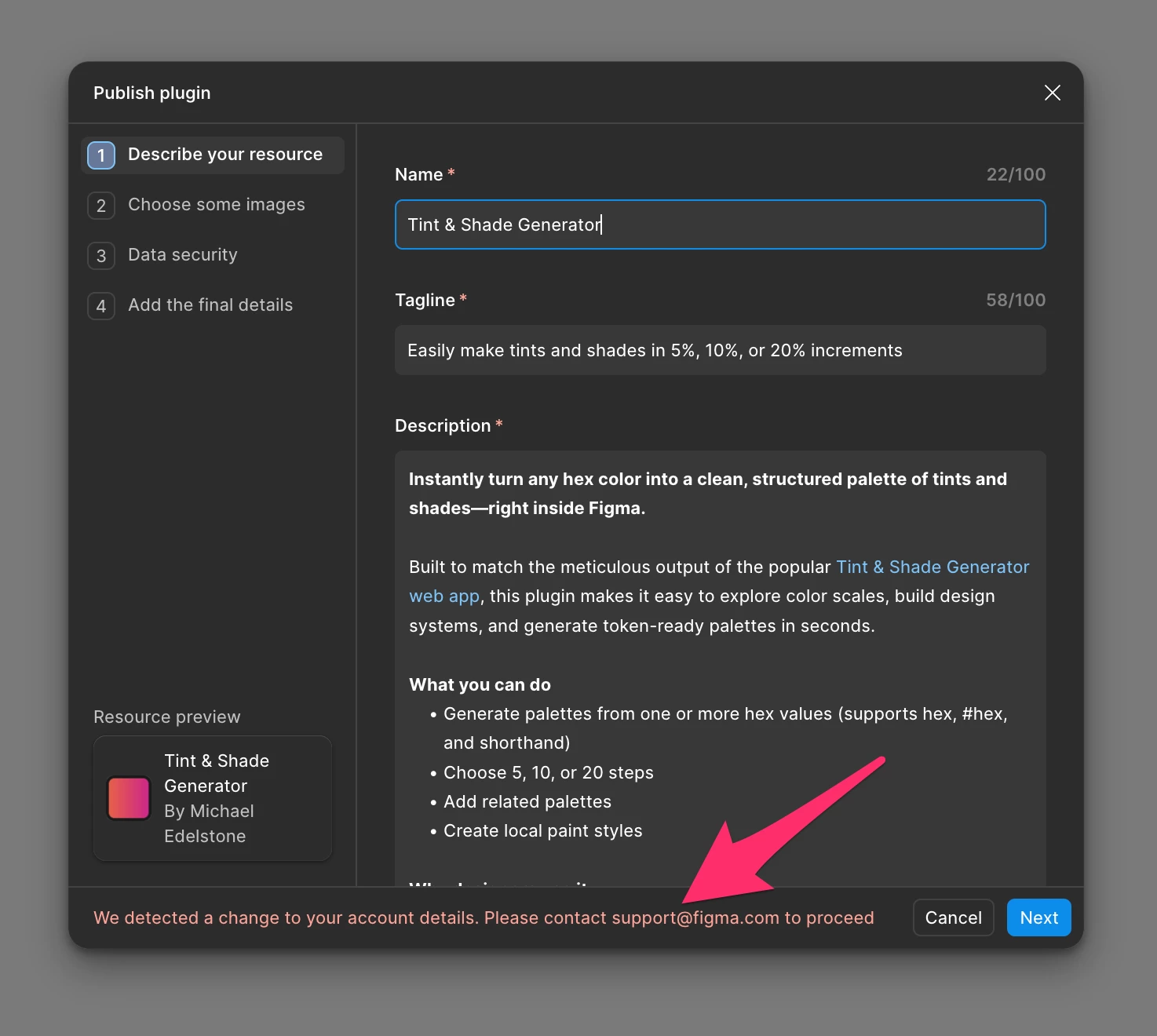
Can't publish plugin after updating 2FA settings

  • March 5, 2026
  • 3 replies
  • 81 views

edelstone

I updated my two-factor recovery settings in Figma, and now I get this message in my plugin manager: "We detected a change to your account details. Please contact support@figma.com to proceed."

After emailing, I received an automated email saying Starter accounts can only receive support in this forum. Upon reviewing similar issues here, it seems the resolution always comes from something manual on the Figma Support side.

Can I get a review started? Thank you!


Best answer by Junko3

Hi ​@Marko_Private


I’ve located your support ticket (#1783979) and have escalated it internally with a note to ensure it gets the attention it needs. Our team will follow up with you directly via email, so please keep an eye out for their response.


For anyone else seeing the same issue, please contact support@figma.com as indicated in the error message, as that’s the best way to get direct help.

I’ll go ahead and close this topic for now. However, if you find your ticket has been automatically closed, please feel free to start a new post. We’re happy to help you get reconnected with our team regarding this issue!

This topic has been closed for replies.

3 replies

  • Figmate
  • March 6, 2026

Hi ​@edelstone,


I understand you’re seeing that error when trying to publish a plugin.

I’ll create a support ticket(#1780652) on your behalf so our team can take a closer look. Someone from the team will contact you via the ticket email when they’re ready.


Thanks!


Marko_Private

@Junko3 can you help me as well. I got the exact same problem


  • Figmate
  • Answer
  • March 9, 2026

Hi ​@Marko_Private


I’ve located your support ticket (#1783979) and have escalated it internally with a note to ensure it gets the attention it needs. Our team will follow up with you directly via email, so please keep an eye out for their response.


For anyone else seeing the same issue, please contact support@figma.com as indicated in the error message, as that’s the best way to get direct help.

I’ll go ahead and close this topic for now. However, if you find your ticket has been automatically closed, please feel free to start a new post. We’re happy to help you get reconnected with our team regarding this issue!