

Question

Bugs on prototype and canvas table row with slot

  • April 17, 2026
  • 10 replies
  • 99 views

Fabio Candido Jardim

It’s been a few days since the table row component I had created started having issues. Both in the canvas—when it renders, it sometimes changes the fixed sizes I had set to other random fixed sizes—and sometimes, when you double-click down to the slot layer, it automatically fixes itself.
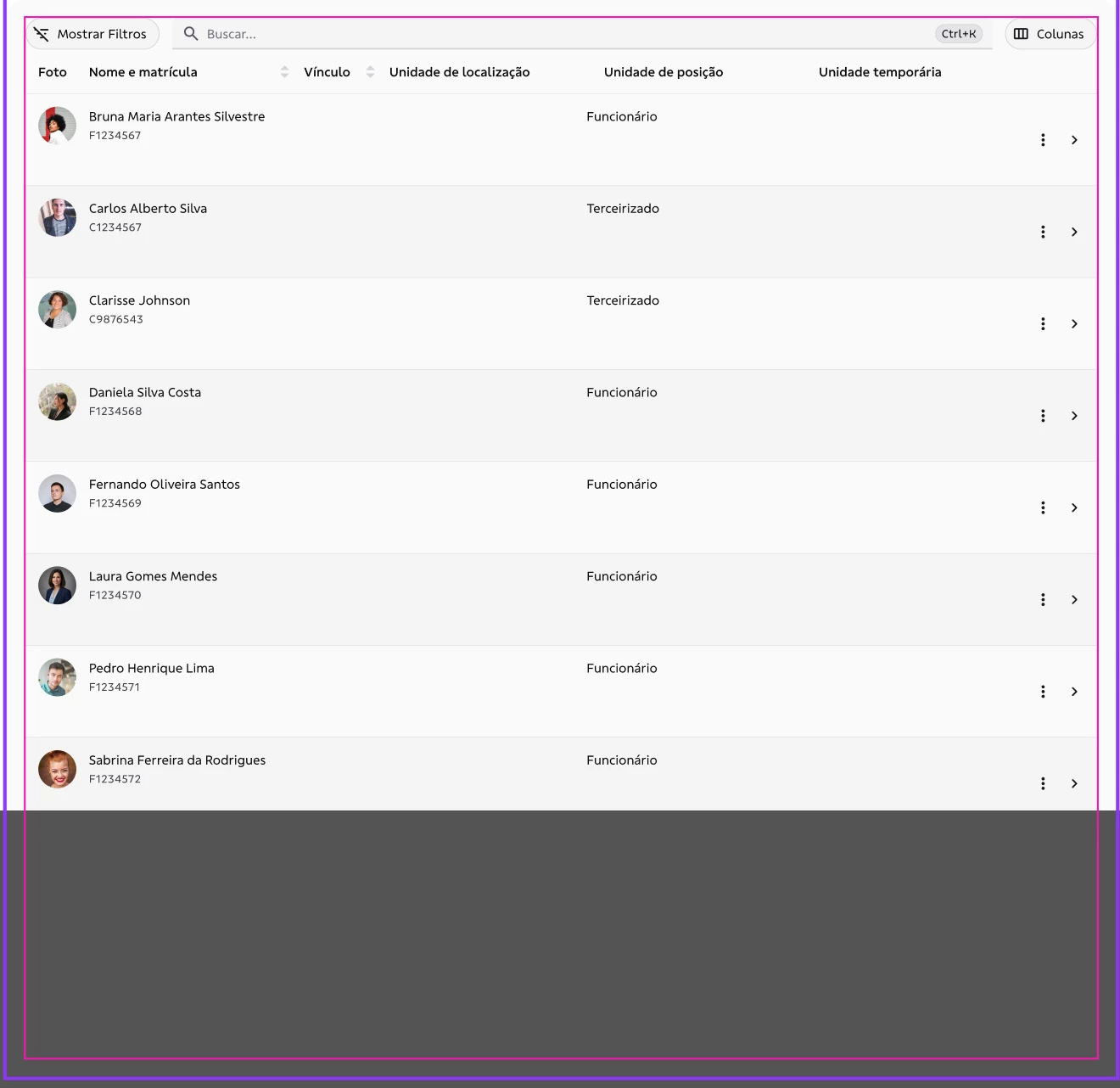
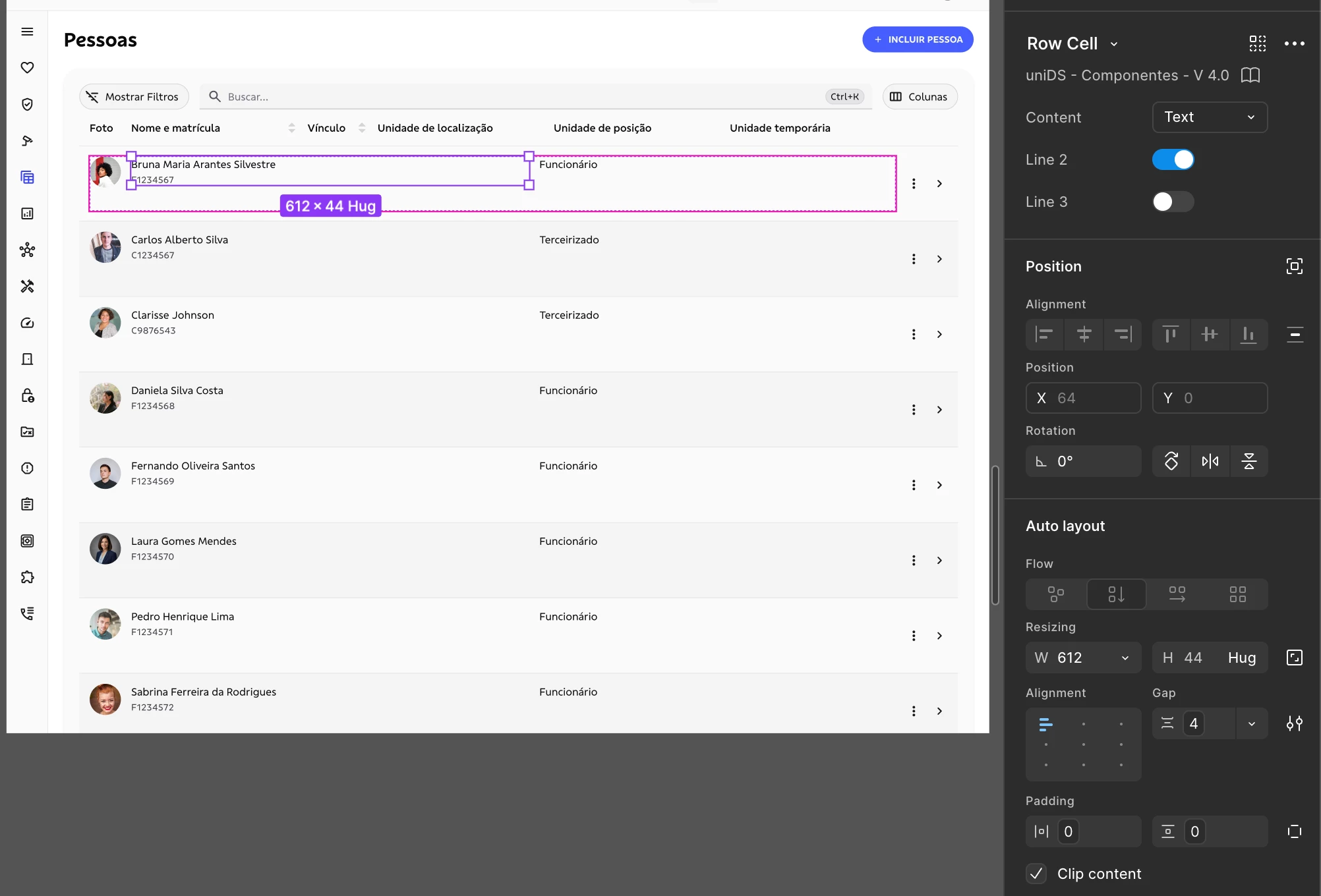
Sizes inside slots break automatically.
Here, for example, I had a fixed size of 255, and out of nowhere Figma changes it to 612.

And there’s also another bug when I’m in the navigable prototype preview mode, where this behavior is reproduced even though it’s already correct on the canvas—for example, when triggering the while hovering interaction, it fixes itself.
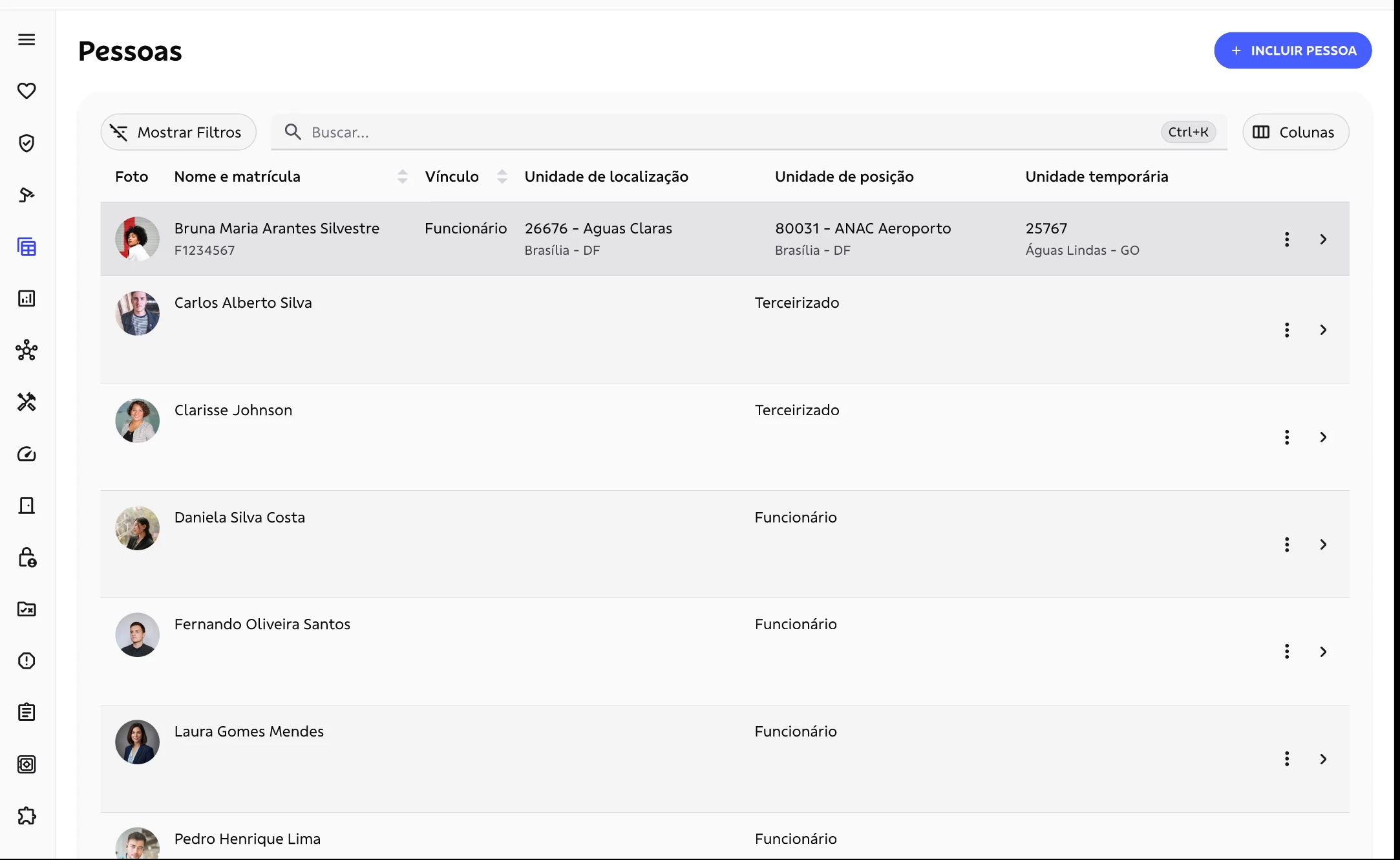
Here, row 1 has the hover state; I need to move the mouse pointer over all of them for it to display correctly.


10 replies

Paula_Kietzer
  • New Participant
  • April 20, 2026

ìt is not working well for me too.

Even though the interactions exist and I didn't change anything, I have to constantly replace the component in the page. It is unclear to me when it happens, sometimes It just stops working.

Slots are a great addition, but it has been very annoying to work with it on Prototypes. 


adamsmasher
Figmate
  • Figmate
  • April 23, 2026

Hey ​@Fabio Candido Jardim and ​@Paula_Kietzer! Thank you both for your posts.


I can see how this would make for a pretty inconsistent visual experience when editing as well as when viewing prototypes. Do you only see this with table cells or with other uses of slots?


I’m checking with our team for more info, though it looks like they are already investigating this. I’ll reply again when I have more information or if we need more information. Thanks for your patience, and let me know if you have any other questions!


Fabio Candido Jardim

@adamsmasher 

Thank you.

So far, I’ve only noticed this issue in the table row. I also have the card container, drawer, and dialog components that use slots, and up to now I haven’t had any problems with them. It seems to be related to setting some items to fixed and others to fill.


adamsmasher
Figmate
  • Figmate
  • April 24, 2026

Thanks for confirming that, ​@Fabio Candido Jardim


I found a ticket you have open with our support team regarding this issue and added this extra information for them. You should hear back soon from them - thank you for your patience!


In the meantime, let me know if you have any other questions.


  • New Member
  • April 27, 2026

'Regenerate all instances (slow)' do fix the rendering issue throughout the file, but the bug comes back when you refresh/reopen the file.

Unfortunately, the same action isn't available for the developers in Dev Mode. They have to click into each component to fix the visual issue.


Fabio Candido Jardim

@adamsmasher 
 

I found another issue.
In my accordion component with a slot, when I apply content to the slot in the default state, in the prototype, when it triggers the hover state, it switches the content to the empty slot.

This issue is resolved if, in the canvas, I change the component to the hover state and place the same content there, then switch back to the default state. However, this requires much more work. I believe the slot should persist across the navigation states within the component, inheriting what was defined in the slot instead of rendering the empty variant.


default state
hover state


adamsmasher
Figmate
  • Figmate
  • April 30, 2026

@m.mode, thank you for posting about what happens when you regenerate all instances - I shared that with our support team, and I’ll update the thread if I hear anything back regarding this.


@Fabio Candido Jardim - thanks for reporting the new issue! Just to make sure I understand your component and slot correct, within the accordion component you have a slot for each item in the accordion and that slot has a hover state. Is that correct? I can see why you’d want slot content to persist across states, though I just want to understand your component structure properly so I can find out what is the expected behavior. I could also see the reverse of this being expected so that you have maximum flexibility with slot content in different states.


Fabio Candido Jardim

@adamsmasher 
Basically, when the accordion is open, it has the option to render the content as a slot. Then, in the component’s state, I can have the transitions at the top between hover and pressed.
When I’m running the prototype and hover over it, it gets replaced by the empty slot component and doesn’t keep the content that I added to the component in the default state on canvas.


adamsmasher
Figmate

Thanks for clarifying, ​@Fabio Candido Jardim


I did some additional checking with our team and found that they’ve actually been working on a fix for certain cases where regenerating instances does not fix the hover state issue. Hopefully this should be out soon so you don’t need to manually add content to different states. Thank you again for your patience!


adamsmasher
Figmate

Great news!


The resolution by our team has been released and should be live now. Please let us know if you have any further trouble.


Cheers!