

Fabio Candido Jardim
New Member
April 17, 2026
Question

Bugs on prototype and canvas table row with slot

  • April 17, 2026
  • 12 replies
  • 244 views

It’s been a few days since the table row component I had created started having issues. Both in the canvas—when it renders, it sometimes changes the fixed sizes I had set to other random fixed sizes—and sometimes, when you double-click down to the slot layer, it automatically fixes itself.
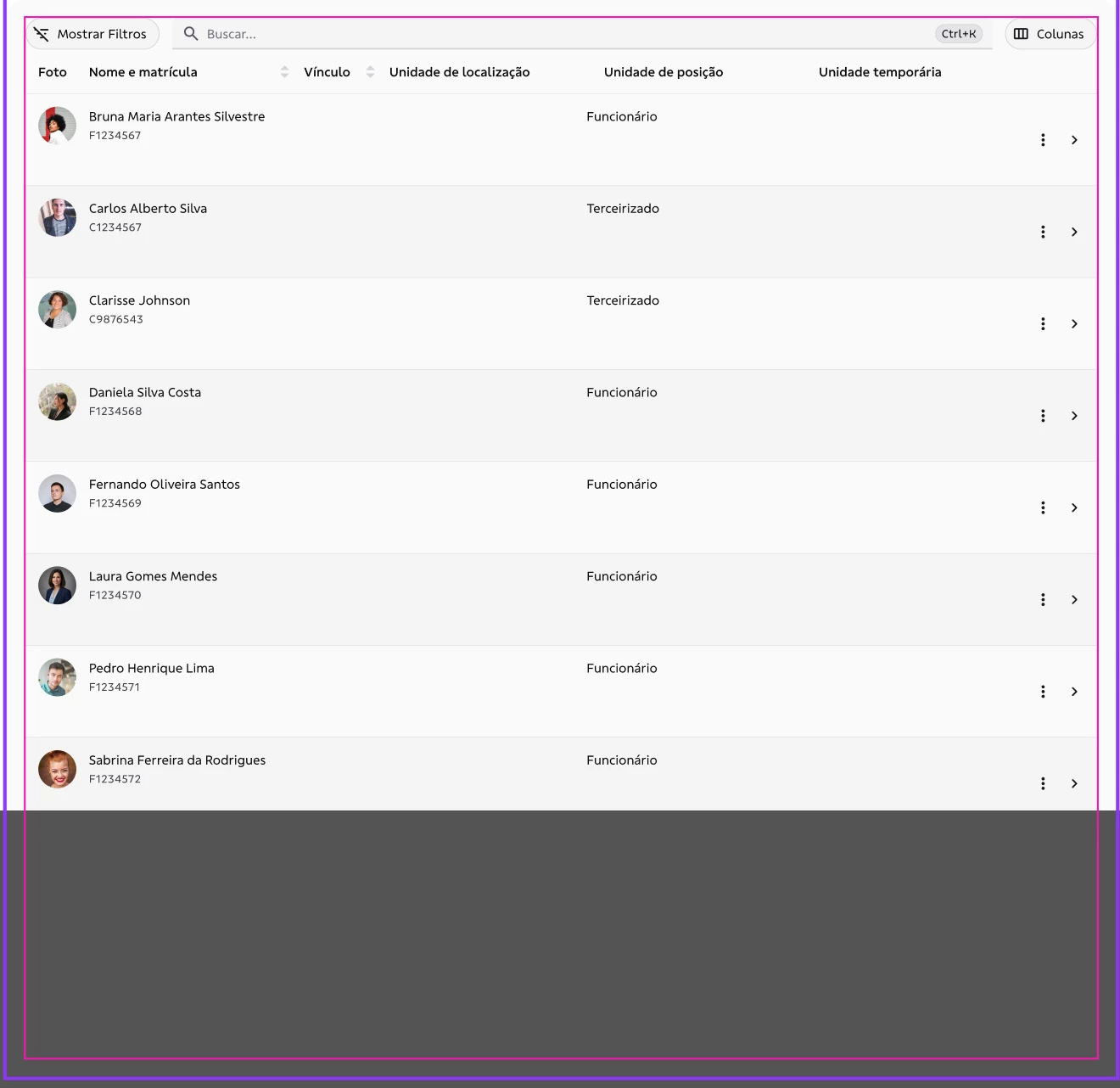
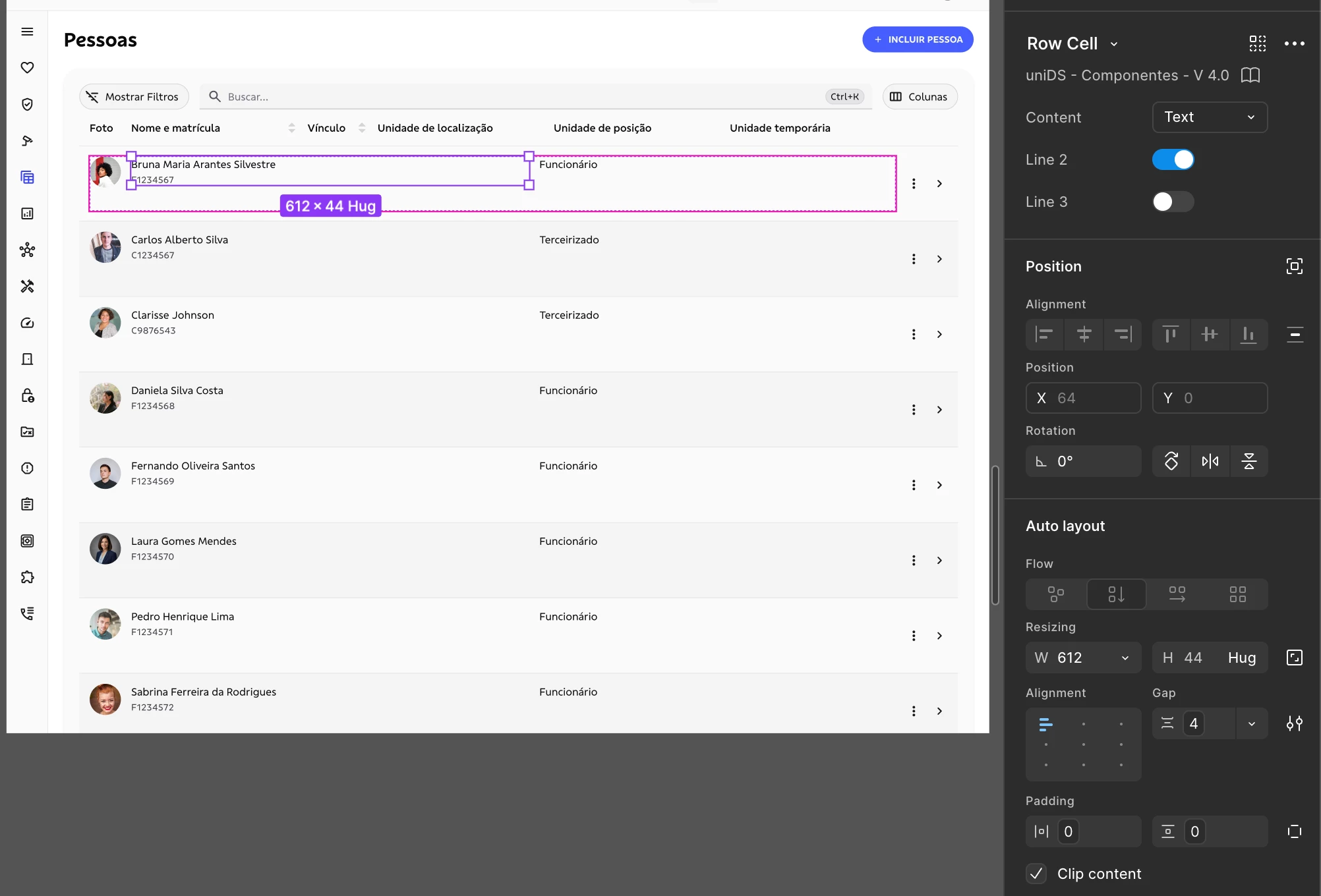
Sizes inside slots break automatically.
Here, for example, I had a fixed size of 255, and out of nowhere Figma changes it to 612.

And there’s also another bug when I’m in the navigable prototype preview mode, where this behavior is reproduced even though it’s already correct on the canvas—for example, when triggering the while hovering interaction, it fixes itself.
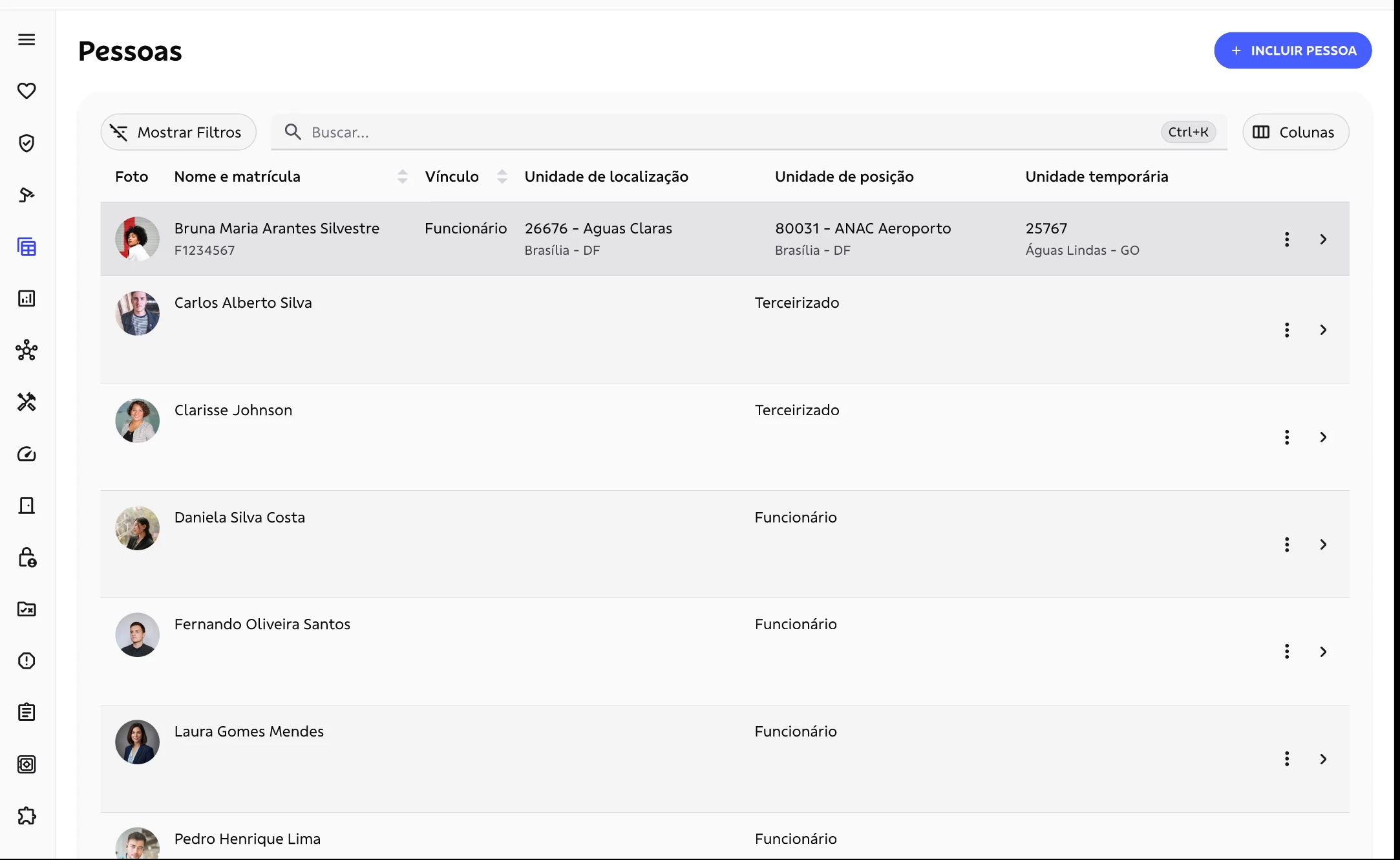
Here, row 1 has the hover state; I need to move the mouse pointer over all of them for it to display correctly.


    12 replies

    Marta Anna
    New Member
    May 20, 2026

    I have been searching for this issue thinking I am the only one who experiences this… I have the same problem with the table. The table breaks when I double click and try to edit it, and is fixed when I duplicate the instance. After I duplicate it, it works fine. The problem comes back for the same table after Figma restart. I have a table component with a table header and a table footer and a slot that allows for pasting the table. The inner table breaks when I double click on it - screenshots attached. I tried changing the constraints of the table cells / cols / rows, but to no avail. It breaks each time. The problem was not fixed fo me. 


    adamsmasher
    Figmate
    Figmate
    May 22, 2026

    Hi, ​@Marta Anna. Thanks for your reply!


    I see what you mean in your screenshots - thank you for including them. Have you tried using Regenerate all instances from the actions menu? I can tell that you’ve done some testing to fix this from the details you provided, but I wasn’t sure if you’d tried that yet. If that doesn’t resolve the issue for you, then I will help make a ticket for you with our Technical Quality team.